



Password Pusher
分享密码、文本甚至文件的工具
安装次数
点赞
应用评论
催更次数
桌面端
移动端

应用描述
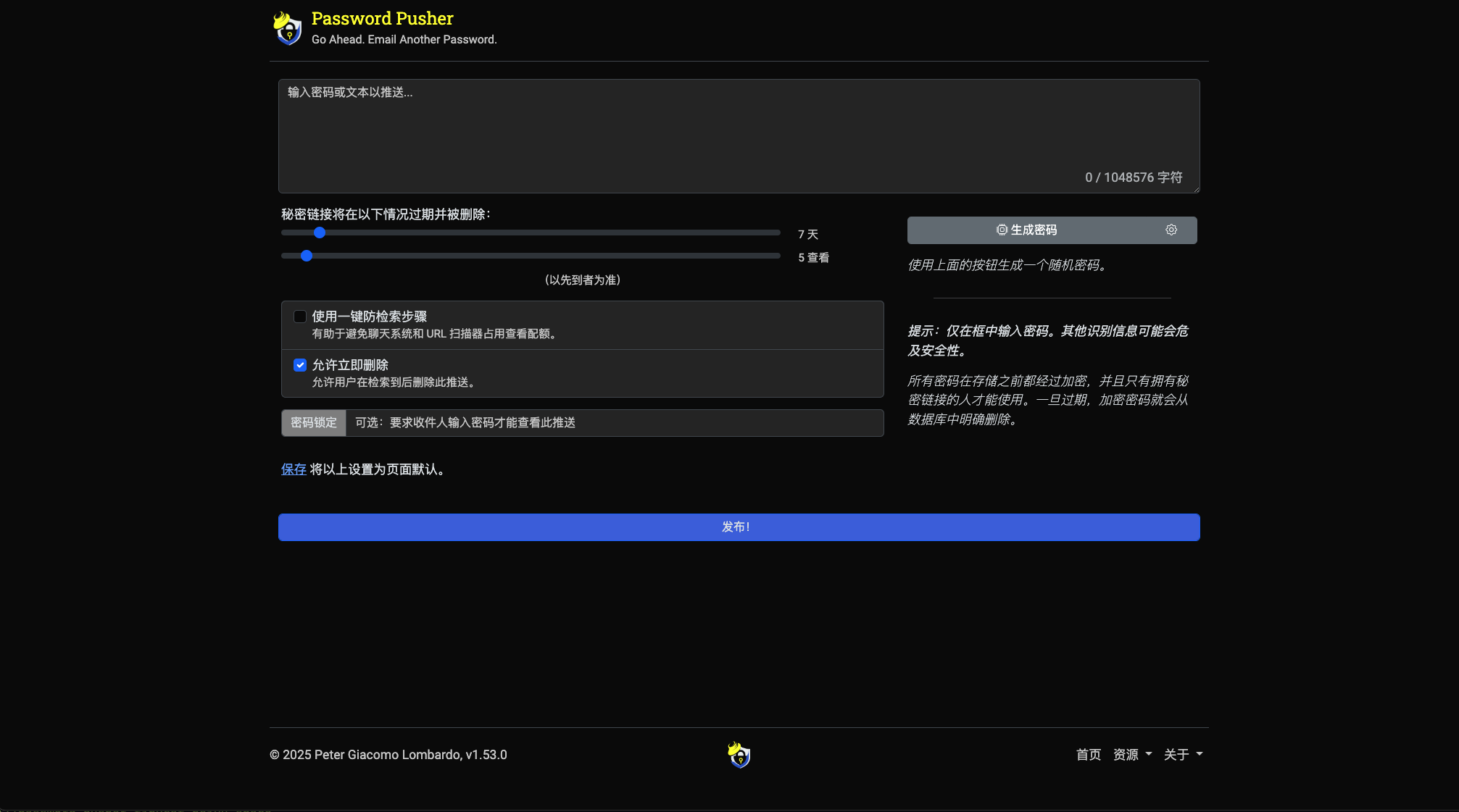
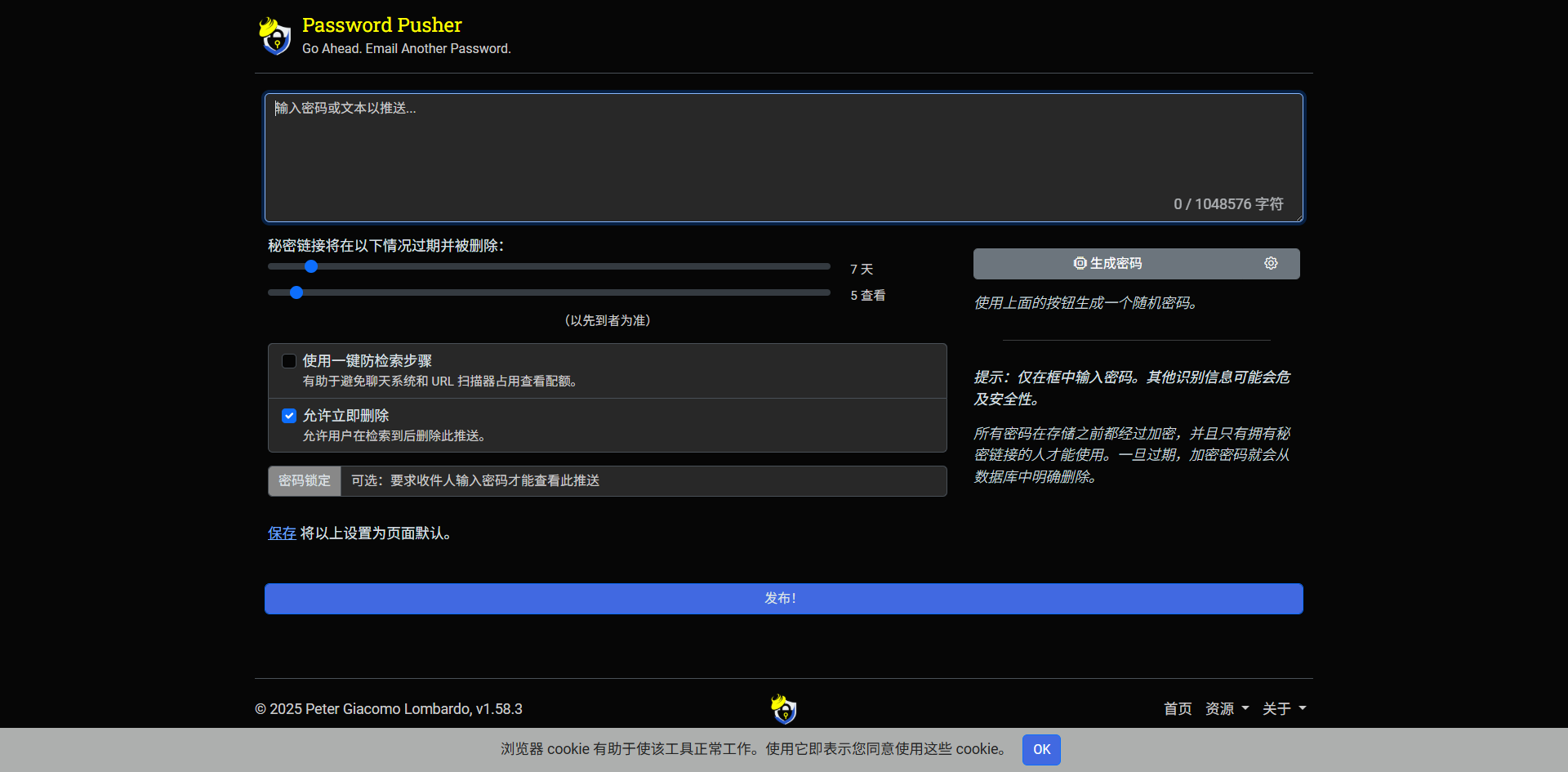
Password Pusher 是一个用来分享密码、文本甚至文件的工具,但它和普通的聊天软件不一样!它会生成一个带加密的“一次性链接”,对方只能在规定的时间内或有限的查看次数中访问。一旦次数用完或时间到期,内容会自动消失,最大限度保护你的隐私。

懒猫评分/评论
0.0
0 条评论
应用信息
新功能
版本历史记录
:memo: What’s Changed :arrow_up: Dependencies updates • :arrow_up: Bump aws-sdk-s3 from 1.235.0 to 1.237.0 (#5010) @dependabot[bot] (https://github.com/apps/dependabot) • :arrow_up: Bump net-scp from 4.1.2 to 4.2.0 (#5003) @dependabot[bot] (https://github.com/apps/dependabot) • :arrow_up: Bump selenium-webdriver from 4.51.0 to 4.52.0 (#5013) @dependabot[bot] (https://github.com/apps/dependabot) • :arrow_up: Bump rack from 3.2.7 to 3.2.8 (#5012) @dependabot[bot] (https://github.com/apps/dependabot) • :arrow_up: Bump caniuse-lite from 1.0.30001819 to 1.0.30001820 (#5004) @dependabot[bot] (https://github.com/apps/dependabot) • :arrow_up: Bump ansi-regex from 6.4.0 to 6.5.0 (#5005) @dependabot[bot] (https://github.com/apps/dependabot) • :arrow_up: Bump sass from 1.106.1 to 1.107.0 (#5008) @dependabot[bot] (https://github.com/apps/dependabot) • :arrow_up: Bump google-cloud-errors from 1.7.0 to 1.7.1 (#5014) @dependabot[bot] (https://github.com/apps/dependabot) • :arrow_up: Bump io-console from 0.9.4 to 0.9.5 (#5016) @dependabot[bot] (https://github.com/apps/dependabot) • :arrow_up: Bump kaminari-actionview from 1.3.0 to 1.3.2 (#5017) @dependabot[bot] (https://github.com/apps/dependabot) • :arrow_up: Bump net-sftp from 4.0.2 to 4.1.1 (#5018) @dependabot[bot] (https://github.com/apps/dependabot) • :arrow_up: Bump rotp from 6.3.0 to 6.4.0 (#5019) @dependabot[bot] (https://github.com/apps/dependabot) • :arrow_up: Bump googleauth from 1.17.6 to 1.17.7 (#5020) @dependabot[bot] (https://github.com/apps/dependabot) • :arrow_up: Bump google-cloud-core from 1.9.0 to 1.9.1 (#5021) @dependabot[bot] (https://github.com/apps/dependabot) • :arrow_up: Bump browserslist from 4.29.4 to 4.29.5 (#4995) @dependabot[bot] (https://github.com/apps/dependabot) • :arrow_up: Bump postcss from 8.5.31 to 8.5.32 (#4996) @dependabot[bot] (https://github.com/apps/dependabot) • :arrow_up: Bump bootsnap from 1.26.0 to 1.26.1 (#5000) @dependabot[bot] (https://github.com/apps/dependabot) • :arrow_up: Bump autoprefixer from 10.6.1 to 10.6.2 (#4997) @dependabot[bot] (https://github.com/apps/dependabot) • :arrow_up: Bump aws-partitions from 1.1298.0 to 1.1299.1 (#5001) @dependabot[bot] (https://github.com/apps/dependabot) • :arrow_up: Bump sqlite3 from 2.10.1 to 2.10.2 (#5002) @dependabot[bot] (https://github.com/apps/dependabot) • :arrow_up: Bump google-apis-storage_v1 from 0.69.0 to 0.70.0 (#4994) @dependabot[bot] (https://github.com/apps/dependabot) :busts_in_silhouette: List of contributors @dependabot[bot] (https://github.com/apps/dependabot) :motor_boat: Docker Images Available on Docker Hub: https://hub.docker.com/r/pglombardo/pwpush :running_man: Run This Version 1. Point DNS to your server (e.g. pwpush.example.com). 2. Download docker-compose.yml (https://raw.githubusercontent.com/pglombardo/PasswordPusher/refs/heads/master/docker-compose.yml) or clone the repo. 3. In docker-compose.yml, uncomment and set: • TLS_DOMAIN: 'pwpush.example.com' for automatic Let’s Encrypt TLS. 4. Run: docker compose up -d Open https://pwpush.example.com or alternatively http://your-ip:5100. :link: Useful Links • Documentation (https://docs.pwpush.com) • Docker Hub (https://hub.docker.com/r/pglombardo/pwpush) • GitHub (https://github.com/pglombardo/PasswordPusher) • pwpush.com (https://pwpush.com) • ☑ (https://twitter.com/pwpush) • Facebook (https://www.facebook.com/pwpush) • Reddit (https://reddit.com/r/pwpush) • Newsletter (https://buttondown.email/pwpush) • Apnotic (https://www.apnotic.com)
此 App 尚未收到足够的评分或评论,无法显示评论列表。