
'%3e%3cpath%20d='M9%2021H15'%20stroke='black'%20stroke-width='2'%20stroke-linecap='round'%20stroke-linejoin='round'/%3e%3cpath%20d='M5.25001%209.75C5.25001%207.95979%205.96116%206.2429%207.22703%204.97703C8.4929%203.71116%2010.2098%203%2012%203C13.7902%203%2015.5071%203.71116%2016.773%204.97703C18.0388%206.2429%2018.75%207.95979%2018.75%209.75C18.75%2013.1081%2019.5281%2015.8063%2020.1469%2016.875C20.2126%2016.9888%2020.2472%2017.1179%2020.2474%2017.2493C20.2475%2017.3808%2020.2131%2017.5099%2020.1475%2017.6239C20.082%2017.7378%2019.9877%2017.8325%2019.8741%2017.8985C19.7604%2017.9645%2019.6314%2017.9995%2019.5%2018H4.50001C4.36874%2017.9992%204.23997%2017.964%204.12659%2017.8978C4.0132%2017.8317%203.91916%2017.7369%203.85387%2017.6231C3.78858%2017.5092%203.75432%2017.3801%203.75452%2017.2489C3.75472%2017.1176%203.78937%2016.9887%203.85501%2016.875C4.47282%2015.8063%205.25001%2013.1072%205.25001%209.75Z'%20stroke='black'%20stroke-width='2'%20stroke-linecap='round'%20stroke-linejoin='round'/%3e%3c/g%3e%3cdefs%3e%3cclipPath%20id='clip0_4762_133'%3e%3crect%20width='24'%20height='24'%20fill='white'/%3e%3c/clipPath%3e%3c/defs%3e%3c/svg%3e)
'%3e%3cpath%20d='M24%200H0V24H24V0Z'%20fill='white'%20fill-opacity='0.01'/%3e%3cpath%20d='M12%2011C14.2091%2011%2016%209.20914%2016%207C16%204.79086%2014.2091%203%2012%203C9.79086%203%208%204.79086%208%207C8%209.20914%209.79086%2011%2012%2011Z'%20stroke='black'%20stroke-width='2'%20stroke-linecap='round'%20stroke-linejoin='round'/%3e%3cpath%20d='M4%2021V20.4857C4%2018.5655%204%2017.6055%204.38753%2016.872C4.72841%2016.2269%205.27235%2015.7024%205.94138%2015.3737C6.70196%2015%207.6976%2015%209.68889%2015H14.3111C16.3024%2015%2017.298%2015%2018.0586%2015.3737C18.7276%2015.7024%2019.2716%2016.2269%2019.6125%2016.872C20%2017.6055%2020%2018.5655%2020%2020.4857V21'%20stroke='black'%20stroke-width='2'%20stroke-linecap='round'%20stroke-linejoin='round'/%3e%3c/g%3e%3cdefs%3e%3cclipPath%20id='clip0_4762_139'%3e%3crect%20width='24'%20height='24'%20fill='white'/%3e%3c/clipPath%3e%3c/defs%3e%3c/svg%3e)

Stringer:极简的RSS信息聚合神器
天天
发布于461天前龙猫也是猫
什么是 Stringer?
Stringer 是一个基于 Ruby 编写的开源 RSS 阅读器,它的口号是"anti-social RSS reader"(反社交 RSS 阅读器)。
这个名字很有意思,其实就是说它专注于阅读,不搞那些社交分享的花里胡哨功能。
Stringer 和 Miniflux 有很多共同点,都是提要阅读器的超级简单实现。它是用 Ruby 编写的,相比同为 Ruby 编写的 feedbin,它的架构更为简单,界面也更现代化。
https://appstore.lazycat.cloud/#/shop/detail/com.stringer.rss
如何使用
应用安装之后,打开首页,先注册一个用户
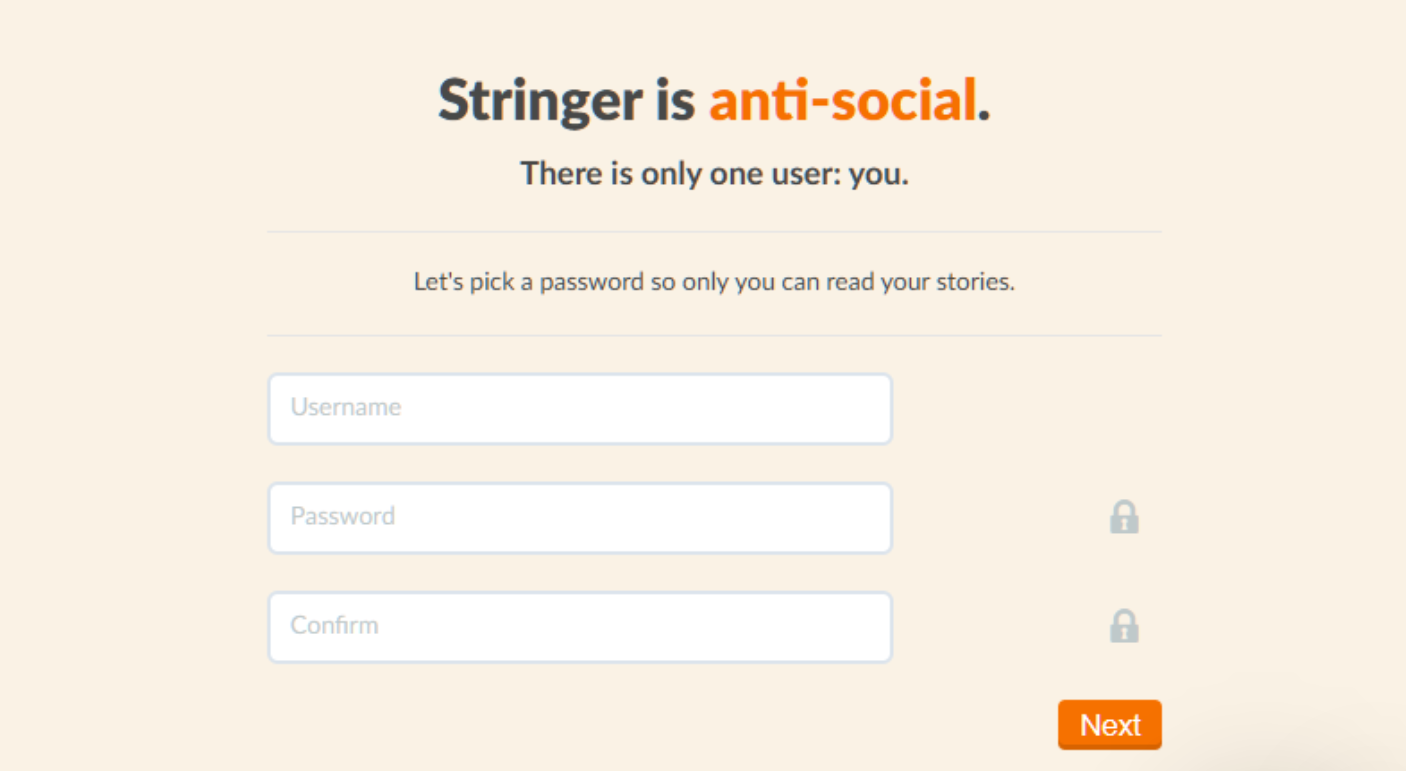
注册成功后,首次选择Not now

进入向导页面
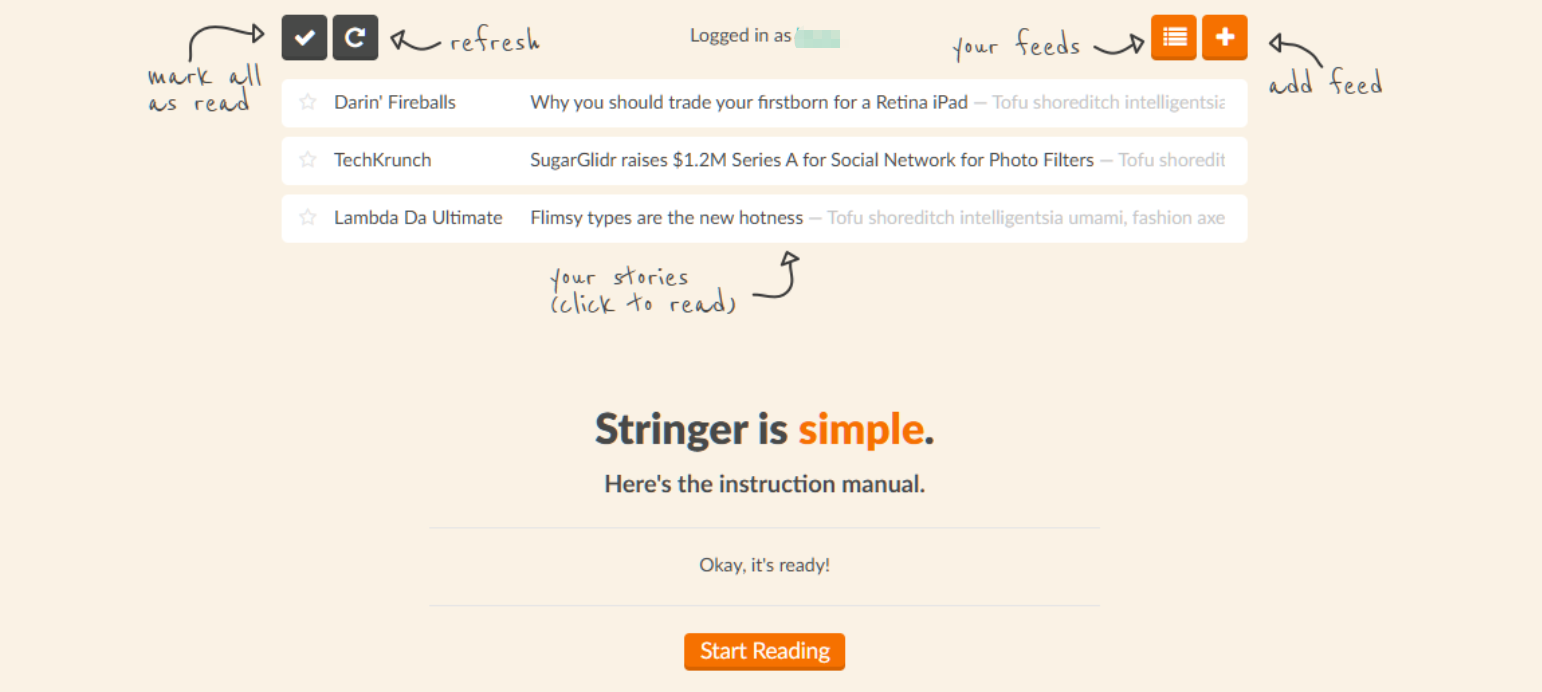
点击+ 添加RSS源
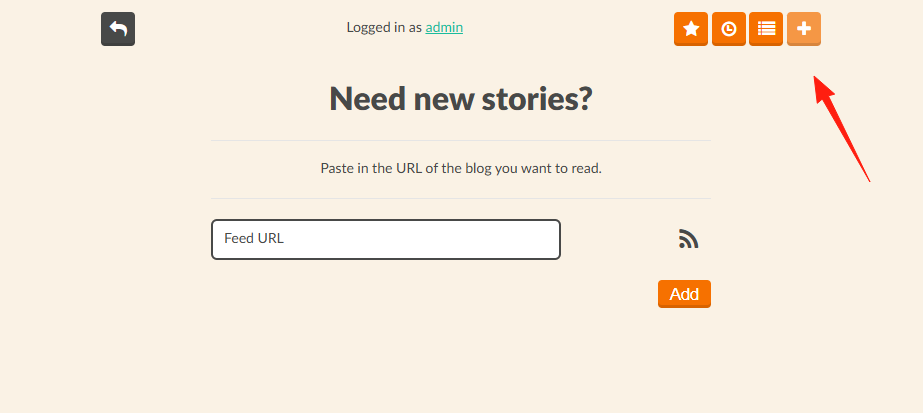
找到你想订阅的网站的 RSS 链接,通常是这样的:
https://example.com/feedhttps://example.com/rsshttps://example.com/rss.xml
在 Stringer 中点击"Add Feed",粘贴链接就行了。
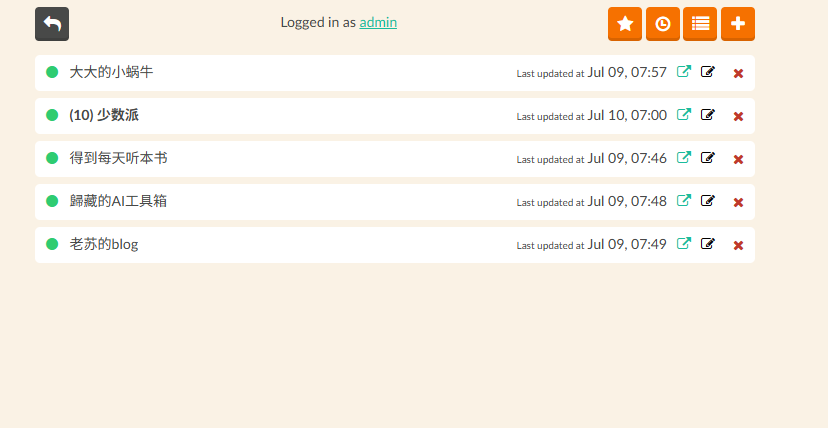
这里分享一些我在用的优质 RSS 源:
科技类
- Hacker News:
https://news.ycombinator.com/rss - GitHub Trending:
https://github.com/trending.atom - Product Hunt:
https://www.producthunt.com/feed
博客类
- 阮一峰的网络日志:
https://feeds.feedburner.com/ruanyifeng - 少数派:
https://sspai.com/feed
小结
Stringer 就是那种"做好一件事"的工具。它不会给你一堆用不到的功能,也不会让你在设置里迷失方向。
如果你:
- 想要一个简洁的 RSS 阅读器
- 重视数据隐私和控制权
那么 Stringer 就是为你准备的。
评论
0暂无评论