
'%3e%3cpath%20d='M9%2021H15'%20stroke='black'%20stroke-width='2'%20stroke-linecap='round'%20stroke-linejoin='round'/%3e%3cpath%20d='M5.25001%209.75C5.25001%207.95979%205.96116%206.2429%207.22703%204.97703C8.4929%203.71116%2010.2098%203%2012%203C13.7902%203%2015.5071%203.71116%2016.773%204.97703C18.0388%206.2429%2018.75%207.95979%2018.75%209.75C18.75%2013.1081%2019.5281%2015.8063%2020.1469%2016.875C20.2126%2016.9888%2020.2472%2017.1179%2020.2474%2017.2493C20.2475%2017.3808%2020.2131%2017.5099%2020.1475%2017.6239C20.082%2017.7378%2019.9877%2017.8325%2019.8741%2017.8985C19.7604%2017.9645%2019.6314%2017.9995%2019.5%2018H4.50001C4.36874%2017.9992%204.23997%2017.964%204.12659%2017.8978C4.0132%2017.8317%203.91916%2017.7369%203.85387%2017.6231C3.78858%2017.5092%203.75432%2017.3801%203.75452%2017.2489C3.75472%2017.1176%203.78937%2016.9887%203.85501%2016.875C4.47282%2015.8063%205.25001%2013.1072%205.25001%209.75Z'%20stroke='black'%20stroke-width='2'%20stroke-linecap='round'%20stroke-linejoin='round'/%3e%3c/g%3e%3cdefs%3e%3cclipPath%20id='clip0_4762_133'%3e%3crect%20width='24'%20height='24'%20fill='white'/%3e%3c/clipPath%3e%3c/defs%3e%3c/svg%3e)
'%3e%3cpath%20d='M24%200H0V24H24V0Z'%20fill='white'%20fill-opacity='0.01'/%3e%3cpath%20d='M12%2011C14.2091%2011%2016%209.20914%2016%207C16%204.79086%2014.2091%203%2012%203C9.79086%203%208%204.79086%208%207C8%209.20914%209.79086%2011%2012%2011Z'%20stroke='black'%20stroke-width='2'%20stroke-linecap='round'%20stroke-linejoin='round'/%3e%3cpath%20d='M4%2021V20.4857C4%2018.5655%204%2017.6055%204.38753%2016.872C4.72841%2016.2269%205.27235%2015.7024%205.94138%2015.3737C6.70196%2015%207.6976%2015%209.68889%2015H14.3111C16.3024%2015%2017.298%2015%2018.0586%2015.3737C18.7276%2015.7024%2019.2716%2016.2269%2019.6125%2016.872C20%2017.6055%2020%2018.5655%2020%2020.4857V21'%20stroke='black'%20stroke-width='2'%20stroke-linecap='round'%20stroke-linejoin='round'/%3e%3c/g%3e%3cdefs%3e%3cclipPath%20id='clip0_4762_139'%3e%3crect%20width='24'%20height='24'%20fill='white'/%3e%3c/clipPath%3e%3c/defs%3e%3c/svg%3e)

懒猫微服进阶心得(七):懒猫的镜像仓库
忘机山人
发布于497天前博客图片修整中,看不了可以先搜索公众号“忘机山人”看。
这几年国内访问 Dockerhub 总有类似的问题,所以很多情况都建议自建docker 仓库,比如 Habor,Nexus 或者。毕竟 GFW的花样我们想不到。
云厂商的 ECR。但是对于个人玩家或者爱好者来说这一套实在是太重太难以维护了,可能也就是这个原因,懒猫微服也提供了镜像仓库的和本地仓库的功能。
先说镜像仓库,就是从懒猫微服的服务器上先拉 Docker image,然后再推到自己的registry。这一步骤通常由出海链路比较好的机器来完成。
懒猫镜像同步功能
懒猫提供了便捷的镜像同步命令:
lzc-cli appstore copy-image cloudsmithy/lazycat-nav
执行之后就可以看到镜像仓库,registry.lazycat.cloud 这个地址。
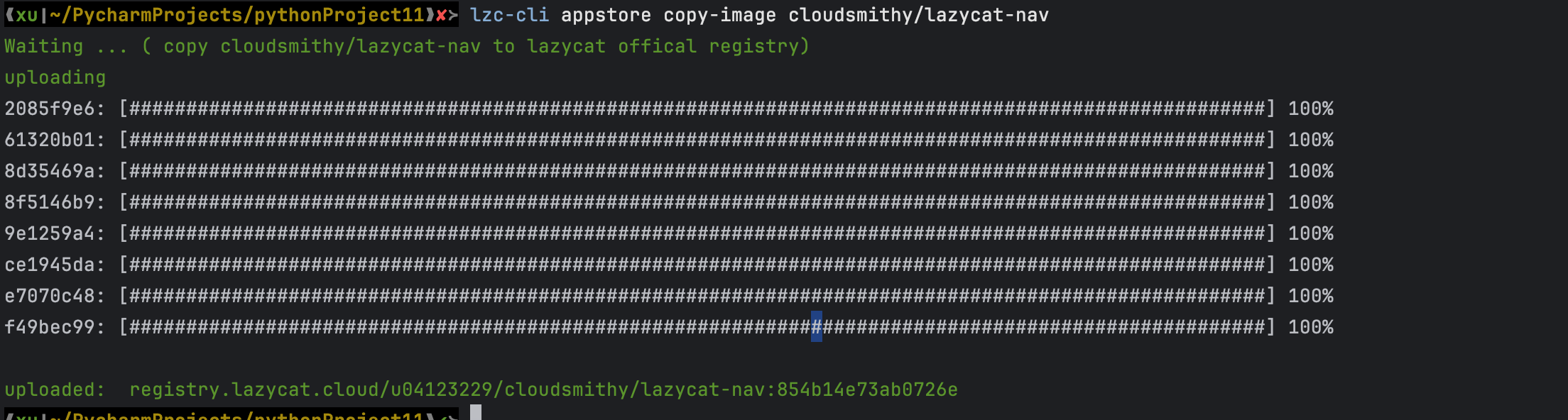
重要说明:
这个地址只能在微服环境中使用,如果在其他地方使用会出现认证错误:
docker pull registry.lazycat.cloud/u04123229/cloudsmithy/lazycat-nav:854b14e73ab0726e
Error response from daemon: Head "https://registry.lazycat.cloud/v2/u04123229/cloudsmithy/lazycat-nav/manifests/854b14e73ab0726e": no basic auth credentials
其实就一个加了认证的registry,只是微服有凭证可以直接进。
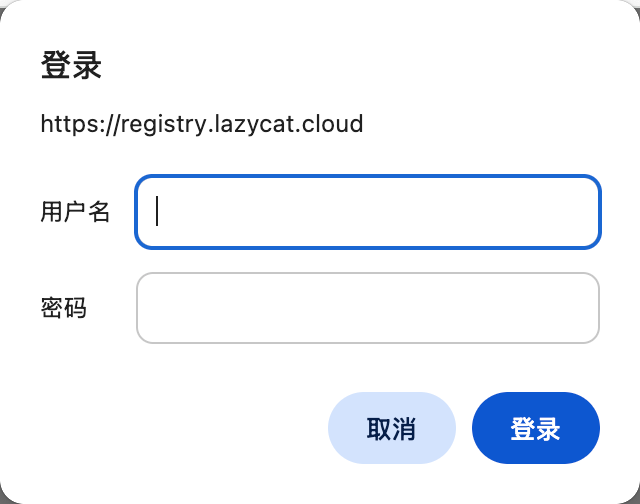
内置Docker Registry V2
懒猫微服内置了一个简化版的registry,完整使用流程如下:
# 构建x86架构镜像
docker build --platform linux/amd64 -t helloworld:latest .

# 获取当前微服名称
BOXNAME=$(lzc-cli box default)

# 为镜像打上仓库标签
docker tag helloworld:latest dev.$BOXNAME.heiyu.space/helloworld:latest

# 推送镜像到仓库
docker push dev.$BOXNAME.heiyu.space/helloworld:latest

# 从仓库拉取镜像
docker pull dev.$BOXNAME.heiyu.space/helloworld:latest
实际操作演示:
在M2芯片设备上的构建过程:
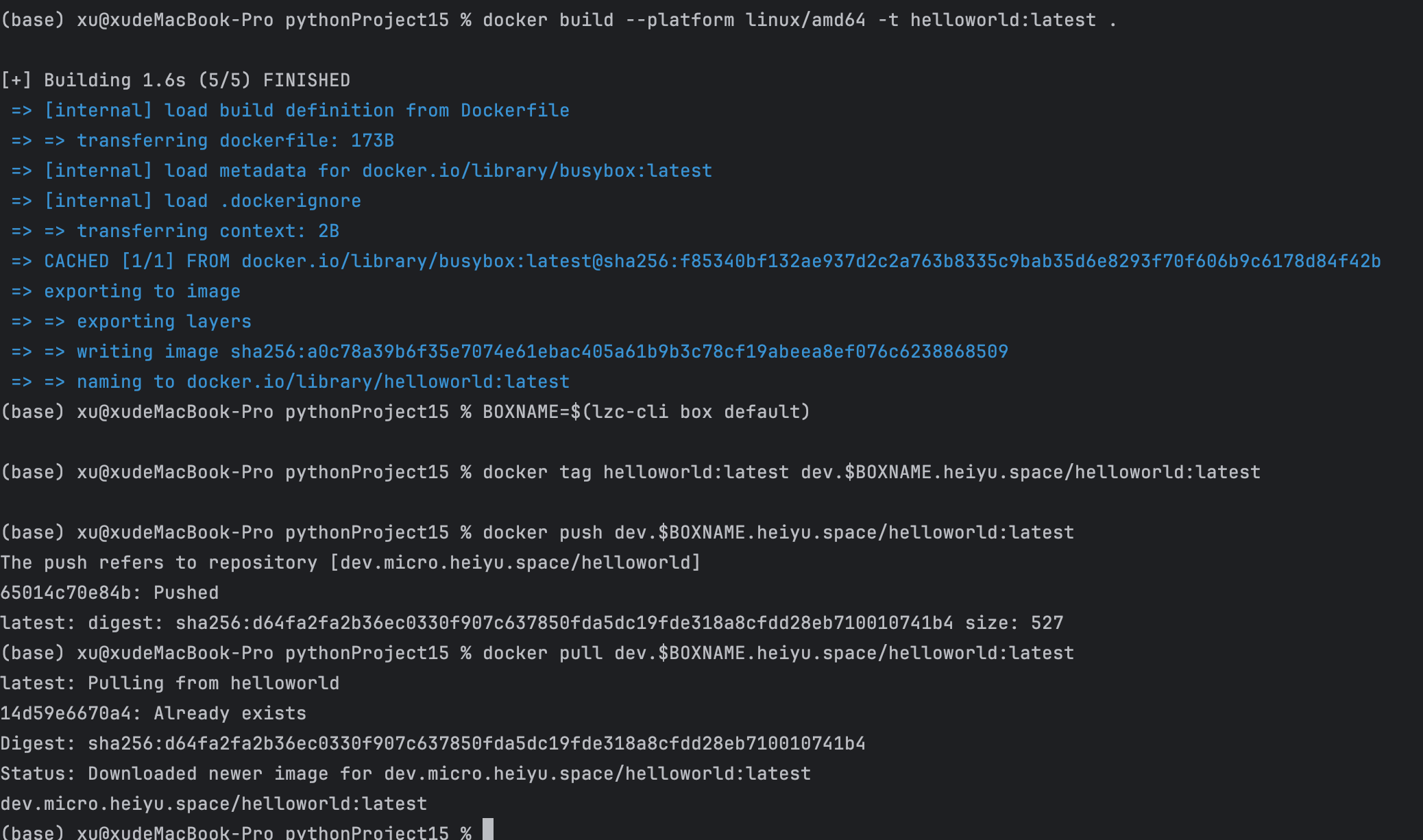
在Orbstack上拉取验证(先删除本地镜像再拉取):
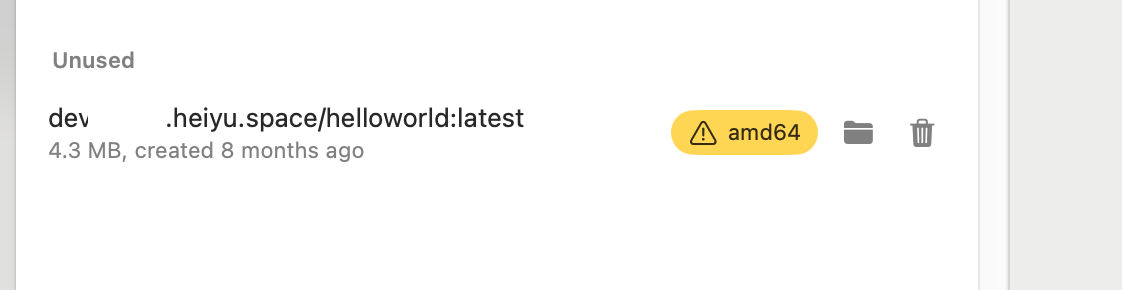
通过API查看镜像列表:
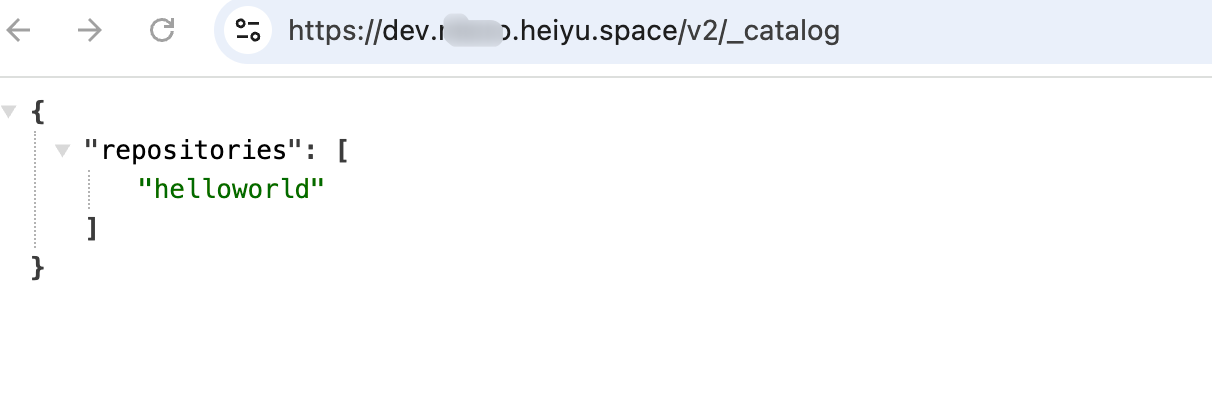
这个简单版本的docker registry v2,后面用来做跑CI的镜像仓库应该是够了。
插曲:
如果遇到这个问题,千万别信 AI 是 buildX 坏了,就是中文路径的问题。(AI查一小时。Google一分钟)
docker-container:multiarchERROR: failed to dial gRPC: rpc error: code = Internal desc = rpc error: code= Internal desc =header key"x-docker-expose-session-sharedkey" contains value with non-printable ASCII characters
评论
0暂无评论