
'%3e%3cpath%20d='M9%2021H15'%20stroke='black'%20stroke-width='2'%20stroke-linecap='round'%20stroke-linejoin='round'/%3e%3cpath%20d='M5.25001%209.75C5.25001%207.95979%205.96116%206.2429%207.22703%204.97703C8.4929%203.71116%2010.2098%203%2012%203C13.7902%203%2015.5071%203.71116%2016.773%204.97703C18.0388%206.2429%2018.75%207.95979%2018.75%209.75C18.75%2013.1081%2019.5281%2015.8063%2020.1469%2016.875C20.2126%2016.9888%2020.2472%2017.1179%2020.2474%2017.2493C20.2475%2017.3808%2020.2131%2017.5099%2020.1475%2017.6239C20.082%2017.7378%2019.9877%2017.8325%2019.8741%2017.8985C19.7604%2017.9645%2019.6314%2017.9995%2019.5%2018H4.50001C4.36874%2017.9992%204.23997%2017.964%204.12659%2017.8978C4.0132%2017.8317%203.91916%2017.7369%203.85387%2017.6231C3.78858%2017.5092%203.75432%2017.3801%203.75452%2017.2489C3.75472%2017.1176%203.78937%2016.9887%203.85501%2016.875C4.47282%2015.8063%205.25001%2013.1072%205.25001%209.75Z'%20stroke='black'%20stroke-width='2'%20stroke-linecap='round'%20stroke-linejoin='round'/%3e%3c/g%3e%3cdefs%3e%3cclipPath%20id='clip0_4762_133'%3e%3crect%20width='24'%20height='24'%20fill='white'/%3e%3c/clipPath%3e%3c/defs%3e%3c/svg%3e)
'%3e%3cpath%20d='M24%200H0V24H24V0Z'%20fill='white'%20fill-opacity='0.01'/%3e%3cpath%20d='M12%2011C14.2091%2011%2016%209.20914%2016%207C16%204.79086%2014.2091%203%2012%203C9.79086%203%208%204.79086%208%207C8%209.20914%209.79086%2011%2012%2011Z'%20stroke='black'%20stroke-width='2'%20stroke-linecap='round'%20stroke-linejoin='round'/%3e%3cpath%20d='M4%2021V20.4857C4%2018.5655%204%2017.6055%204.38753%2016.872C4.72841%2016.2269%205.27235%2015.7024%205.94138%2015.3737C6.70196%2015%207.6976%2015%209.68889%2015H14.3111C16.3024%2015%2017.298%2015%2018.0586%2015.3737C18.7276%2015.7024%2019.2716%2016.2269%2019.6125%2016.872C20%2017.6055%2020%2018.5655%2020%2020.4857V21'%20stroke='black'%20stroke-width='2'%20stroke-linecap='round'%20stroke-linejoin='round'/%3e%3c/g%3e%3cdefs%3e%3cclipPath%20id='clip0_4762_139'%3e%3crect%20width='24'%20height='24'%20fill='white'/%3e%3c/clipPath%3e%3c/defs%3e%3c/svg%3e)

ChineseSubFinder使用指南
Square
发布于729天前生于忧患,咸鱼安乐
安装
https://appstore.lazycat.cloud/#/shop/detail/cloud.lazycat.app.chinesesubfinder
首先去商店安装这个应用,点击安装稍等就好。
安装完成后第一次进入需要简单初始化一下,基本上无脑下一步就好了。
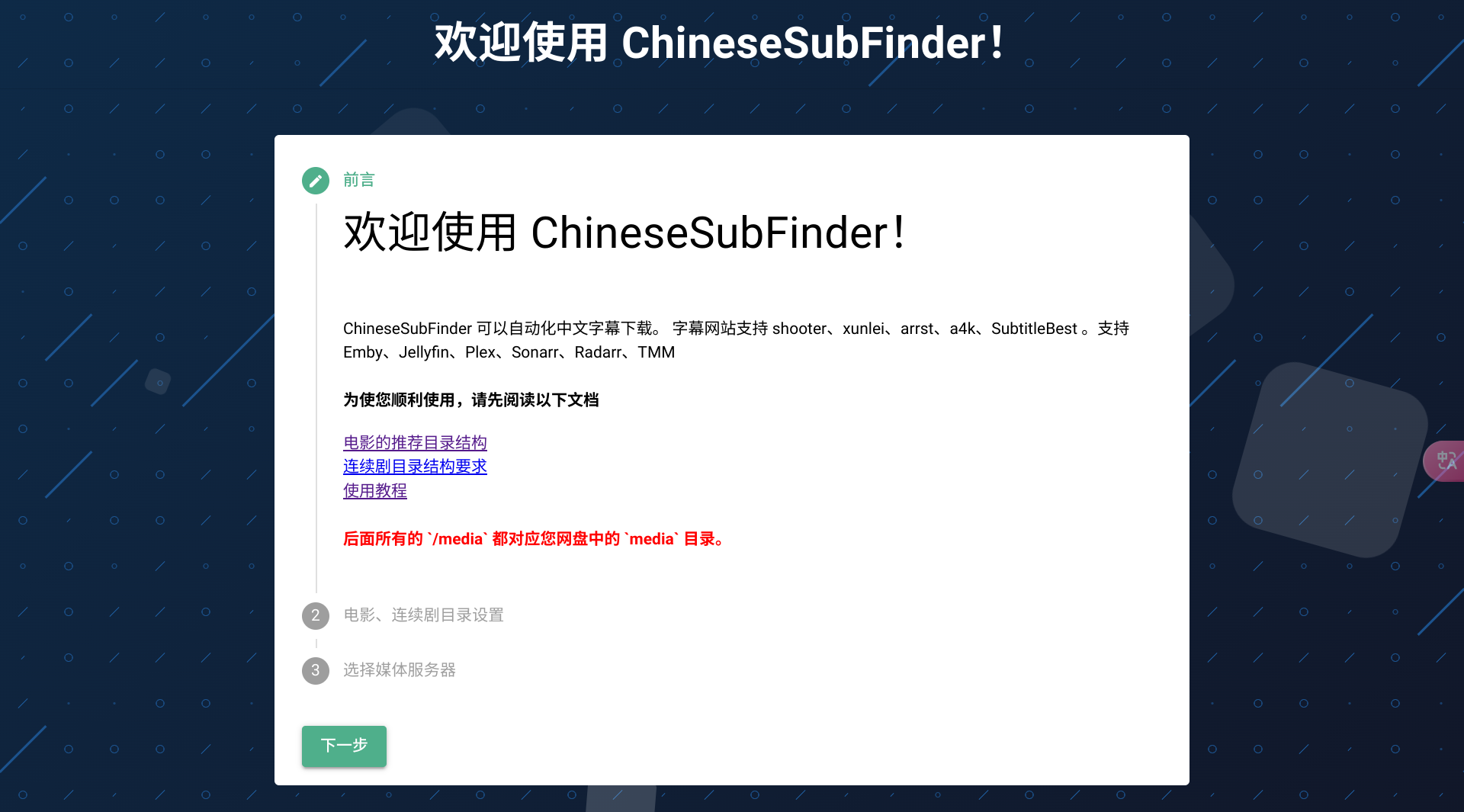
配置
为了方便后续使用,建议配置两个Key。
TMDB ApiKey
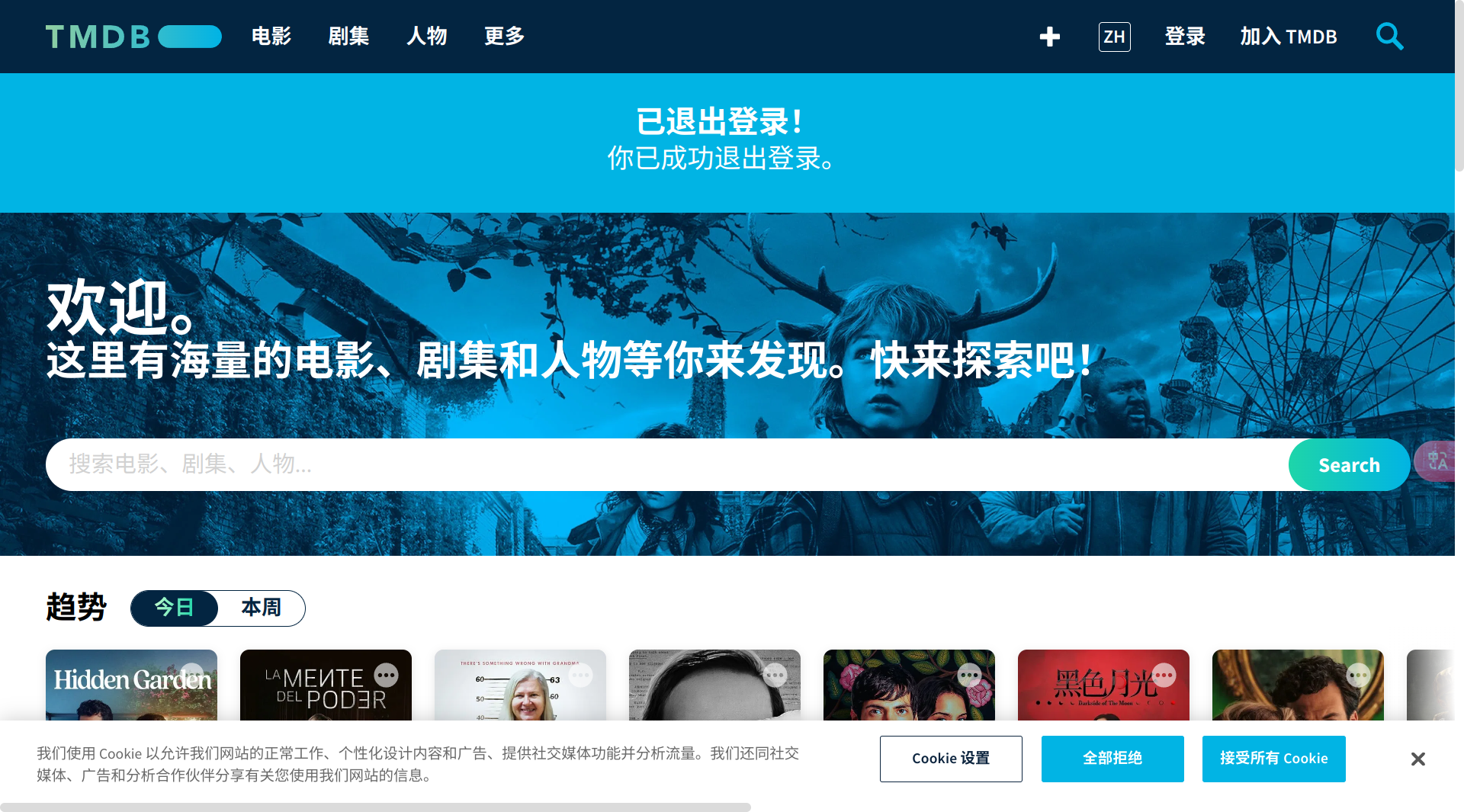
要获取TMDB ApiKey,需要去tmdb官网。首先访问 https://www.themoviedb.org/ 。看右上角,如果有账户就直接登录,没有的话就点击加入,注册一个。
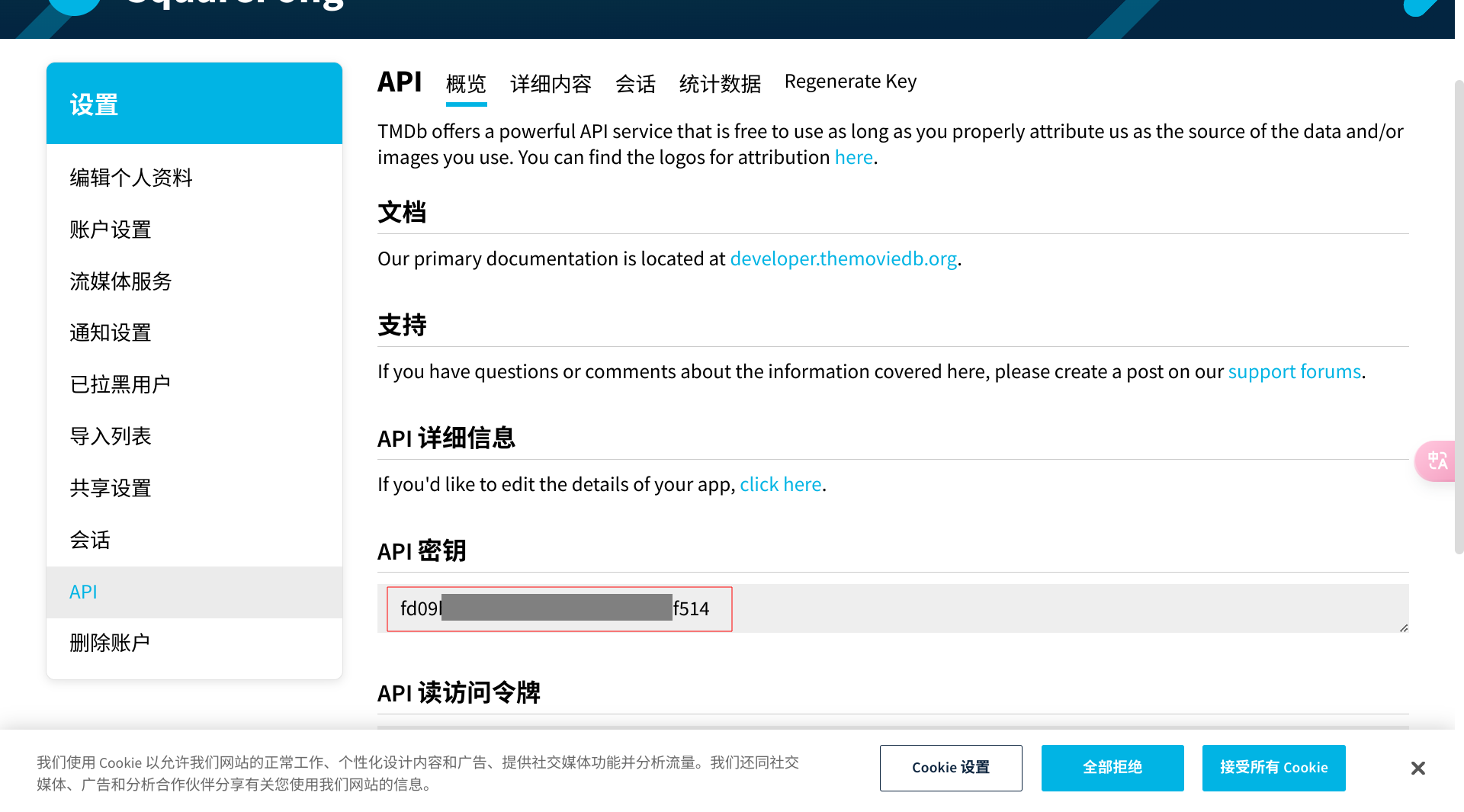
登录成功后,直接访问 https://www.themoviedb.org/settings/api ,找到下发的 API密钥,复制下来。
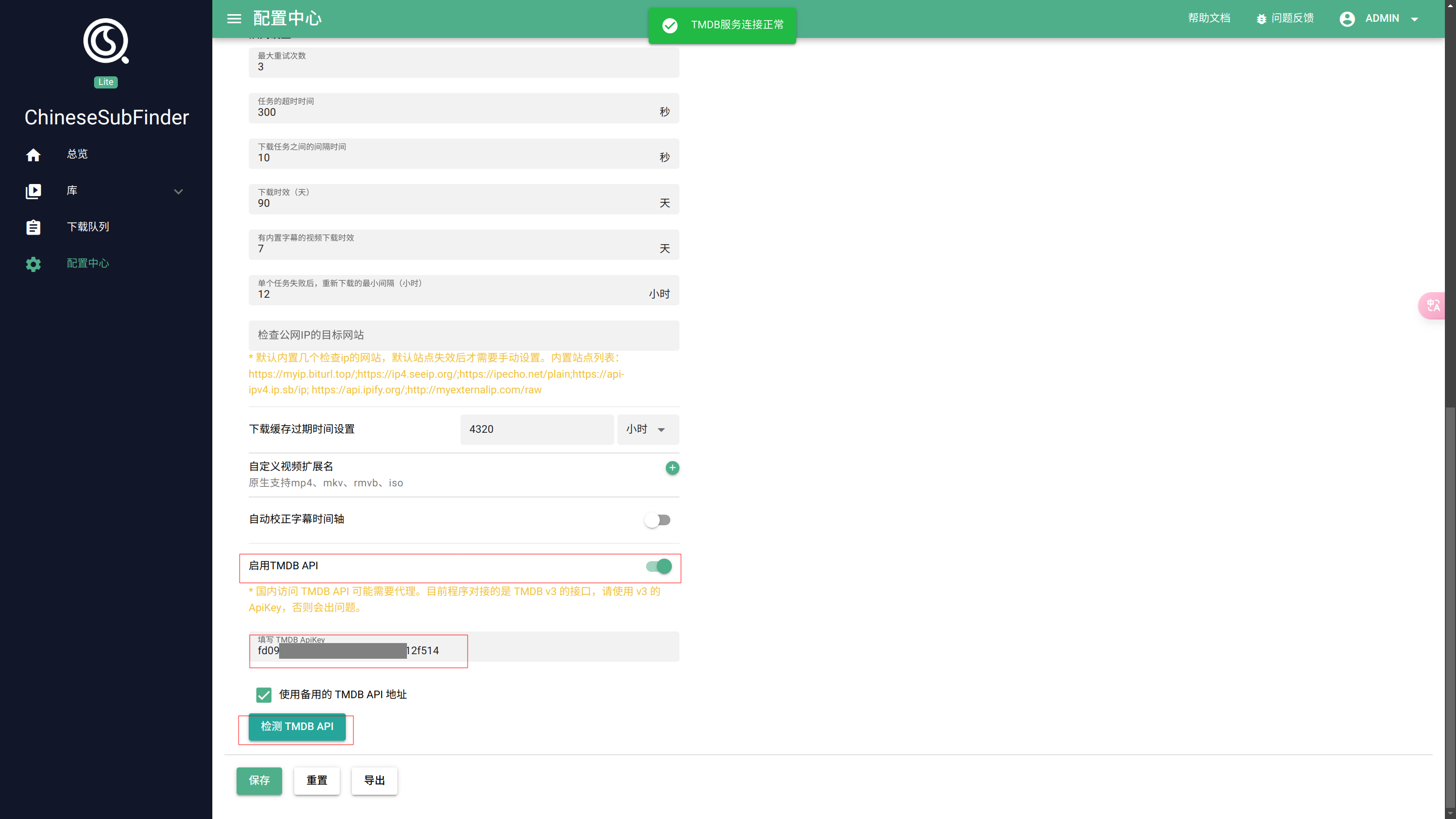
回到ChineseSubFinder界面,找到左边配置中心,选择进阶配置。
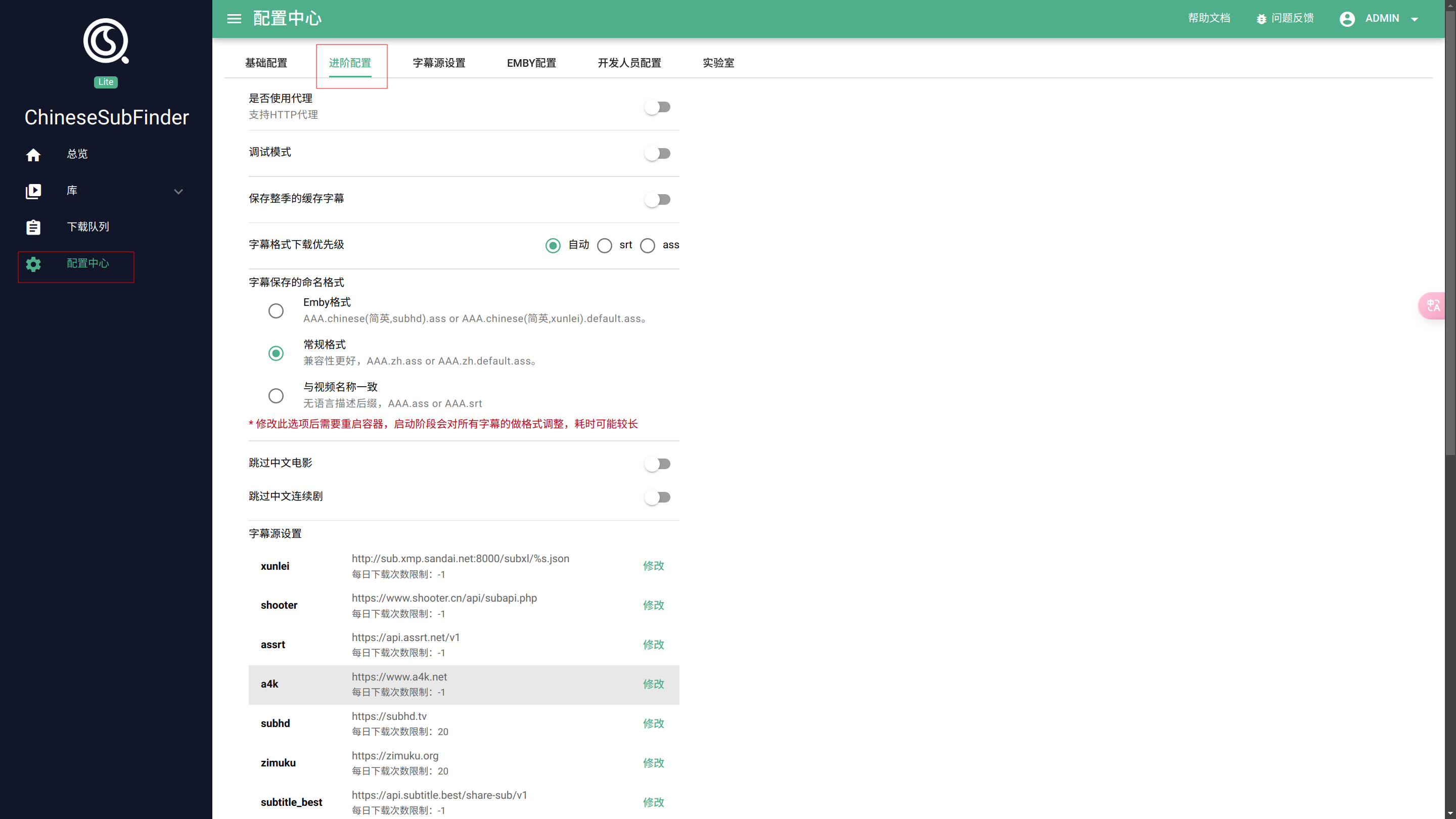
翻到最底下,打开启用TMDB API,并填入刚才的APIKEY,如果检测能通过说明填写正确,点击保存:
SubtitleBest ApiKey
去 配置中心 -> 字幕源设置中,点开 SubtitleBest,按照提示去找 Telegram 的机器人获取ApiKey并填进去,最后点保存:
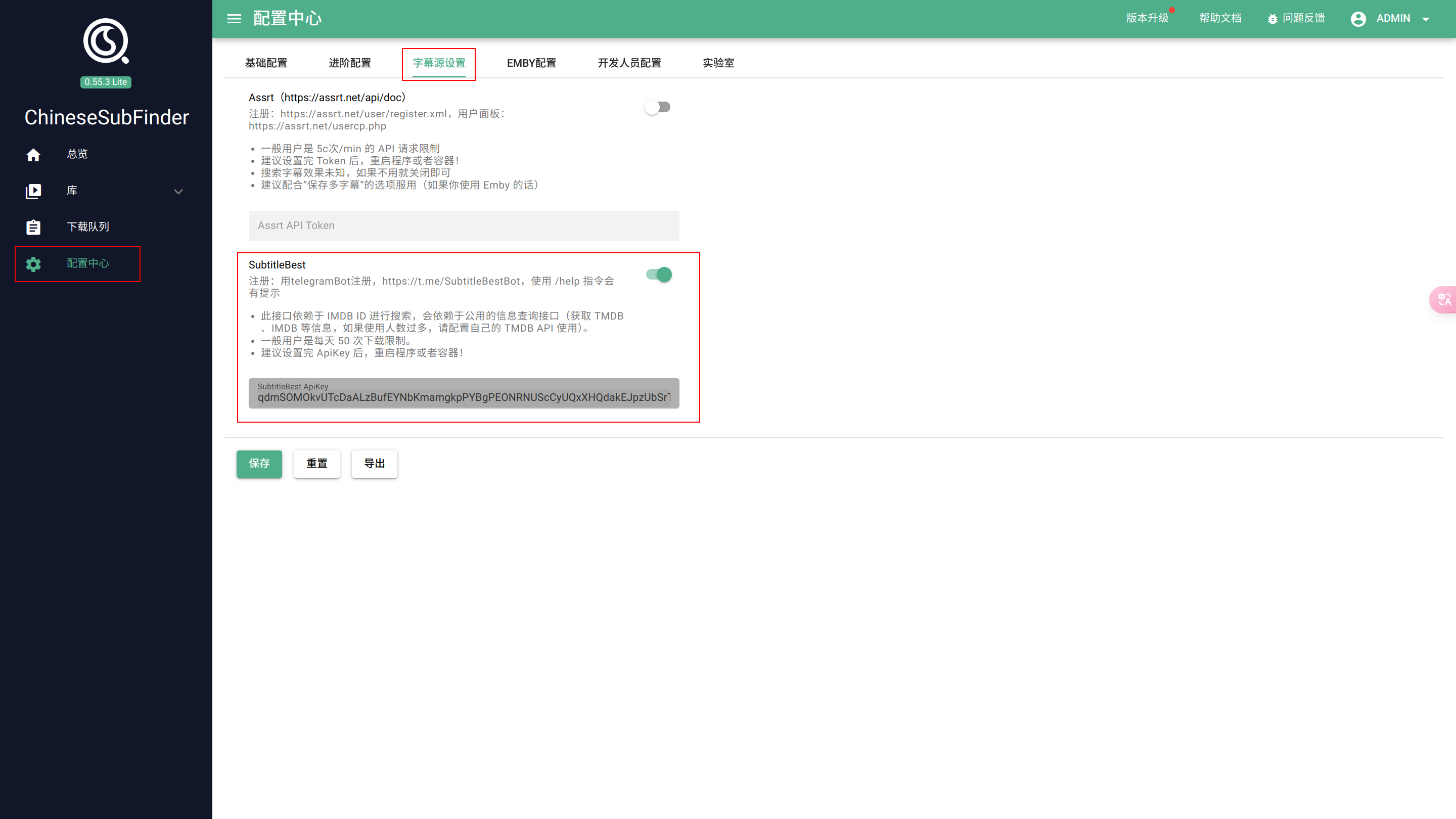
到这里就算配置完成了
使用
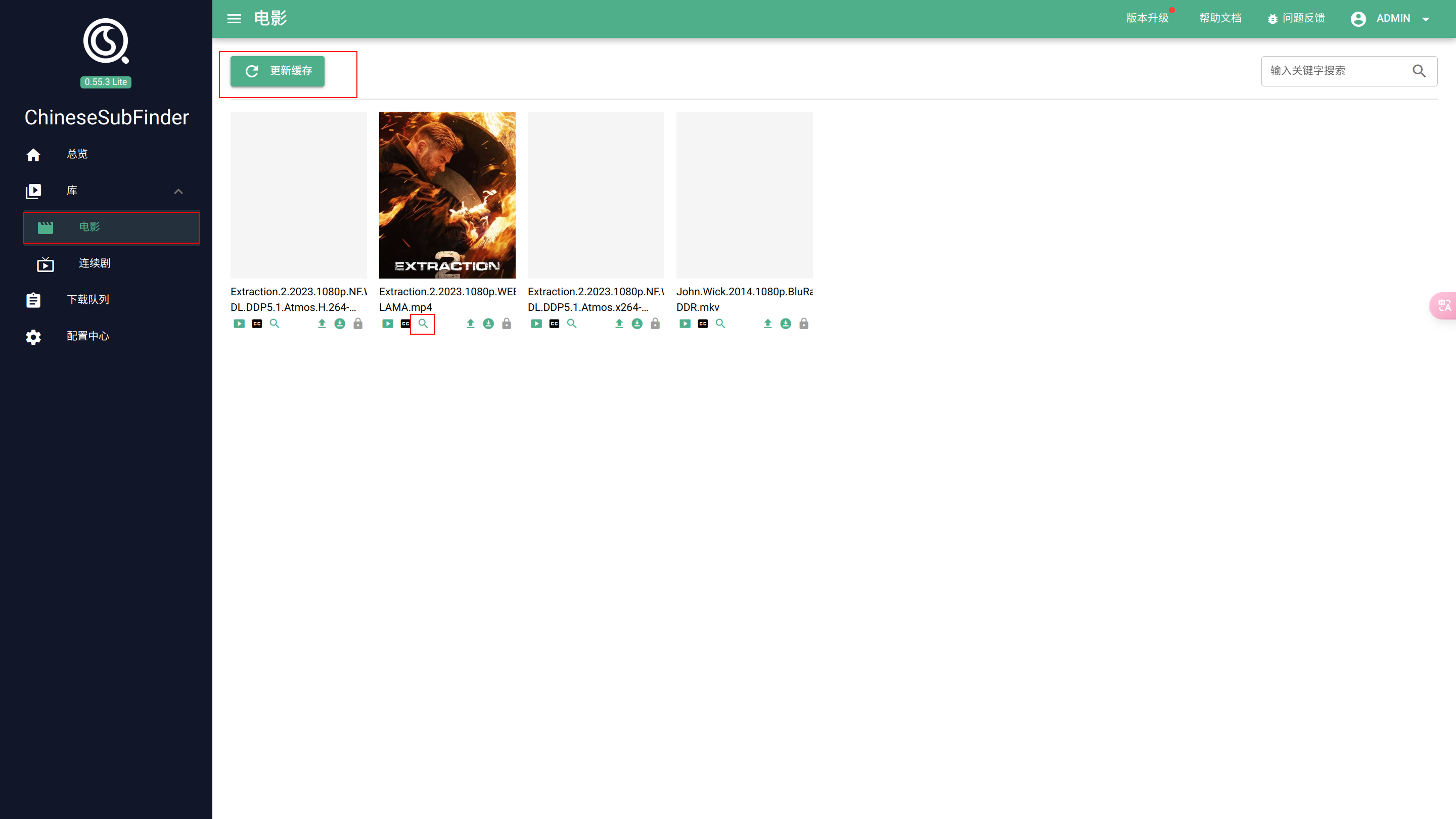
去懒猫网盘中把资源复制/移动到 media 目录下,回到ChineseSubFinder,选择左侧的库 -> 电影,点击更新缓存,即可看到资源,点击资源下的搜索按钮即可搜索字幕。
搜索结果中,点击下载,即可开始。
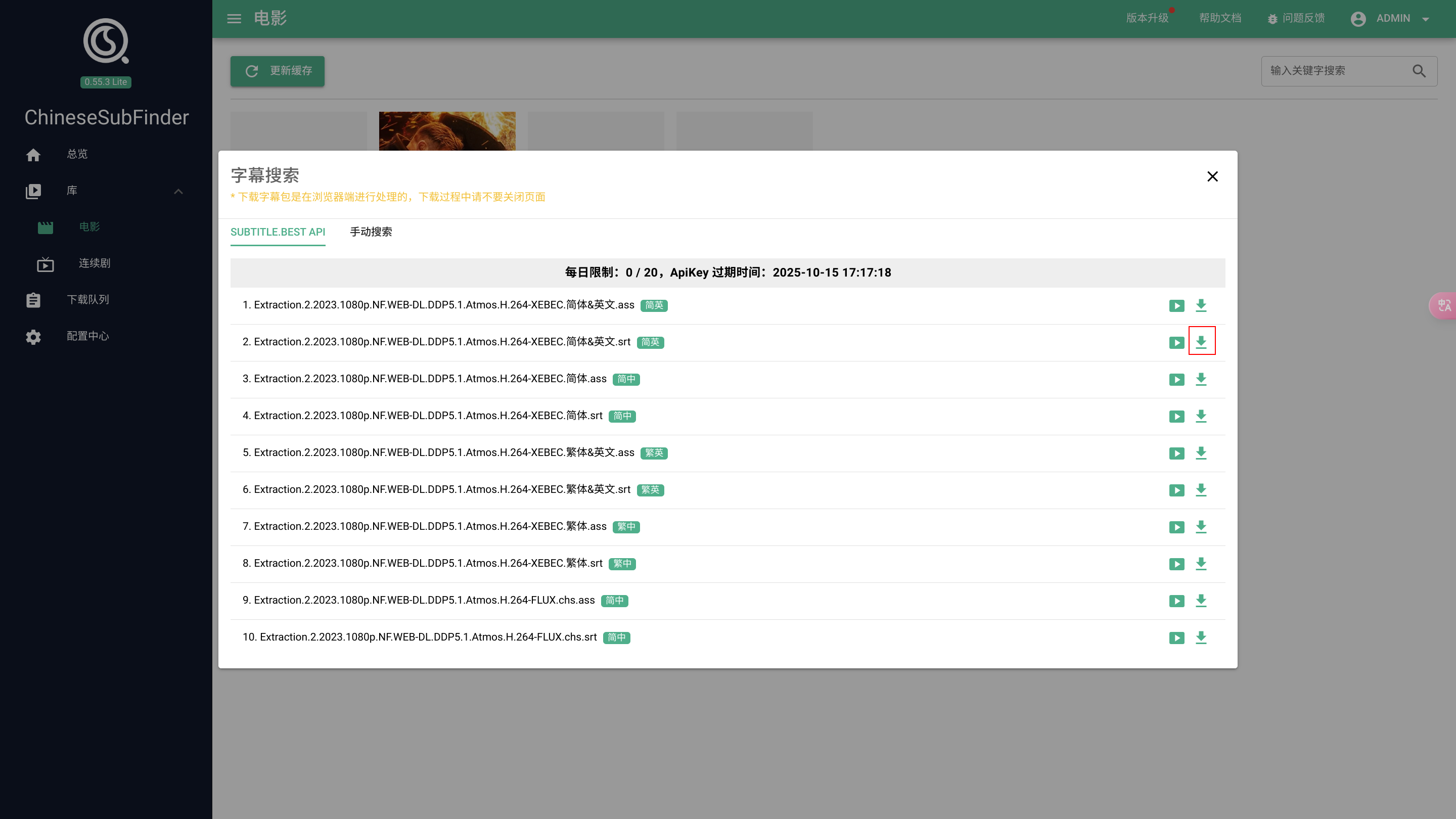
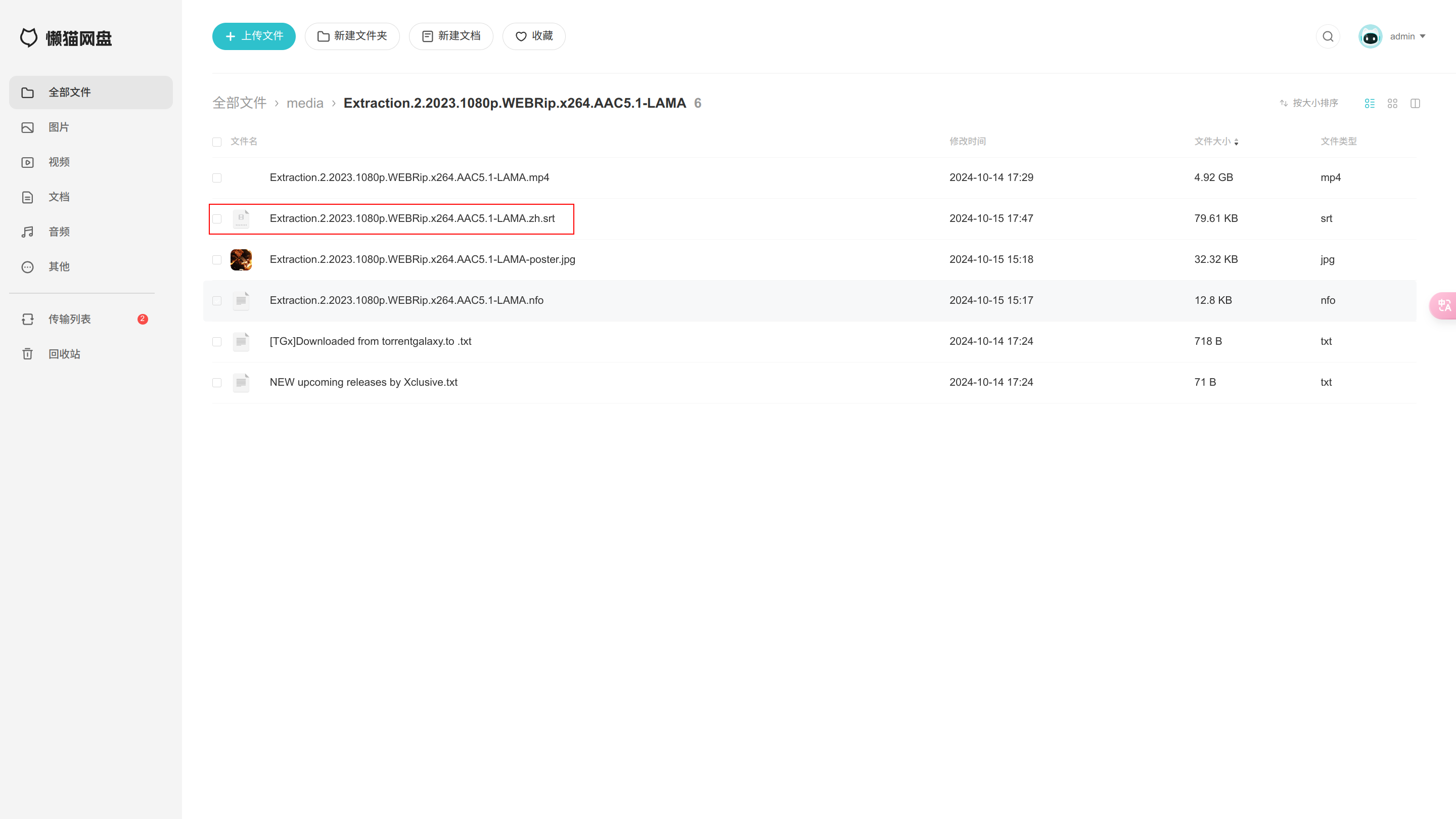
软件会自动开始下载到资源的同级目录,去懒猫网盘的对应资源的目录下,就能看到刚刚下载的字幕文件。
评论
0暂无评论