
'%3e%3cpath%20d='M9%2021H15'%20stroke='black'%20stroke-width='2'%20stroke-linecap='round'%20stroke-linejoin='round'/%3e%3cpath%20d='M5.25001%209.75C5.25001%207.95979%205.96116%206.2429%207.22703%204.97703C8.4929%203.71116%2010.2098%203%2012%203C13.7902%203%2015.5071%203.71116%2016.773%204.97703C18.0388%206.2429%2018.75%207.95979%2018.75%209.75C18.75%2013.1081%2019.5281%2015.8063%2020.1469%2016.875C20.2126%2016.9888%2020.2472%2017.1179%2020.2474%2017.2493C20.2475%2017.3808%2020.2131%2017.5099%2020.1475%2017.6239C20.082%2017.7378%2019.9877%2017.8325%2019.8741%2017.8985C19.7604%2017.9645%2019.6314%2017.9995%2019.5%2018H4.50001C4.36874%2017.9992%204.23997%2017.964%204.12659%2017.8978C4.0132%2017.8317%203.91916%2017.7369%203.85387%2017.6231C3.78858%2017.5092%203.75432%2017.3801%203.75452%2017.2489C3.75472%2017.1176%203.78937%2016.9887%203.85501%2016.875C4.47282%2015.8063%205.25001%2013.1072%205.25001%209.75Z'%20stroke='black'%20stroke-width='2'%20stroke-linecap='round'%20stroke-linejoin='round'/%3e%3c/g%3e%3cdefs%3e%3cclipPath%20id='clip0_4762_133'%3e%3crect%20width='24'%20height='24'%20fill='white'/%3e%3c/clipPath%3e%3c/defs%3e%3c/svg%3e)
'%3e%3cpath%20d='M24%200H0V24H24V0Z'%20fill='white'%20fill-opacity='0.01'/%3e%3cpath%20d='M12%2011C14.2091%2011%2016%209.20914%2016%207C16%204.79086%2014.2091%203%2012%203C9.79086%203%208%204.79086%208%207C8%209.20914%209.79086%2011%2012%2011Z'%20stroke='black'%20stroke-width='2'%20stroke-linecap='round'%20stroke-linejoin='round'/%3e%3cpath%20d='M4%2021V20.4857C4%2018.5655%204%2017.6055%204.38753%2016.872C4.72841%2016.2269%205.27235%2015.7024%205.94138%2015.3737C6.70196%2015%207.6976%2015%209.68889%2015H14.3111C16.3024%2015%2017.298%2015%2018.0586%2015.3737C18.7276%2015.7024%2019.2716%2016.2269%2019.6125%2016.872C20%2017.6055%2020%2018.5655%2020%2020.4857V21'%20stroke='black'%20stroke-width='2'%20stroke-linecap='round'%20stroke-linejoin='round'/%3e%3c/g%3e%3cdefs%3e%3cclipPath%20id='clip0_4762_139'%3e%3crect%20width='24'%20height='24'%20fill='white'/%3e%3c/clipPath%3e%3c/defs%3e%3c/svg%3e)

Co-Link:将多台设备整合为统一 AI API 的使用指南
卓帅
发布于191天前卓帅
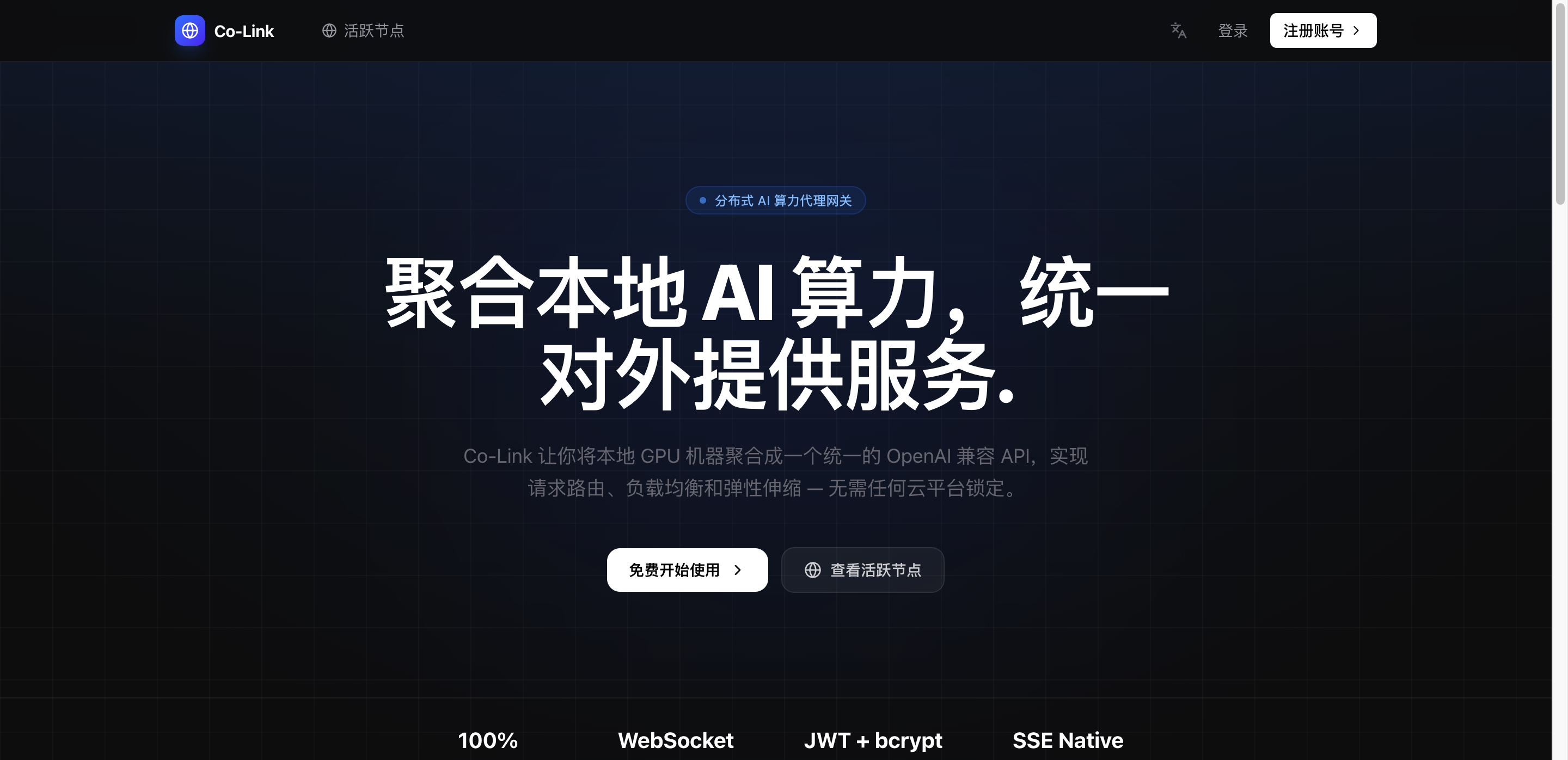
https://appstore.lazycat.cloud/#/shop/detail/cloud.lazycat.app.colink
1. 使用流程概览
Co-Link 的使用可以拆分为三个步骤:
1. 注册账号并获取 Token
2. 启动 Client(接入算力节点)
3. 调用 API(使用 AI 服务)
1.1 系统角色说明
| 角色 | 说明 |
|---|---|
| Server | 调度中心,负责路由请求(已部署完成) |
| Client | 算力节点,执行推理任务 |
| API 调用者 | 使用 AI 接口的程序或用户 |
2. 访问地址说明
控制台地址:
https://colink.${微服名称}.heiyu.space

API 地址:
https://colink.${微服名称}.heiyu.space/v1
3. 初始化账号与 Token
3.1 注册账号
访问 Web 控制台:
https://colink.${微服名称}.heiyu.space
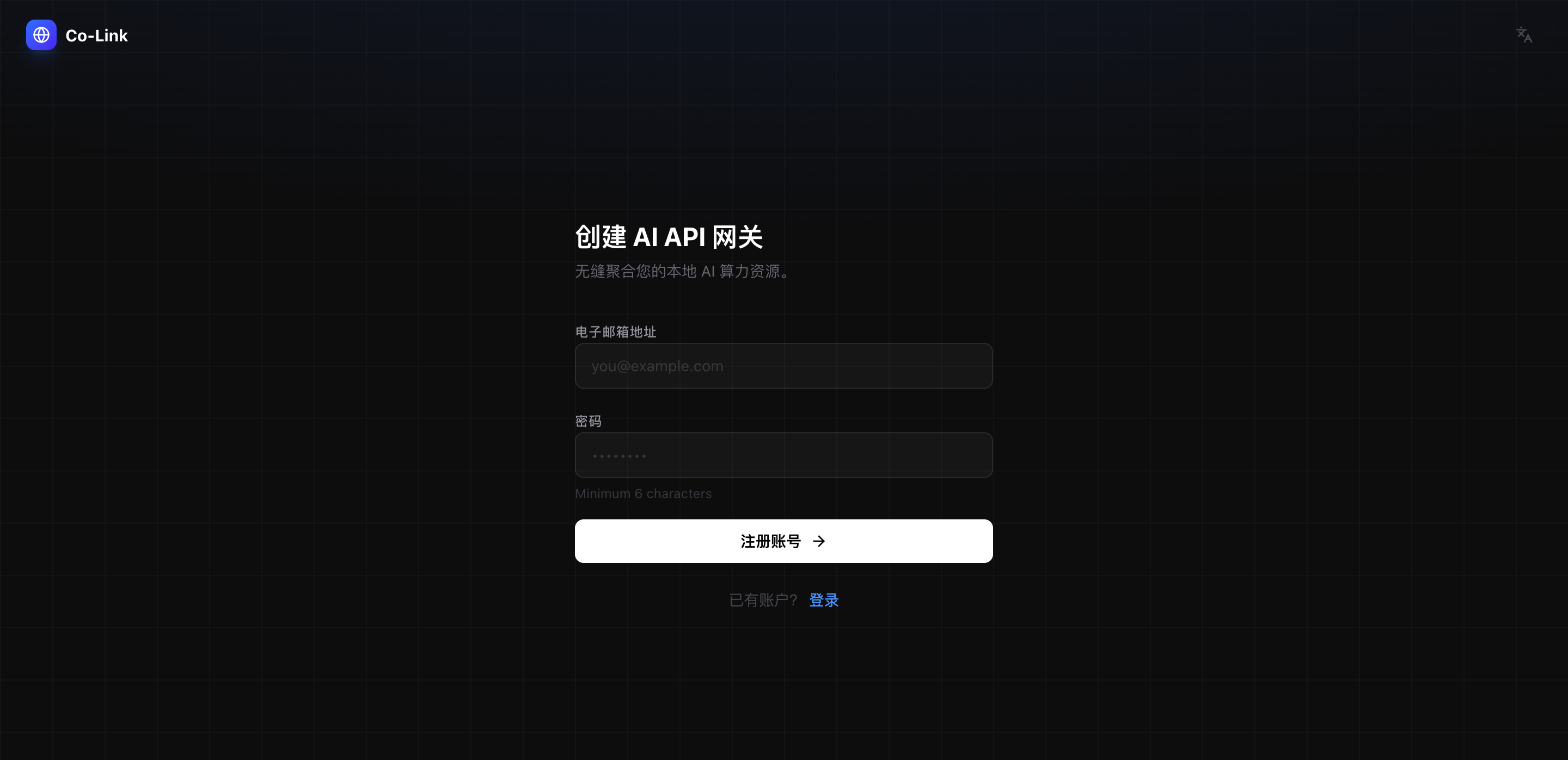
完成注册并登录。
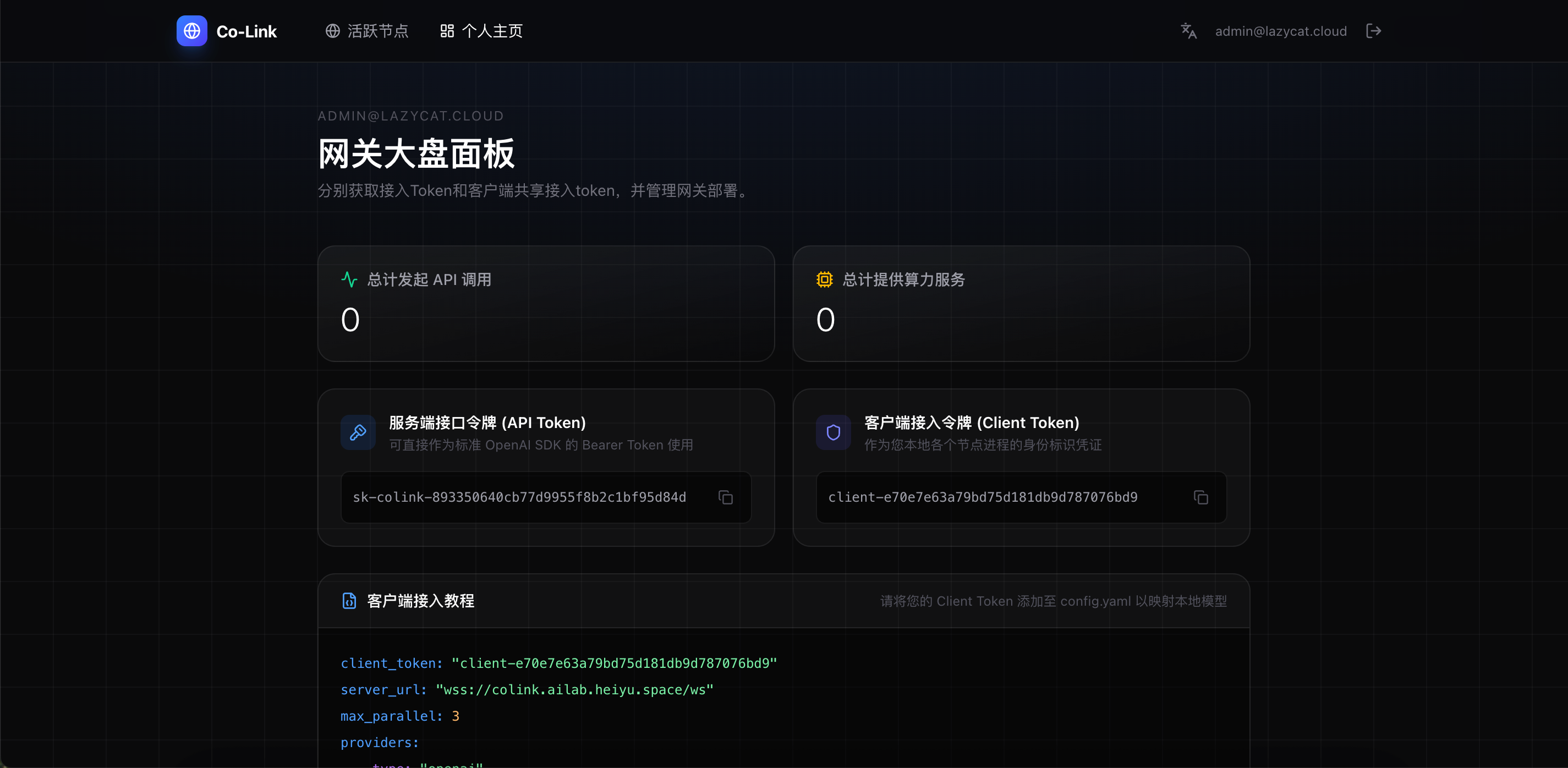
3.2 获取 Token
在用户面板中获取:
| Token | 用途 |
|---|---|
| Client Token | 用于节点接入 |
| API Token | 用于接口调用 |
4. 接入算力节点(Client)
每一台提供算力的机器都需要运行一个 Client。
4.1 创建配置文件(config.yaml)
client_token: "<你的 Client Token>"
server_url: "wss://colink.${微服名称}.heiyu.space/ws"
max_parallel: 3

providers:
  - type: "openai"
    api_key: "<你的 OpenAI 或代理 API Key>"
    base_url: "<可选:如 https://one-api.xxx/v1>"
    models:
      - local: "deepseek-chat"
        server_mapping: "pro-model"
4.2 启动 Client
CoLink Client 下载地址
🍎 macOS
-
Intel (amd64)
https://github.com/Jlan45/CoLinkPlan/releases/download/v1.0.1/colink-darwin-amd64.tar.gz -
Apple Silicon (arm64)
https://github.com/Jlan45/CoLinkPlan/releases/download/v1.0.1/colink-darwin-arm64.tar.gz
🐧 Linux
-
AMD64
https://github.com/Jlan45/CoLinkPlan/releases/download/v1.0.1/colink-linux-amd64.tar.gz -
ARM64
https://github.com/Jlan45/CoLinkPlan/releases/download/v1.0.1/colink-linux-arm64.tar.gz
下载完成之后解压后将文件放到到 config.yaml 同目录,然后启动客户端
Linux
./colink-client-linux-amd64
# or
./colink-client-linux-arm64
MacOS
./colink-client-darwin-amd64
# or
./colink-client-darwin-arm64
4.3 启动成功标志
出现如下日志表示连接成功:
{"time":"2026-04-07T19:15:35.661511906+08:00","level":"INFO","msg":"Starting Co-Link Client","config":"config.yaml","server":"wss://colink.${微服名称}.heiyu.space/ws","max_parallel":3}
{"time":"2026-04-07T19:15:35.662237086+08:00","level":"INFO","msg":"Dialing server","url":"wss://colink.${微服名称}.heiyu.space/ws"}
{"time":"2026-04-07T19:15:35.707830345+08:00","level":"INFO","msg":"Connected to server successfully"}
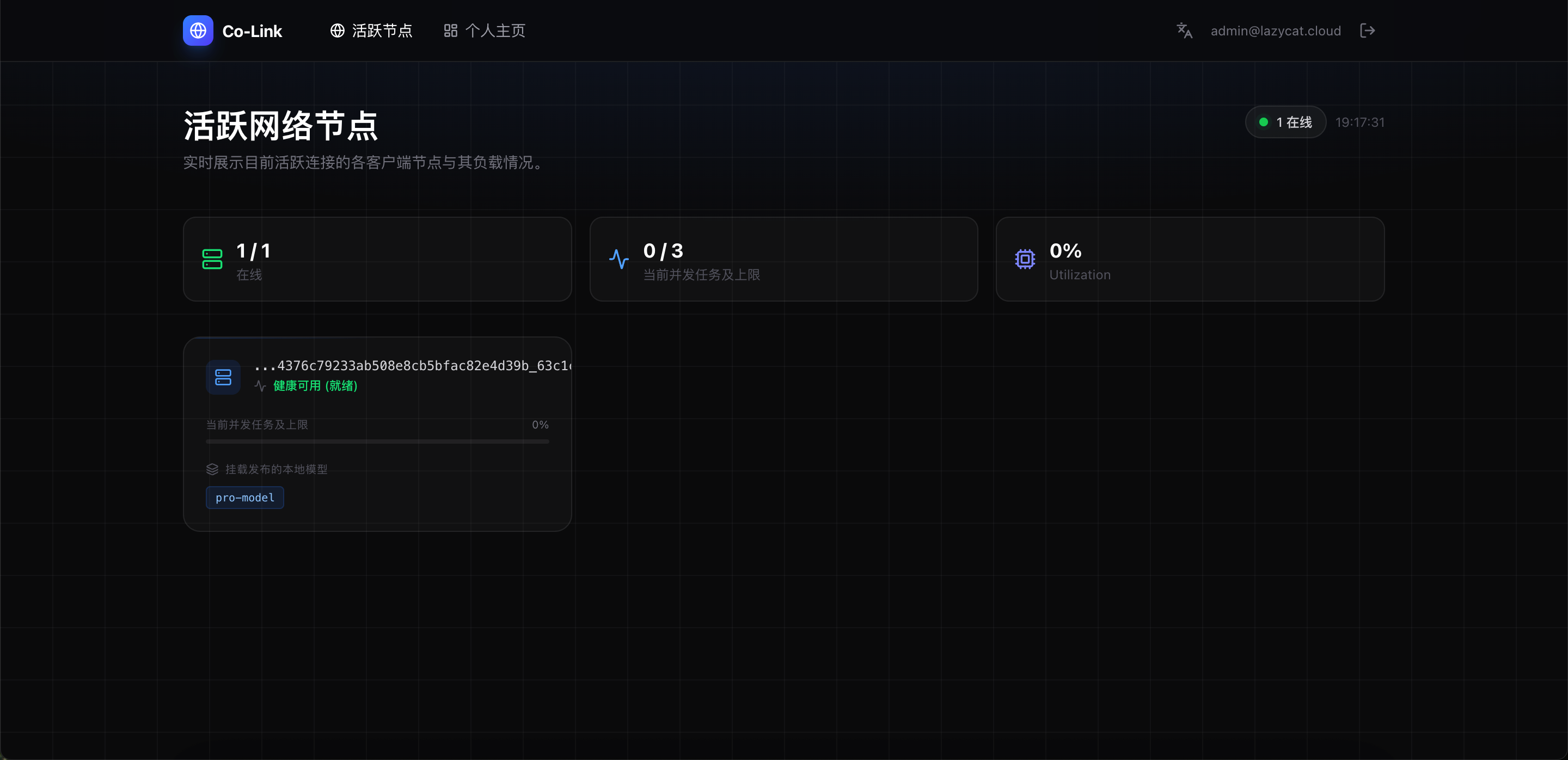
5. 验证节点是否接入成功
登录控制台后访问:
https://colink.${微服名称}.heiyu.space/nodes
如果看到节点在线,则说明接入成功。
6. 调用 AI API
Co-Link 完全兼容 OpenAI API。
统一 API 入口为:
https://colink.${微服名称}.heiyu.space/v1
6.1 Python 示例
from openai import OpenAI

client = OpenAI(
    api_key="sk-colink-your-api-token",
    base_url="https://colink.${微服名称}.heiyu.space/v1",
)

resp = client.chat.completions.create(
    model="pro-model",
    messages=[{"role": "user", "content": "Hello!"}],
)

print(resp.choices[0].message.content)
6.2 流式调用
stream = client.chat.completions.create(
    model="pro-model",
    messages=[{"role": "user", "content": "Hello!"}],
    stream=True,
)

for chunk in stream:
    print(chunk.choices[0].delta.content or "", end="")
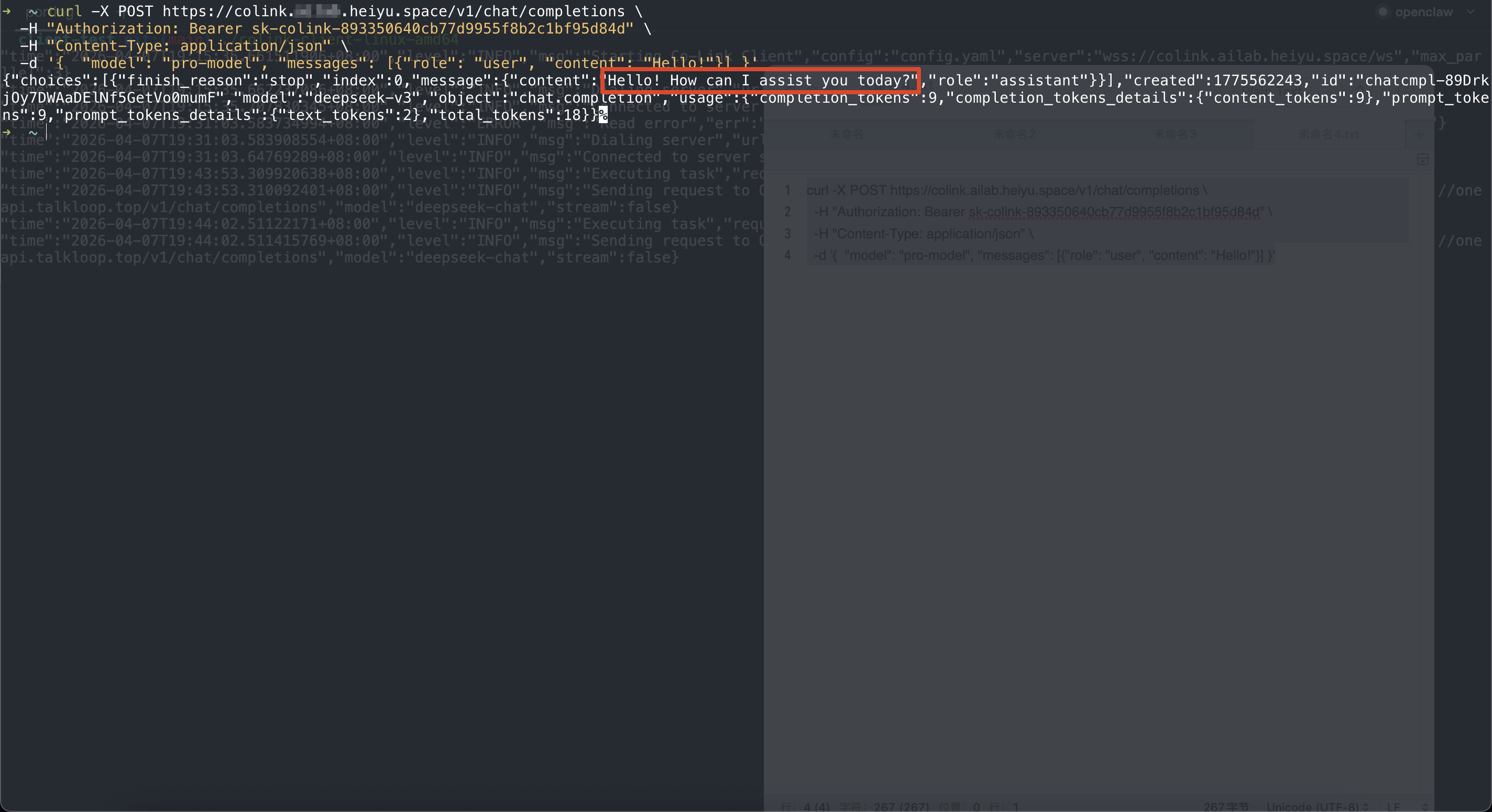
6.3 curl 示例
curl -X POST https://colink.${微服名称}.heiyu.space/v1/chat/completions \
  -H "Authorization: Bearer ${API Token}" \
  -H "Content-Type: application/json" \
  -d '{
    "model":"pro-model",
    "messages":[{"role":"user","content":"Hello!"}]
  }'
运行成功
7. 核心配置说明
7.1 并发控制
max_parallel: 3
表示该节点最多同时处理 3 个请求。
7.2 模型映射
models:
  - local: "deepseek-chat"
    server_mapping: "pro-model"
说明:
local:Provider 实际模型名称server_mapping:对外暴露的模型名称(API 调用使用)
8. 调度机制说明
Co-Link Server 会自动:
- 选择空闲节点处理请求
- 节点失败自动切换(最多 3 次)
- 出错节点封禁 60 秒
评论
0暂无评论