
'%3e%3cpath%20d='M9%2021H15'%20stroke='black'%20stroke-width='2'%20stroke-linecap='round'%20stroke-linejoin='round'/%3e%3cpath%20d='M5.25001%209.75C5.25001%207.95979%205.96116%206.2429%207.22703%204.97703C8.4929%203.71116%2010.2098%203%2012%203C13.7902%203%2015.5071%203.71116%2016.773%204.97703C18.0388%206.2429%2018.75%207.95979%2018.75%209.75C18.75%2013.1081%2019.5281%2015.8063%2020.1469%2016.875C20.2126%2016.9888%2020.2472%2017.1179%2020.2474%2017.2493C20.2475%2017.3808%2020.2131%2017.5099%2020.1475%2017.6239C20.082%2017.7378%2019.9877%2017.8325%2019.8741%2017.8985C19.7604%2017.9645%2019.6314%2017.9995%2019.5%2018H4.50001C4.36874%2017.9992%204.23997%2017.964%204.12659%2017.8978C4.0132%2017.8317%203.91916%2017.7369%203.85387%2017.6231C3.78858%2017.5092%203.75432%2017.3801%203.75452%2017.2489C3.75472%2017.1176%203.78937%2016.9887%203.85501%2016.875C4.47282%2015.8063%205.25001%2013.1072%205.25001%209.75Z'%20stroke='black'%20stroke-width='2'%20stroke-linecap='round'%20stroke-linejoin='round'/%3e%3c/g%3e%3cdefs%3e%3cclipPath%20id='clip0_4762_133'%3e%3crect%20width='24'%20height='24'%20fill='white'/%3e%3c/clipPath%3e%3c/defs%3e%3c/svg%3e)
'%3e%3cpath%20d='M24%200H0V24H24V0Z'%20fill='white'%20fill-opacity='0.01'/%3e%3cpath%20d='M12%2011C14.2091%2011%2016%209.20914%2016%207C16%204.79086%2014.2091%203%2012%203C9.79086%203%208%204.79086%208%207C8%209.20914%209.79086%2011%2012%2011Z'%20stroke='black'%20stroke-width='2'%20stroke-linecap='round'%20stroke-linejoin='round'/%3e%3cpath%20d='M4%2021V20.4857C4%2018.5655%204%2017.6055%204.38753%2016.872C4.72841%2016.2269%205.27235%2015.7024%205.94138%2015.3737C6.70196%2015%207.6976%2015%209.68889%2015H14.3111C16.3024%2015%2017.298%2015%2018.0586%2015.3737C18.7276%2015.7024%2019.2716%2016.2269%2019.6125%2016.872C20%2017.6055%2020%2018.5655%2020%2020.4857V21'%20stroke='black'%20stroke-width='2'%20stroke-linecap='round'%20stroke-linejoin='round'/%3e%3c/g%3e%3cdefs%3e%3cclipPath%20id='clip0_4762_139'%3e%3crect%20width='24'%20height='24'%20fill='white'/%3e%3c/clipPath%3e%3c/defs%3e%3c/svg%3e)

如何用BackVault备份VaultWarden数据
Edward
发布于307天前应怜鱼乱红纱涨,莫道青衿梦里游
准备工作
获取VaultWarden的API Key
首先打开应用
https://appstore.lazycat.cloud/#/shop/detail/cloud.lazycat.app.vaultwarden
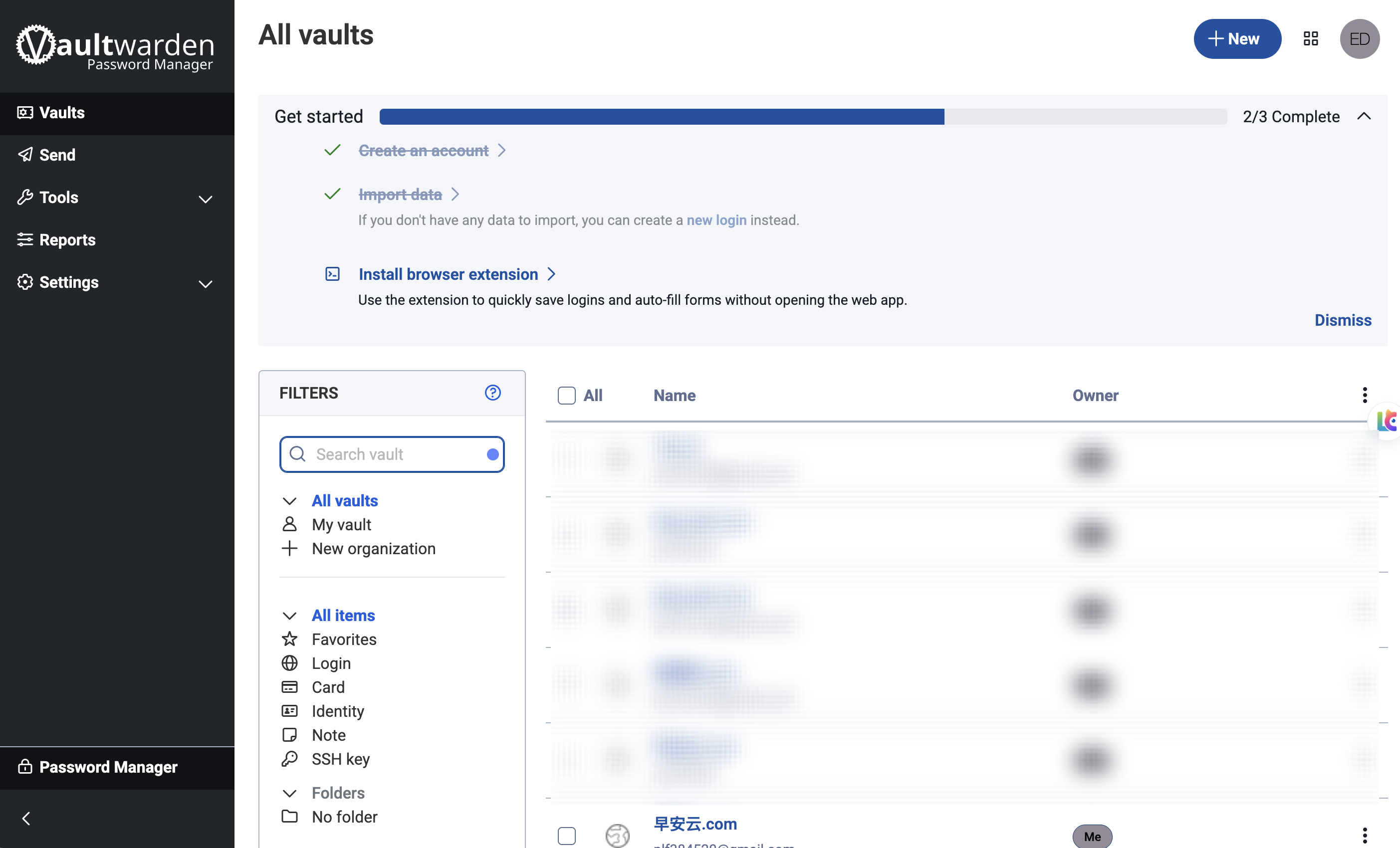
登录账号,进入主界面
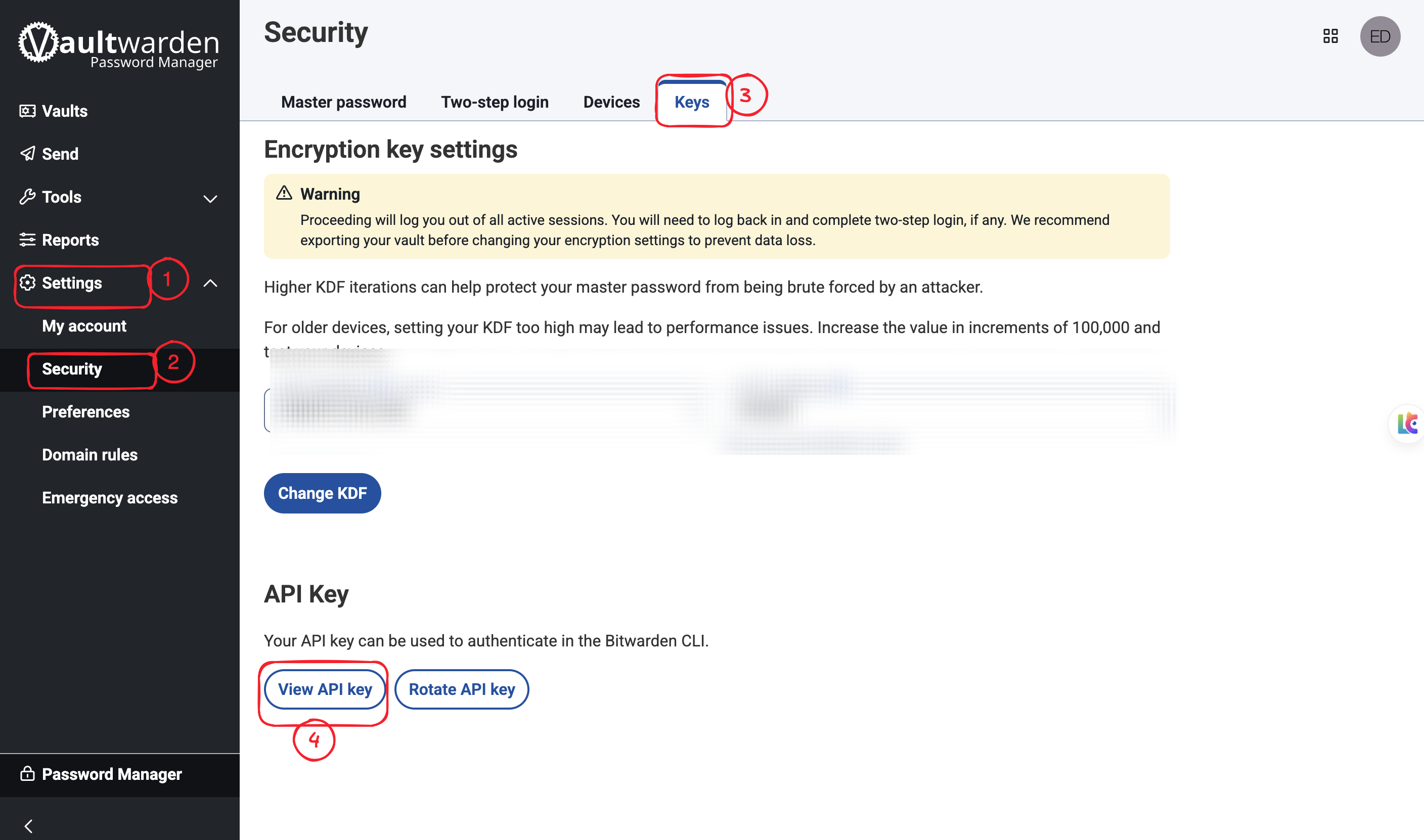
点击左侧Settings,点击Security,点击右侧Keys,再点击下方的View API Key。
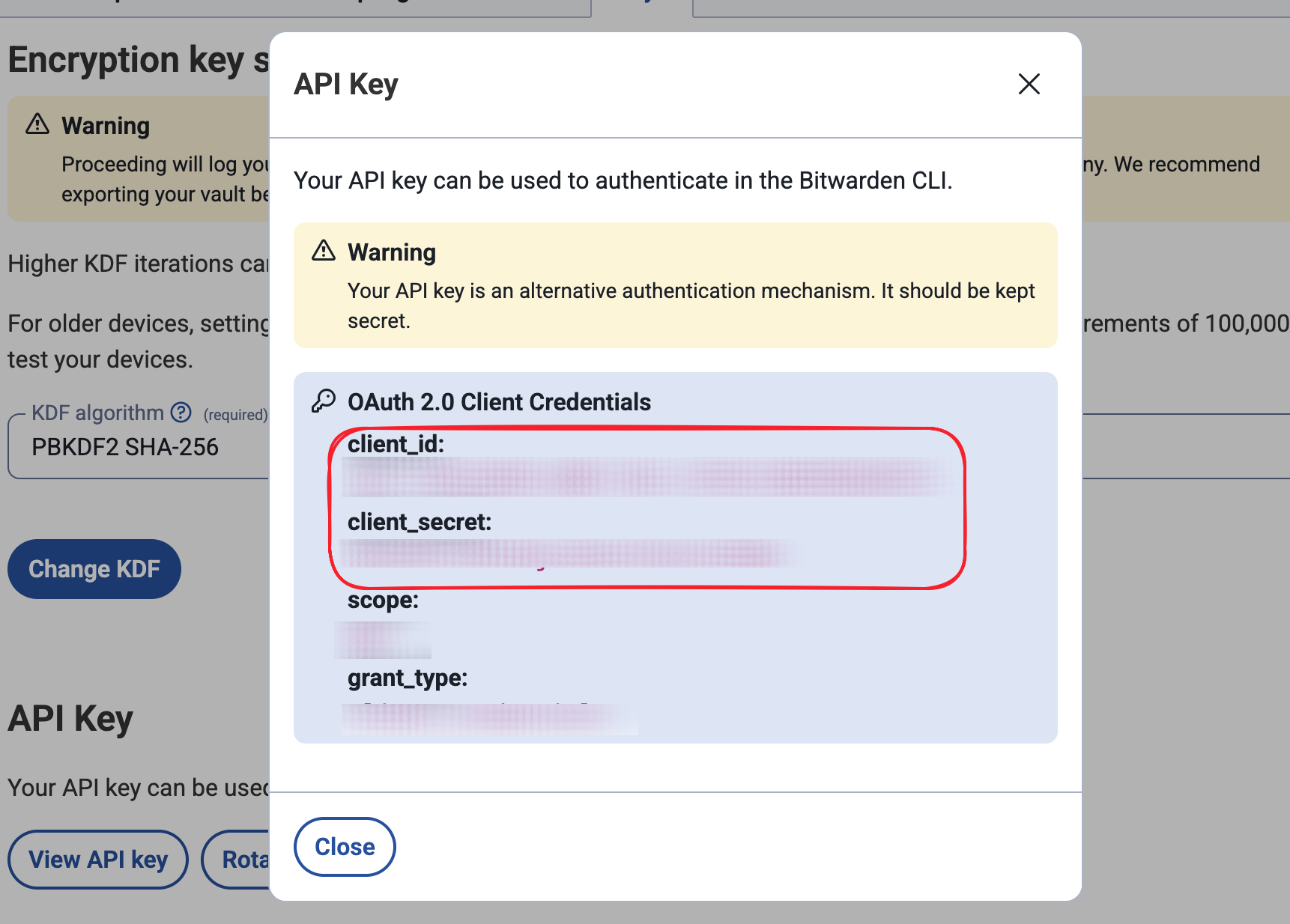
输入你的账号密码后, 就会出现下方的API Key。我们需要用到Client ID和Client Secret这两个值,复制保留。
端口转发配置
https://appstore.lazycat.cloud/#/shop/detail/cloud.lazycat.app.forward
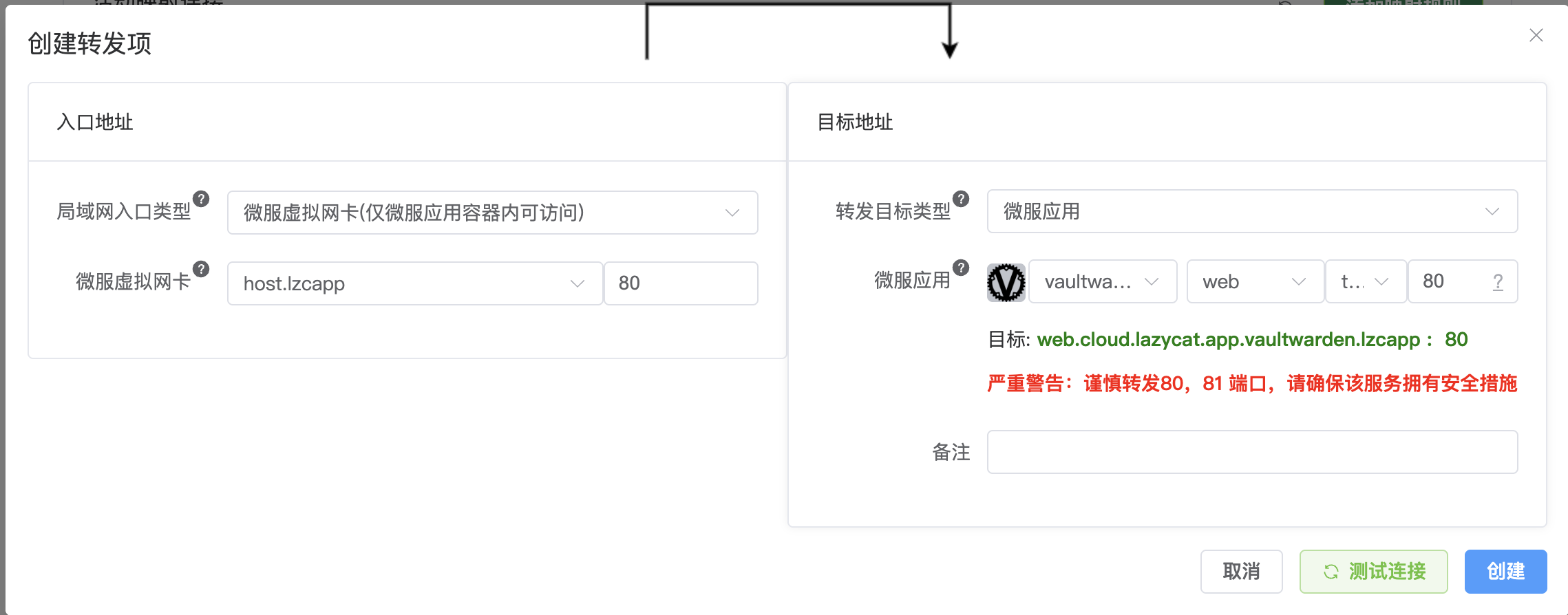
打开端口转发工具,配置VaultWarden端口,可参考下图
备份操作
https://appstore.lazycat.cloud/#/shop/detail/cloud.lazycat.app.backvault
打开应用,需要进行配置向导设置。
服务地址填入刚才配置的端口转发地址,其余配置按需修改,也可按照默认进行。
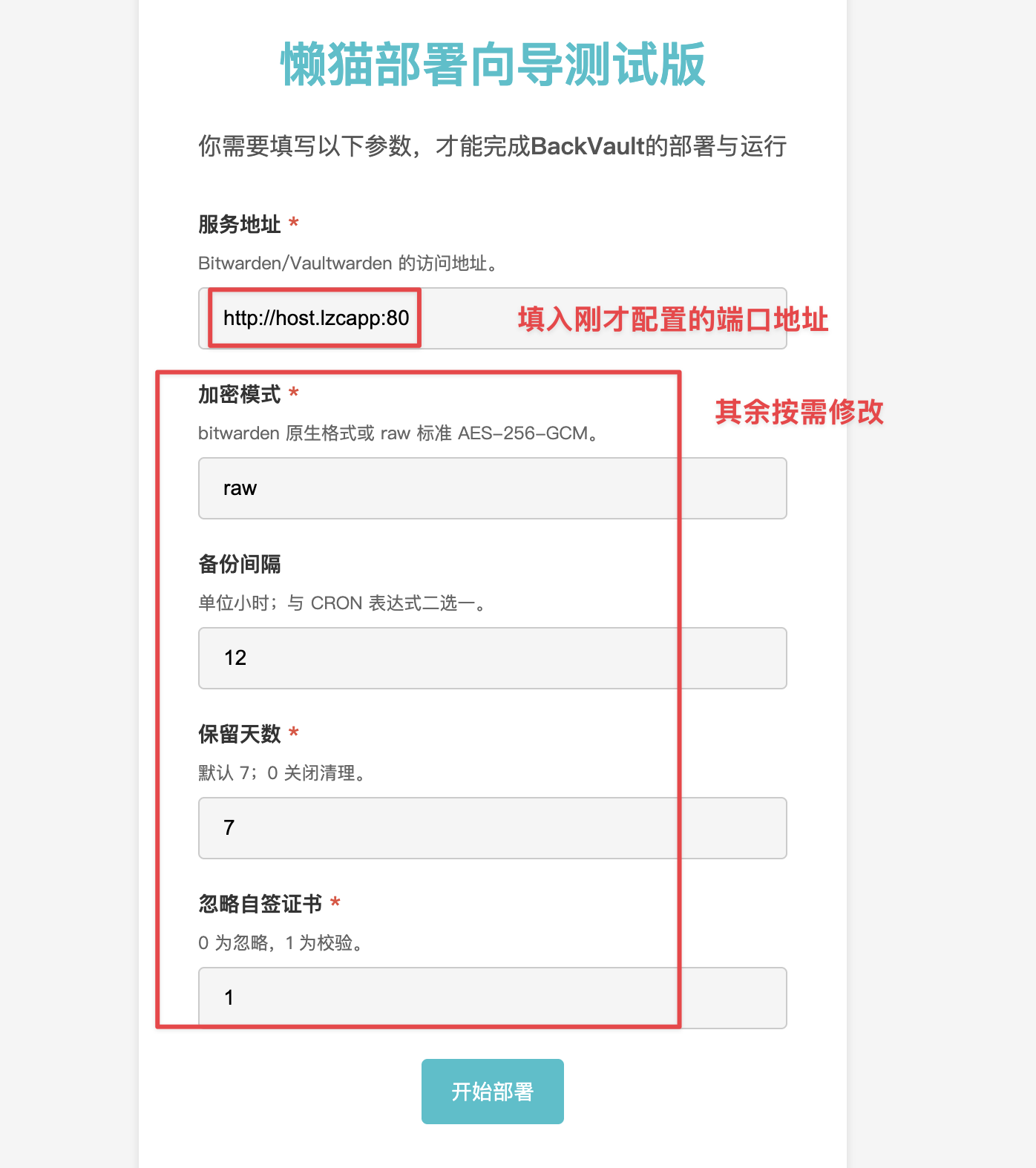
进入应用后,需要按照下图进行以下配置:
Bitwarden Client ID:上面获取Client ID
Bitwarden Client Secret:上面获取的Client Secret
Bitwarden Master Password: ValutWarden的登录密码
Backup File Password:备份文件加密密码(可选)
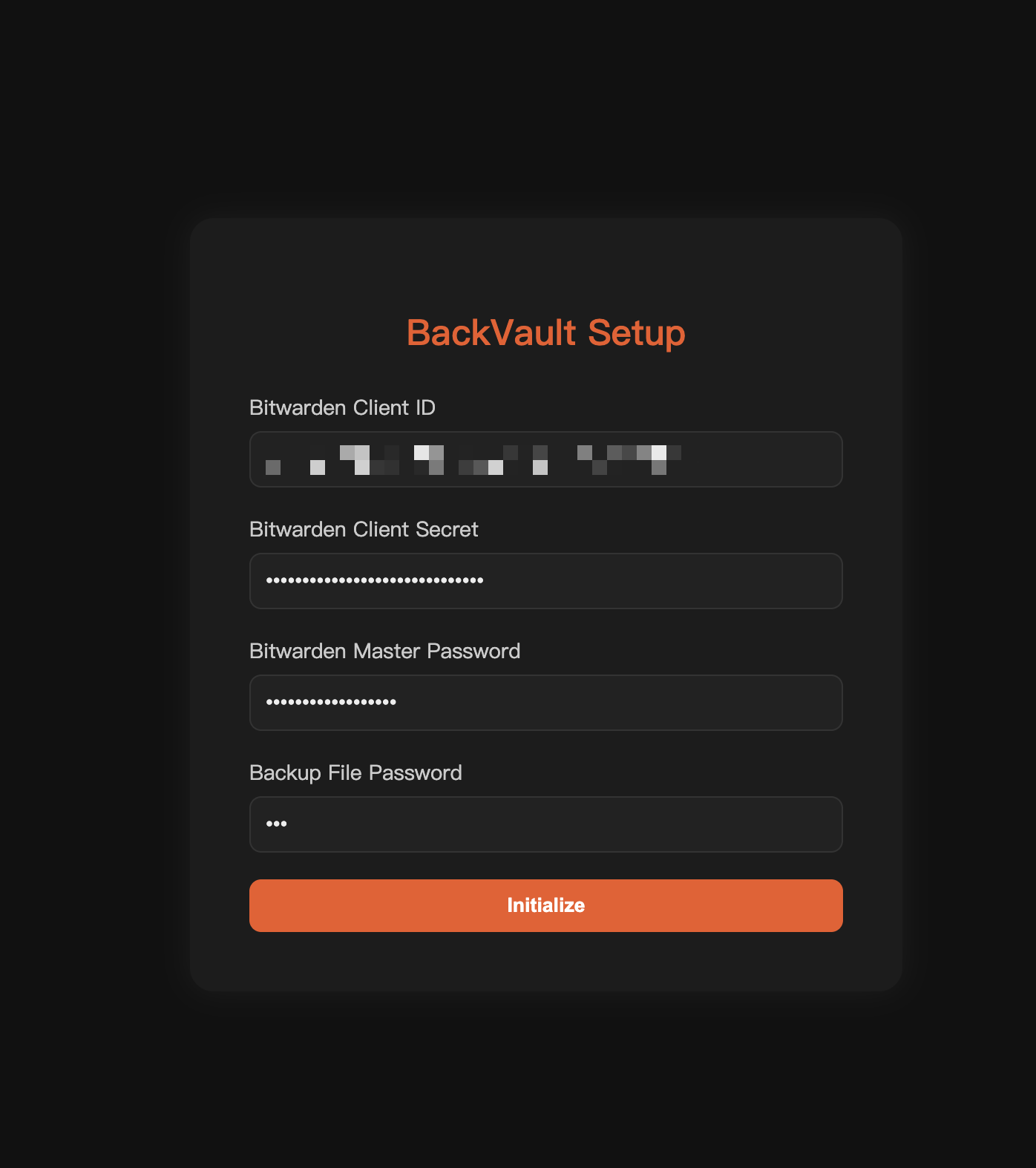
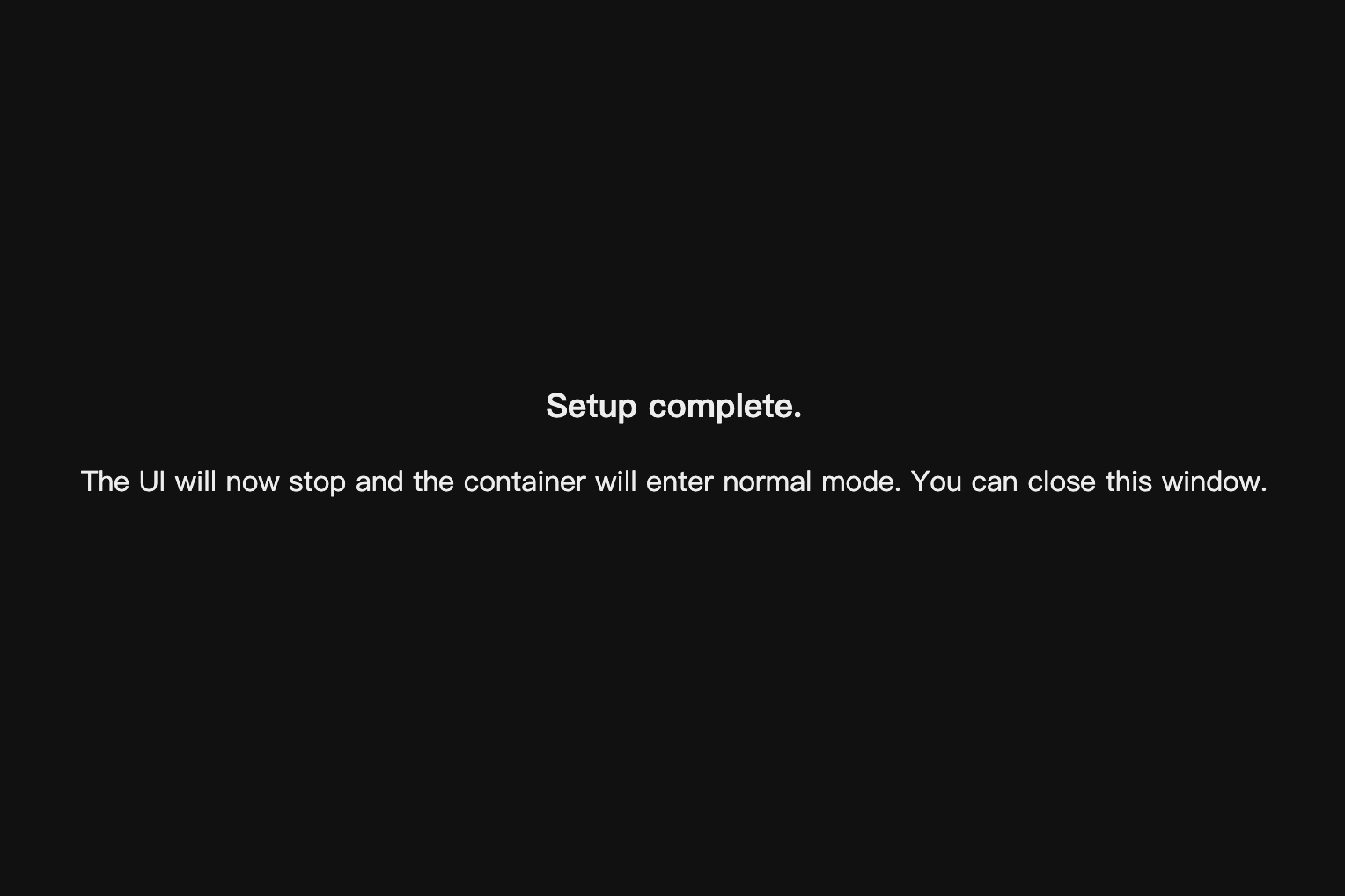
配置完之后,点击Initialize,如果无误,就会显示下图,就表示配置成功了,可以关闭页面了。
备份文件路径
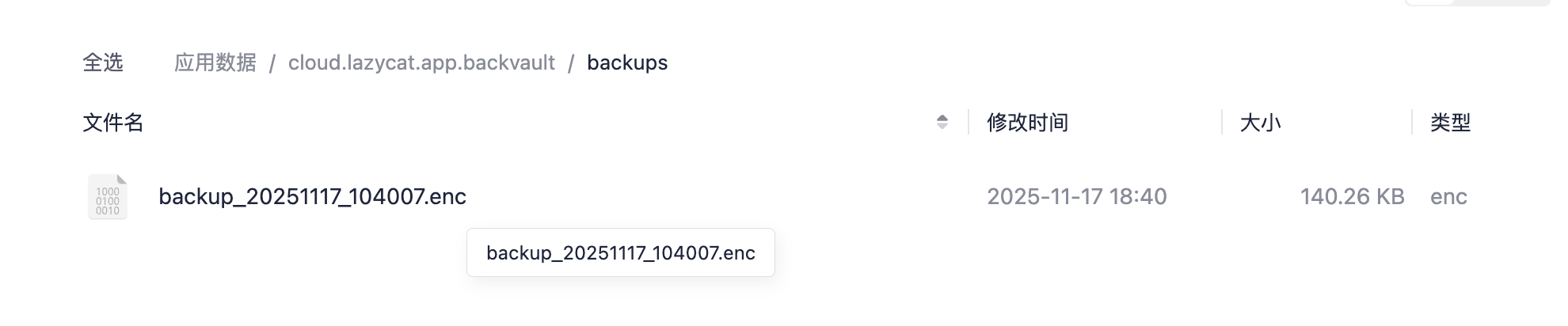
打开懒猫网盘,左侧点击应用数据,找到BackVault,点击进入
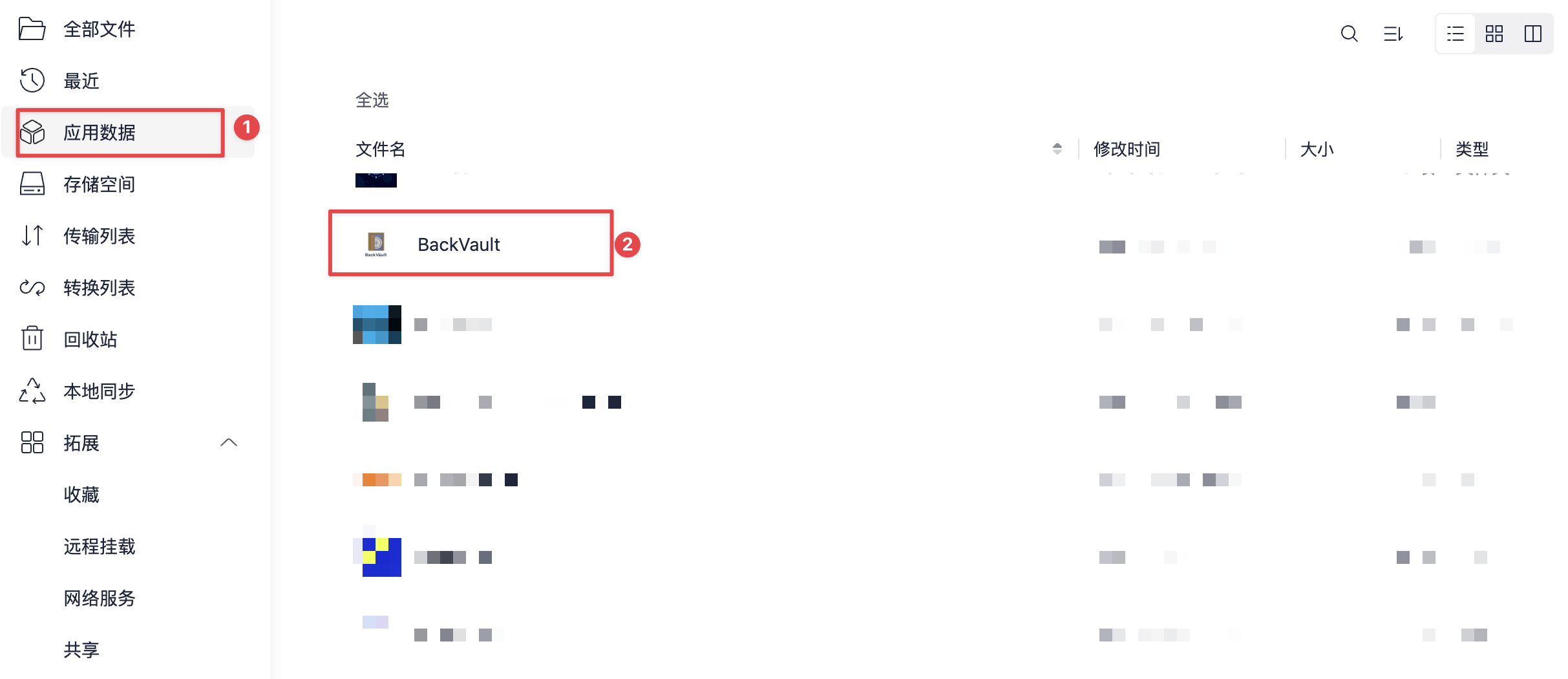
然后选择backup文件,就可以看到刚才备份的加密文件了。
如何解密文件
我这边以macos系统上操作为示例:
- 确保你已经安装了python,没有可用以下指令安装
brew install python
- 创建并激活虚拟环境(可选但推荐)
python3 -m venv ~/backvault-decrypt
source ~/backvault-decrypt/bin/activate
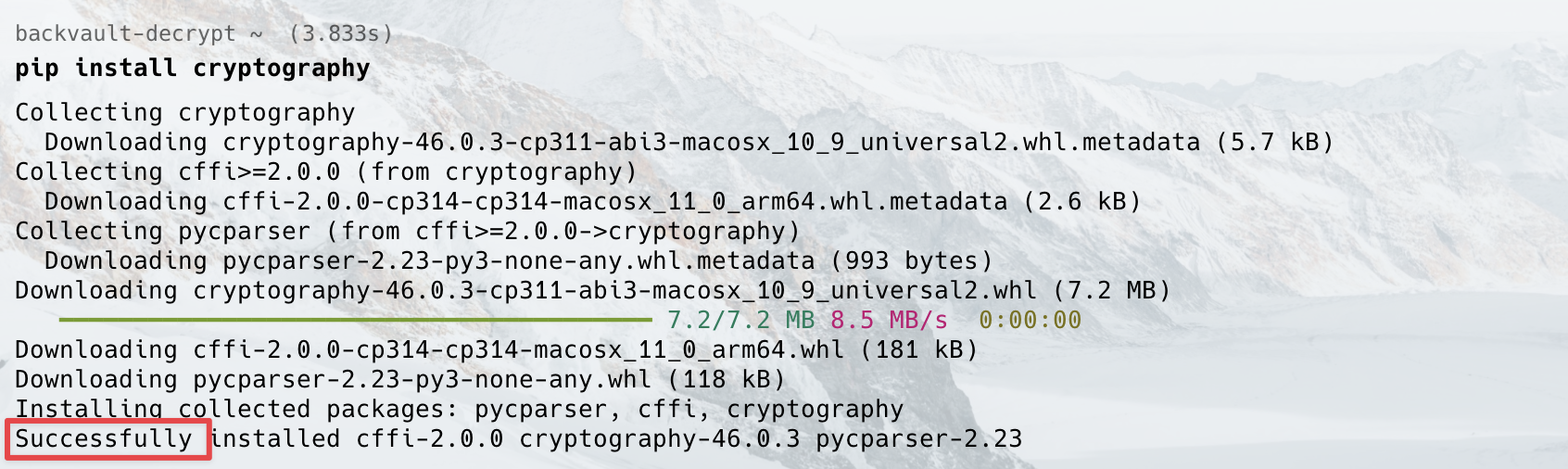
- 用 pip 安装 cryptography,显示successfully就表示成功安装了。
pip install cryptography
- 新建文件 decrypt.py,粘贴下面脚本并保存,我这边文件是保存在桌面,与上面下载的加密文件位置一致。
# decrypt.py
import sys
from getpass import getpass
from cryptography.hazmat.primitives.ciphers.aead import AESGCM
from cryptography.hazmat.primitives.kdf.pbkdf2 import PBKDF2HMAC
from cryptography.hazmat.primitives import hashes
from cryptography.exceptions import InvalidTag

SALT_SIZE = 16
NONCE_SIZE = 12
TAG_SIZE = 16
KEY_SIZE = 32
PBKDF2_ITERATIONS = 600000  # 若你在 VaultWarden 改过迭代次数,这里也要改;没改就按照默认值

def decrypt_data(encrypted_data: bytes, password: str) -> bytes:
    salt = encrypted_data[:SALT_SIZE]
    nonce = encrypted_data[SALT_SIZE:SALT_SIZE+NONCE_SIZE]
    ciphertext_with_tag = encrypted_data[SALT_SIZE+NONCE_SIZE:]

    ciphertext = ciphertext_with_tag[:-TAG_SIZE]
    tag = ciphertext_with_tag[-TAG_SIZE:]

    kdf = PBKDF2HMAC(algorithm=hashes.SHA256(), length=KEY_SIZE, salt=salt, iterations=PBKDF2_ITERATIONS)
    key = kdf.derive(password.encode("utf-8"))

    aesgcm = AESGCM(key)
    return aesgcm.decrypt(nonce, ciphertext + tag, None)

if __name__ == "__main__":
    if len(sys.argv) < 2:
        print(f"Usage: python {sys.argv[0]} <encrypted_file> [password]")
        sys.exit(1)

    file_path = sys.argv[1]
    password = sys.argv[2] if len(sys.argv) > 2 else getpass("Enter backup password: ")

    try:
        with open(file_path, "rb") as f:
            encrypted_contents = f.read()
        decrypted_json = decrypt_data(encrypted_contents, password)

        out_path = file_path.rsplit(".", 1)[0] + ".json"
        with open(out_path, "w", encoding="utf-8") as wf:
            wf.write(decrypted_json.decode("utf-8"))
        print(f"Decryption OK -> {out_path}")
    except InvalidTag:
        print("Decryption failed: Invalid password or corrupted file.")
    except Exception as e:
        print(f"An error occurred: {e}")
- 运行以下脚本,对应替换decrypt.py路径,文件路径和文件加密密码,见下图
python “decrypt.py路径” "你的Backup File路径" "你的Backup File Password,如上面没配置,就不需要"
- 比如我这边是都放在了桌面,然后就得到了解密后的json文件,也在同一路径下。


打开json文件,可Ctrl+F,就可以看到你需要的网站账号密码了。

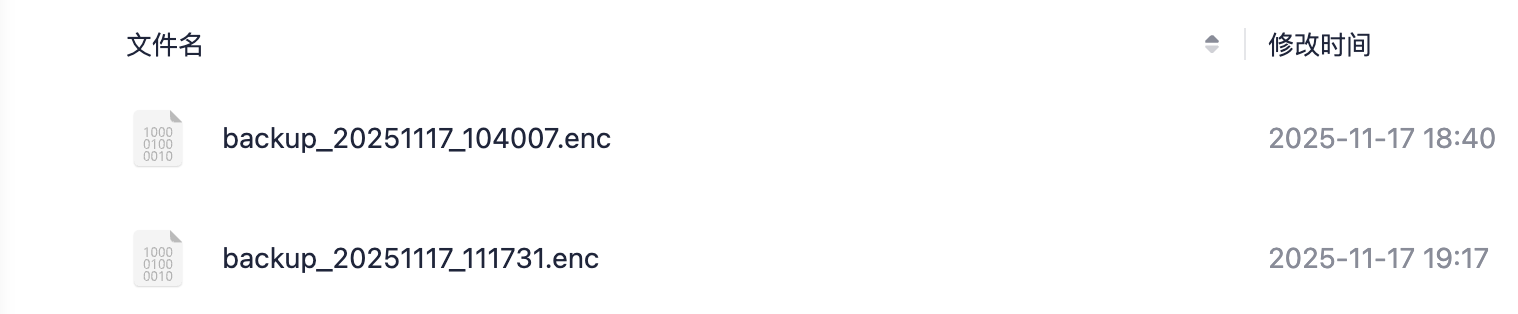
注意:应用关闭再打开后,会显示502,属于正常现象。因为软件已经配置成功,转为后台服务,可查看应用日志看进程,也可以到懒猫网盘,应用数据下看到新生成的备份文件,见下图。
评论
0暂无评论