
'%3e%3cpath%20d='M9%2021H15'%20stroke='black'%20stroke-width='2'%20stroke-linecap='round'%20stroke-linejoin='round'/%3e%3cpath%20d='M5.25001%209.75C5.25001%207.95979%205.96116%206.2429%207.22703%204.97703C8.4929%203.71116%2010.2098%203%2012%203C13.7902%203%2015.5071%203.71116%2016.773%204.97703C18.0388%206.2429%2018.75%207.95979%2018.75%209.75C18.75%2013.1081%2019.5281%2015.8063%2020.1469%2016.875C20.2126%2016.9888%2020.2472%2017.1179%2020.2474%2017.2493C20.2475%2017.3808%2020.2131%2017.5099%2020.1475%2017.6239C20.082%2017.7378%2019.9877%2017.8325%2019.8741%2017.8985C19.7604%2017.9645%2019.6314%2017.9995%2019.5%2018H4.50001C4.36874%2017.9992%204.23997%2017.964%204.12659%2017.8978C4.0132%2017.8317%203.91916%2017.7369%203.85387%2017.6231C3.78858%2017.5092%203.75432%2017.3801%203.75452%2017.2489C3.75472%2017.1176%203.78937%2016.9887%203.85501%2016.875C4.47282%2015.8063%205.25001%2013.1072%205.25001%209.75Z'%20stroke='black'%20stroke-width='2'%20stroke-linecap='round'%20stroke-linejoin='round'/%3e%3c/g%3e%3cdefs%3e%3cclipPath%20id='clip0_4762_133'%3e%3crect%20width='24'%20height='24'%20fill='white'/%3e%3c/clipPath%3e%3c/defs%3e%3c/svg%3e)
'%3e%3cpath%20d='M24%200H0V24H24V0Z'%20fill='white'%20fill-opacity='0.01'/%3e%3cpath%20d='M12%2011C14.2091%2011%2016%209.20914%2016%207C16%204.79086%2014.2091%203%2012%203C9.79086%203%208%204.79086%208%207C8%209.20914%209.79086%2011%2012%2011Z'%20stroke='black'%20stroke-width='2'%20stroke-linecap='round'%20stroke-linejoin='round'/%3e%3cpath%20d='M4%2021V20.4857C4%2018.5655%204%2017.6055%204.38753%2016.872C4.72841%2016.2269%205.27235%2015.7024%205.94138%2015.3737C6.70196%2015%207.6976%2015%209.68889%2015H14.3111C16.3024%2015%2017.298%2015%2018.0586%2015.3737C18.7276%2015.7024%2019.2716%2016.2269%2019.6125%2016.872C20%2017.6055%2020%2018.5655%2020%2020.4857V21'%20stroke='black'%20stroke-width='2'%20stroke-linecap='round'%20stroke-linejoin='round'/%3e%3c/g%3e%3cdefs%3e%3cclipPath%20id='clip0_4762_139'%3e%3crect%20width='24'%20height='24'%20fill='white'/%3e%3c/clipPath%3e%3c/defs%3e%3c/svg%3e)

Huginn 实用指南:让你的网络生活自动化起来
天天
发布于367天前龙猫也是猫
Huginn 到底是个啥?
简单说,Huginn 就是你的私人 IFTTT(If This Then That),一个可以在你自己服务器上运行的自动化工具。 不过相比 IFTTT,它更强大、更自由,当然也稍微有点技术门槛。
这个名字来自北欧神话,奥丁有两只乌鸦,其中一只叫 Huginn(代表"思想"),每天飞出去收集信息向主人汇报。
https://appstore.lazycat.cloud/#/shop/detail/lazycat.app.huginn
核心概念很简单
Huginn 的运作原理就像工厂流水线:每个 Agent(代理)就像流水线上的工人,负责一个特定任务。把多个 Agent 串联起来,就组成了一条完整的自动化流水线。
- Agent:执行具体任务的单元,比如"监控网页"、"发送邮件"
- Event:Agent 之间传递的数据
- Scenario:一组相关 Agent 的集合,就是你的自动化方案
手把手实战:监控技术博客并生成自己的 RSS 源
让我们来个完整的实战案例:监控多个技术博客,汇总后生成一个新的 RSS 源,你可以用任何 RSS 阅读器订阅。
应用打开后,默认账号密码是 admin/password。
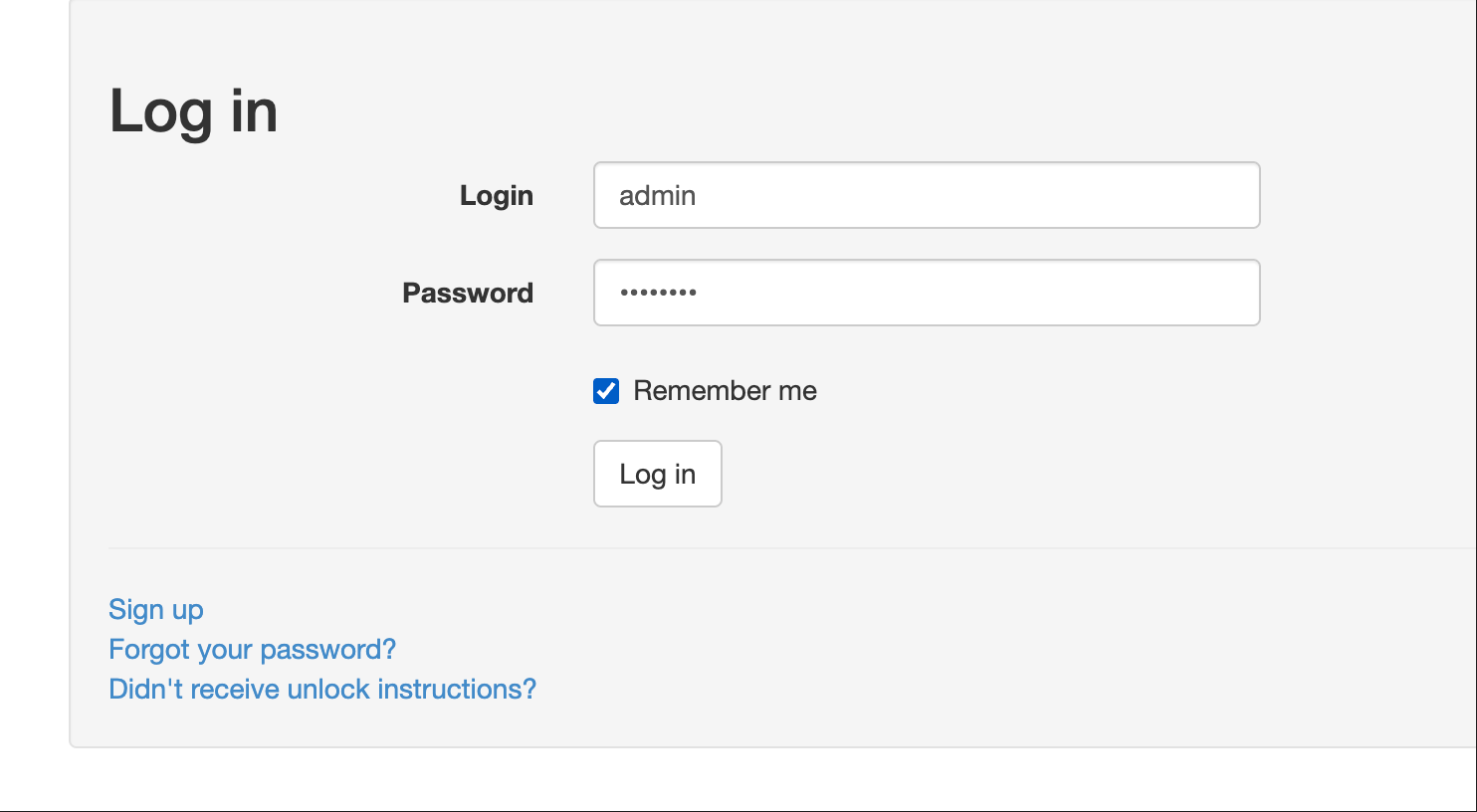
Step 1:创建 RSS Agent 监控博客
-
登录 Huginn 后,点击 "Agents" → "New Agent"
-
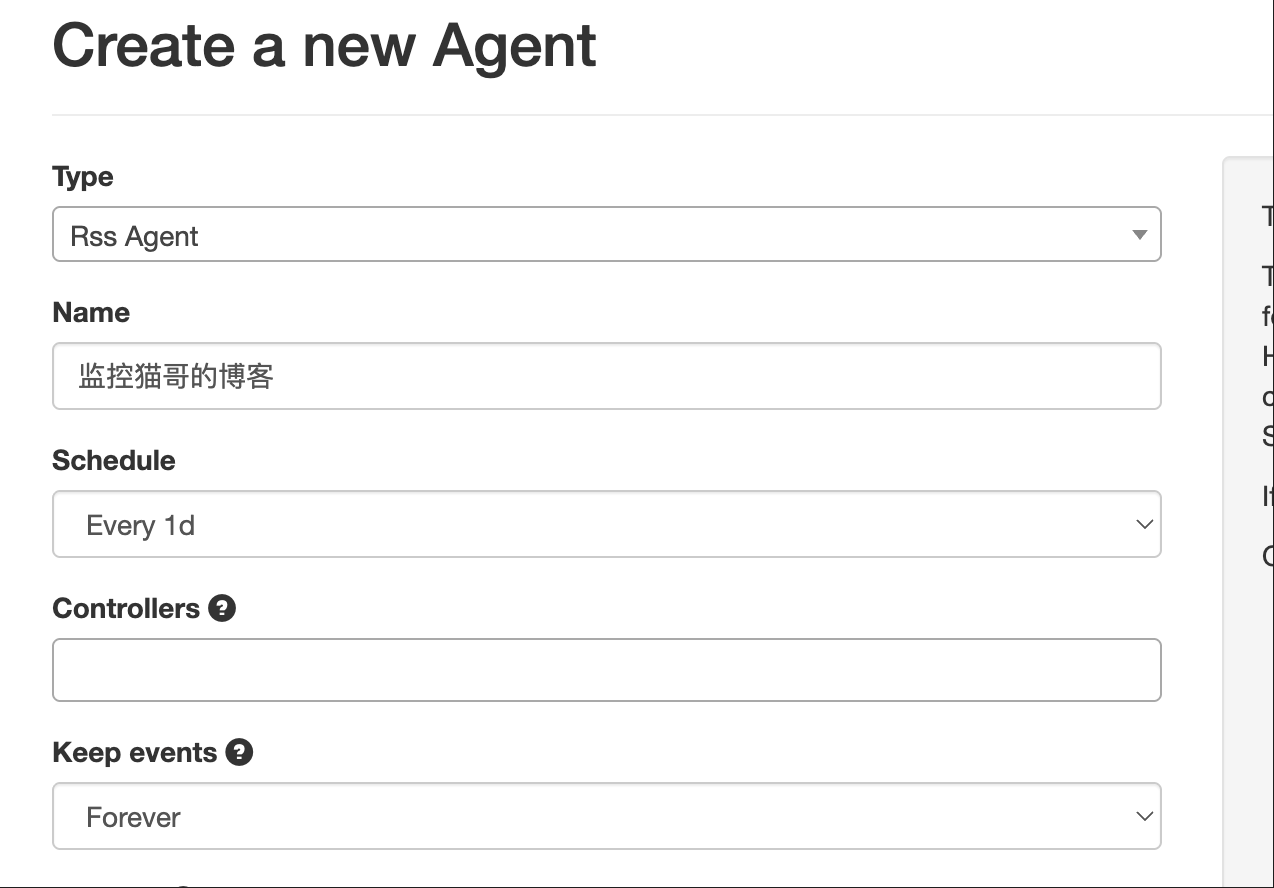
选择 Agent 类型
- Type 选择:
Rss Agent - Name:
监控猫哥的博客 - Schedule:
every_2h(每 2 小时检查一次) - Keep events:
20(保留最近 20 条记录)
- Type 选择:
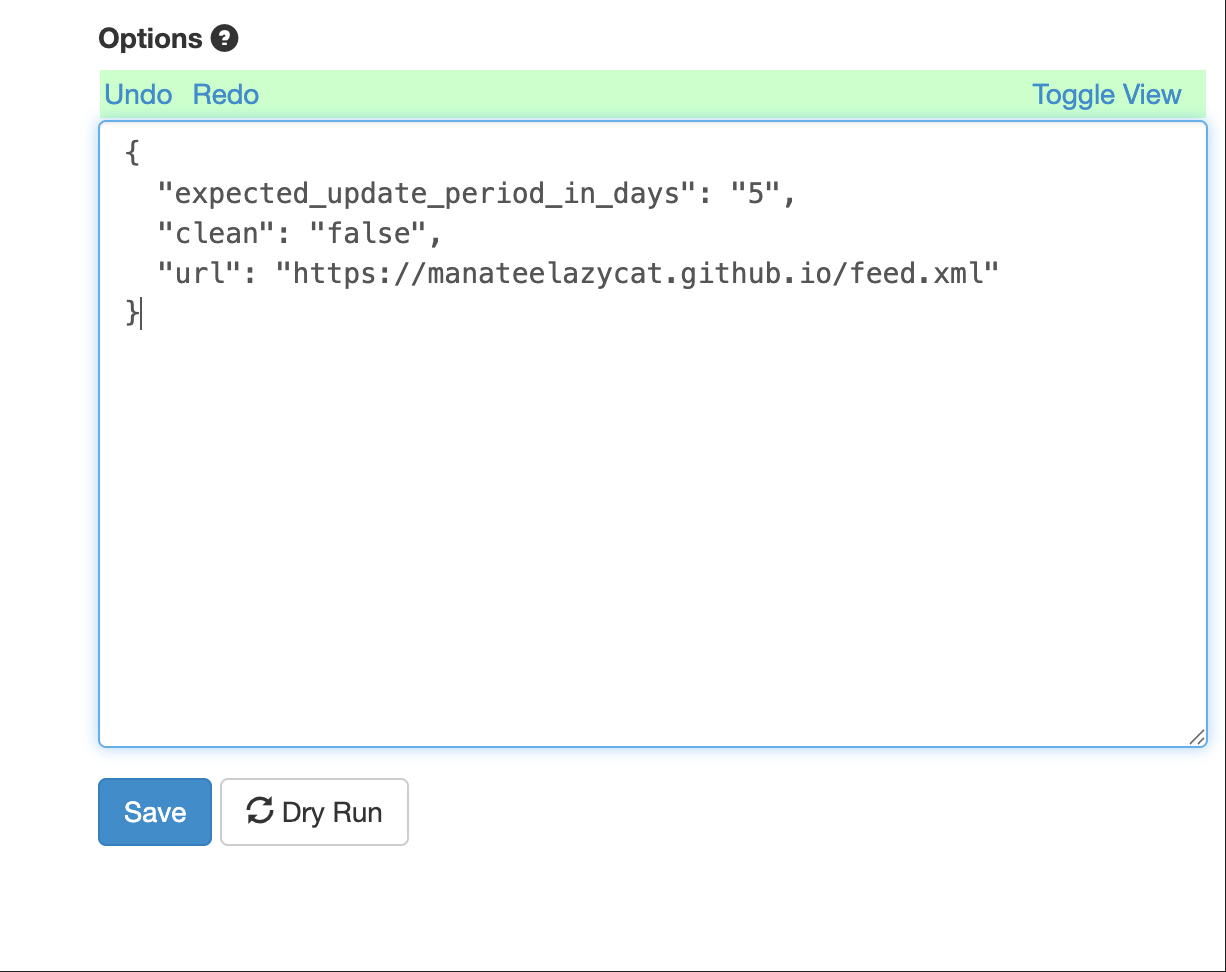
3. 配置 Options
{
  "expected_update_period_in_days": "5",
  "clean": "false",
  "url": "https://manateelazycat.github.io/feed.xml"
}
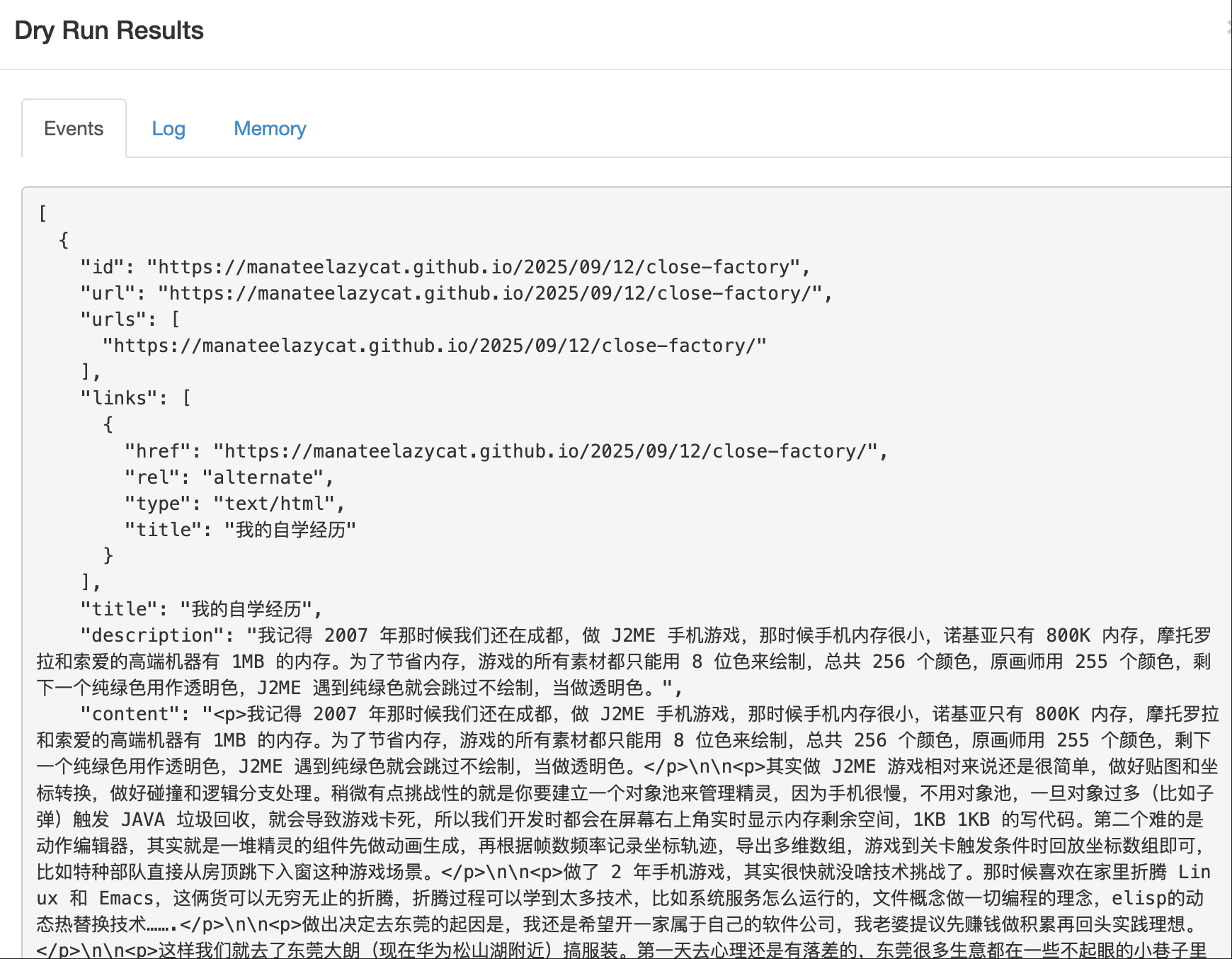
4. 点击 "Dry Run" 测试
- 应该能看到博客的文章列表
- 每篇文章包含 title、url、description 等字段
Step 2:创建文章处理 Agent(添加标签)
使用 Event Formatting Agent 为文章添加来源标签。
- 新建 Agent
- Type:
Event Formatting Agent
- Type:
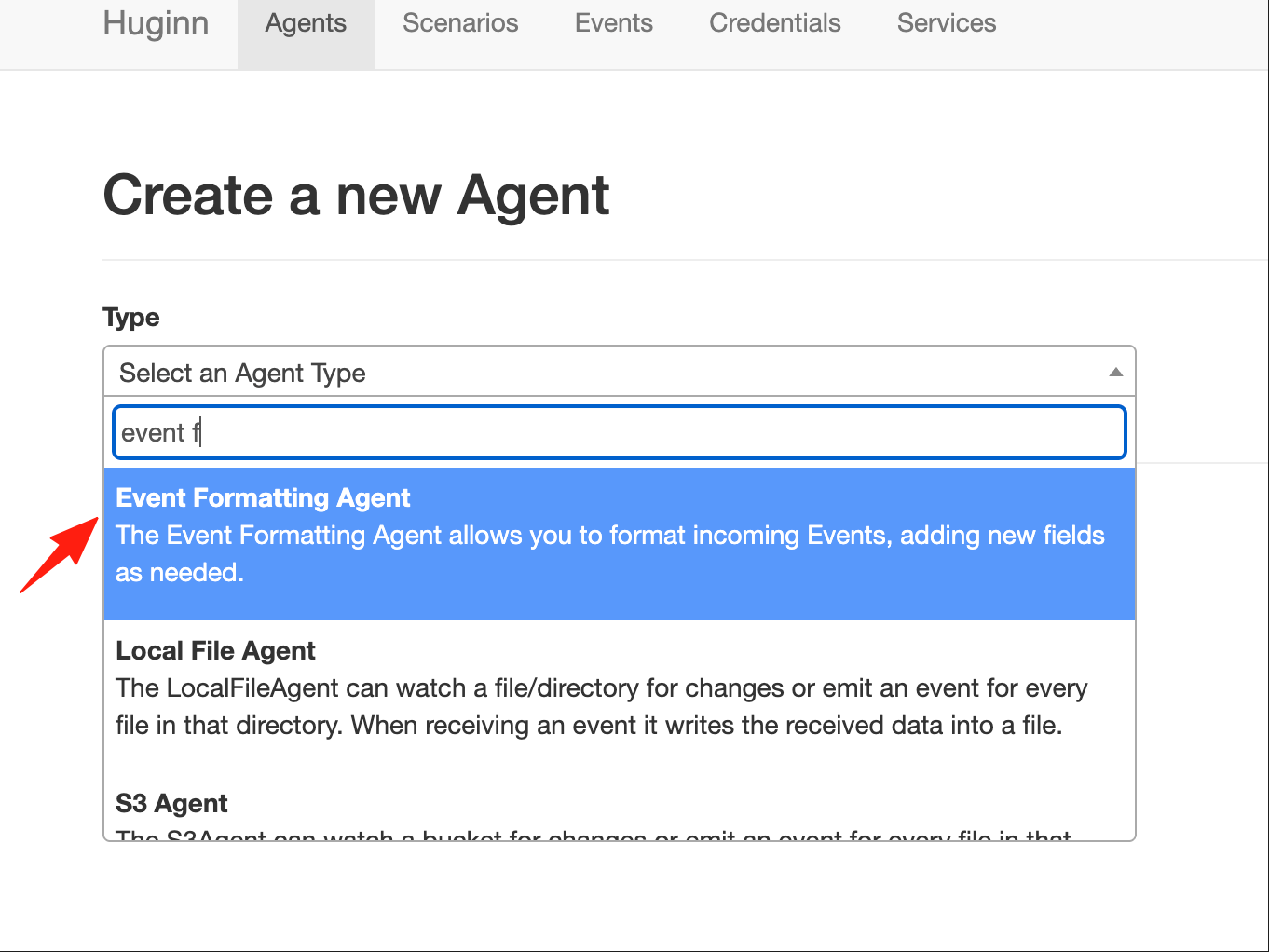
- Name:
格式化文章数据 - Sources:选择上面的 RSS Agent
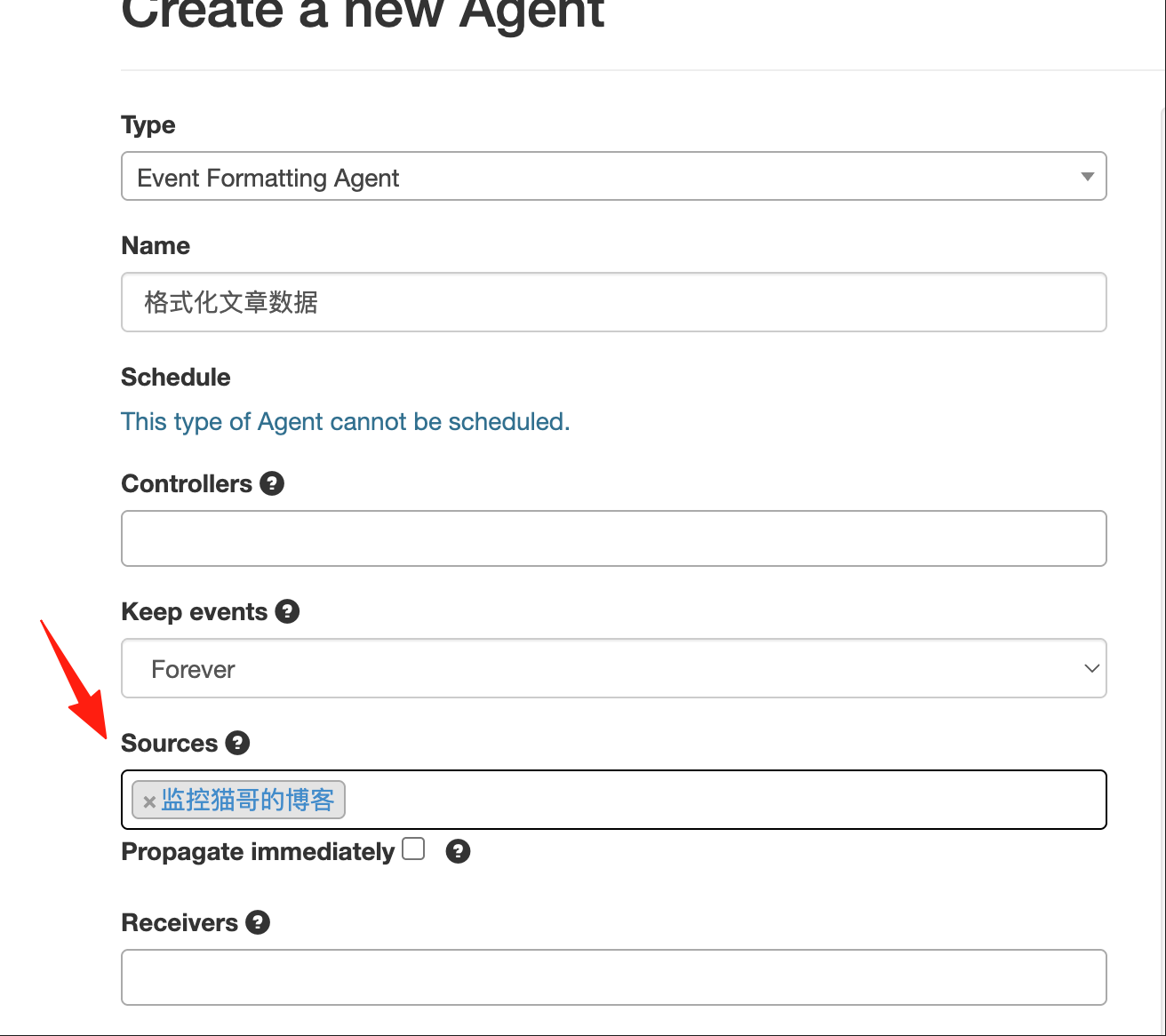
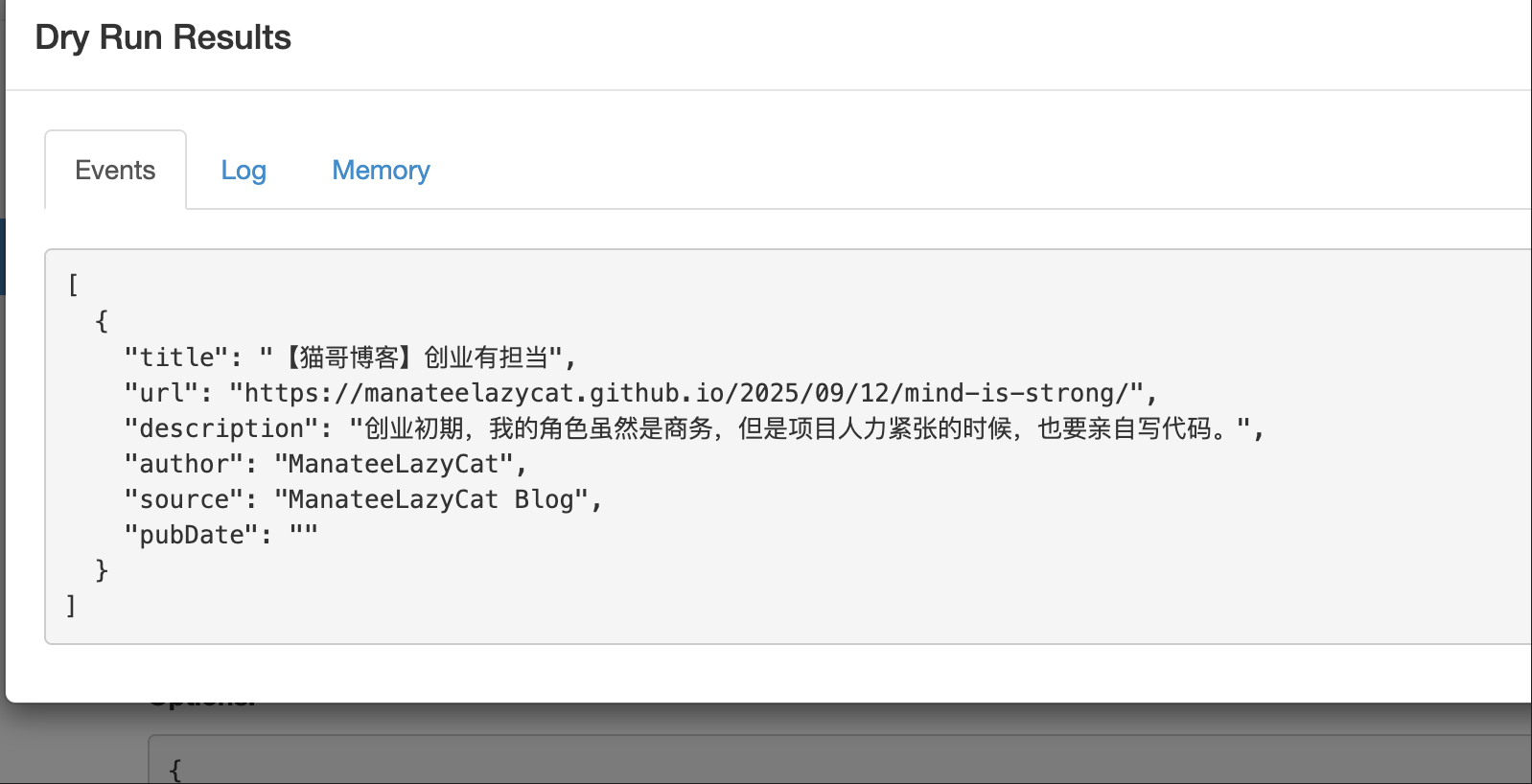
2. 配置 Options
{
  "instructions": {
    "title": "【猫哥博客】{{title}}",
    "url": "{{url}}",
    "description": "{{description}}",
    "author": "{{author | default: 'ManateeLazyCat'}}",
    "source": "ManateeLazyCat Blog",
    "pubDate": "{{pubDate}}"
  },
  "mode": "clean",
  "matchers": [],
  "skip_created_at": "false"
}
Step 3:监控更多 RSS 源(可选)
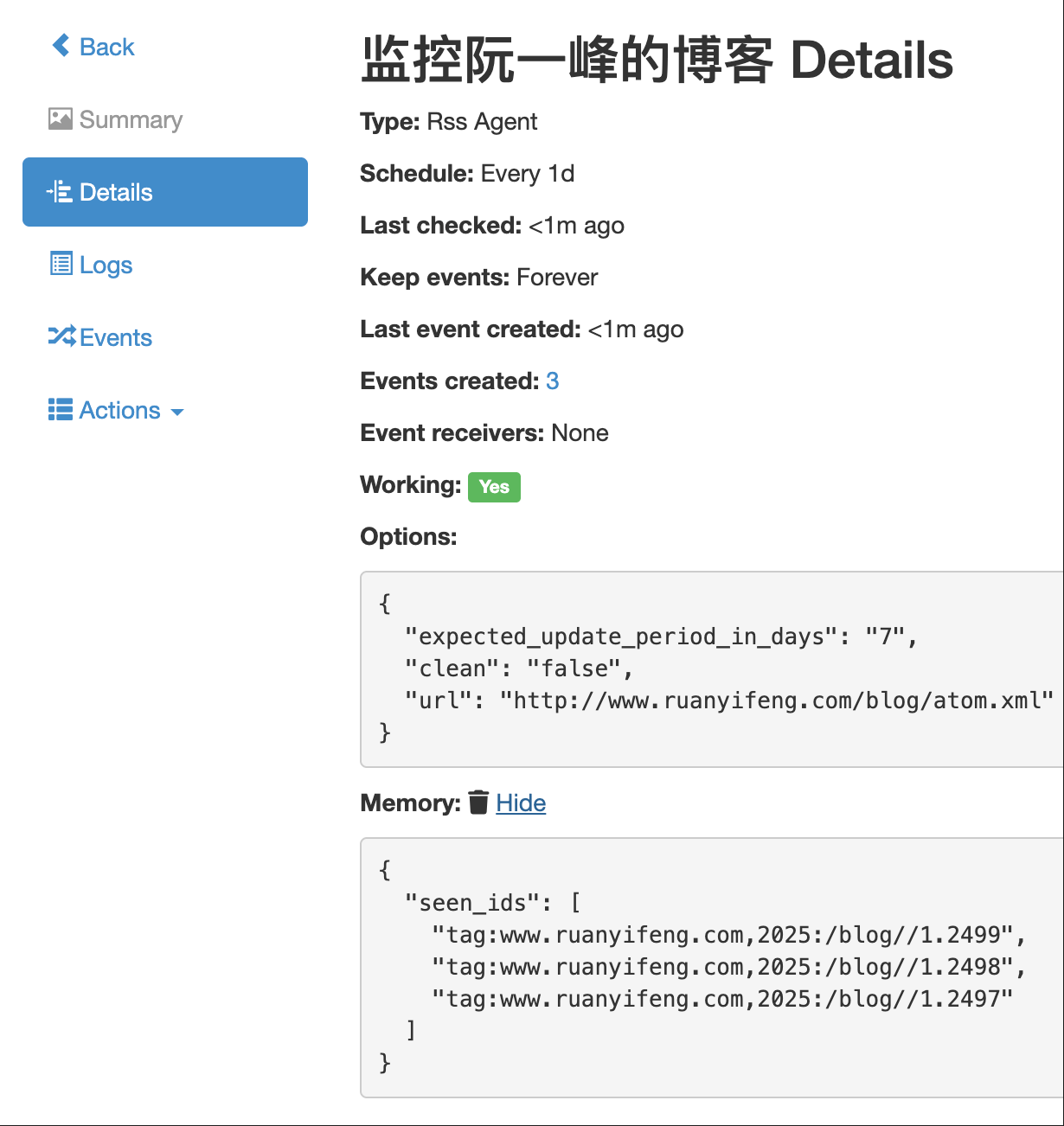
创建更多 RSS Agent 监控其他博客:
监控阮一峰的博客:
{
  "expected_update_period_in_days": "7",
  "clean": "false",
  "url": "http://www.ruanyifeng.com/blog/atom.xml"
}
监控 Hacker News:
{
  "expected_update_period_in_days": "1",
  "clean": "false",
  "url": "https://news.ycombinator.com/rss"
}
为每个源创建对应的 Event Formatting Agent,添加不同的标签。
Step 4:汇总所有文章
- 新建 Agent
- Type:
Digest Agent - Name:
汇总所有文章 - Sources:选择所有的 Event Formatting Agent
- Type:
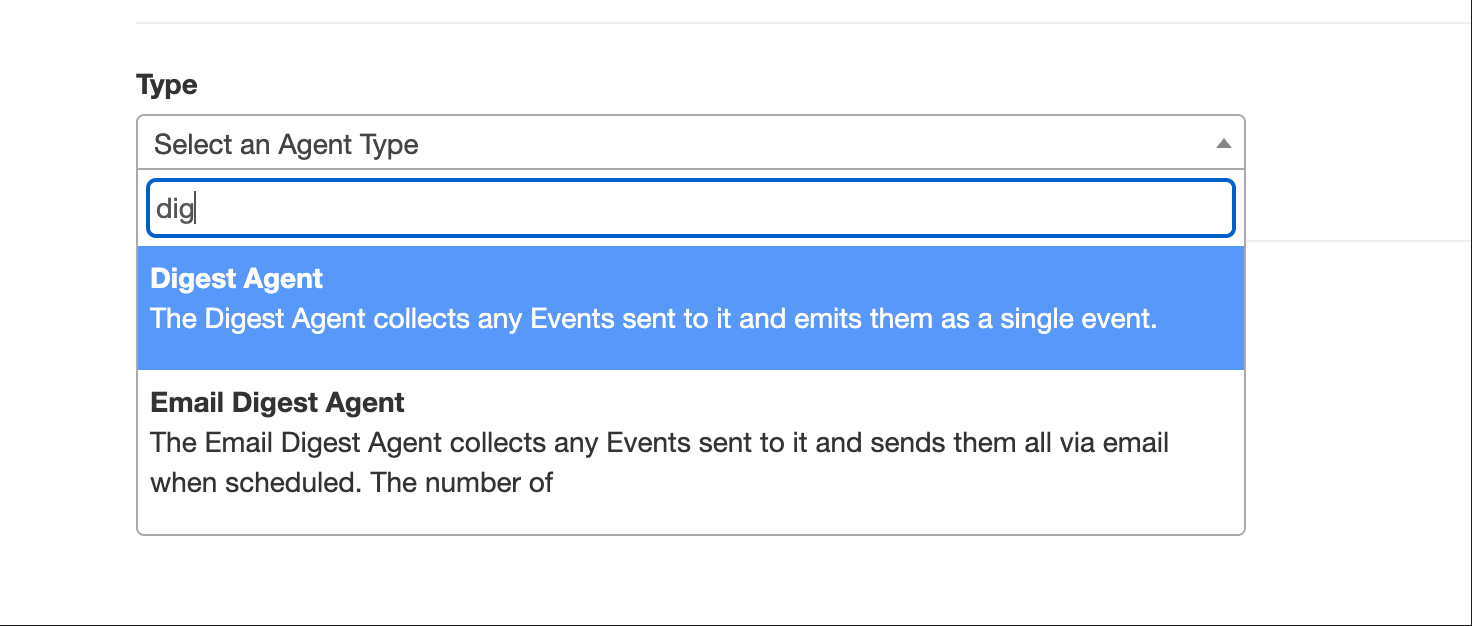
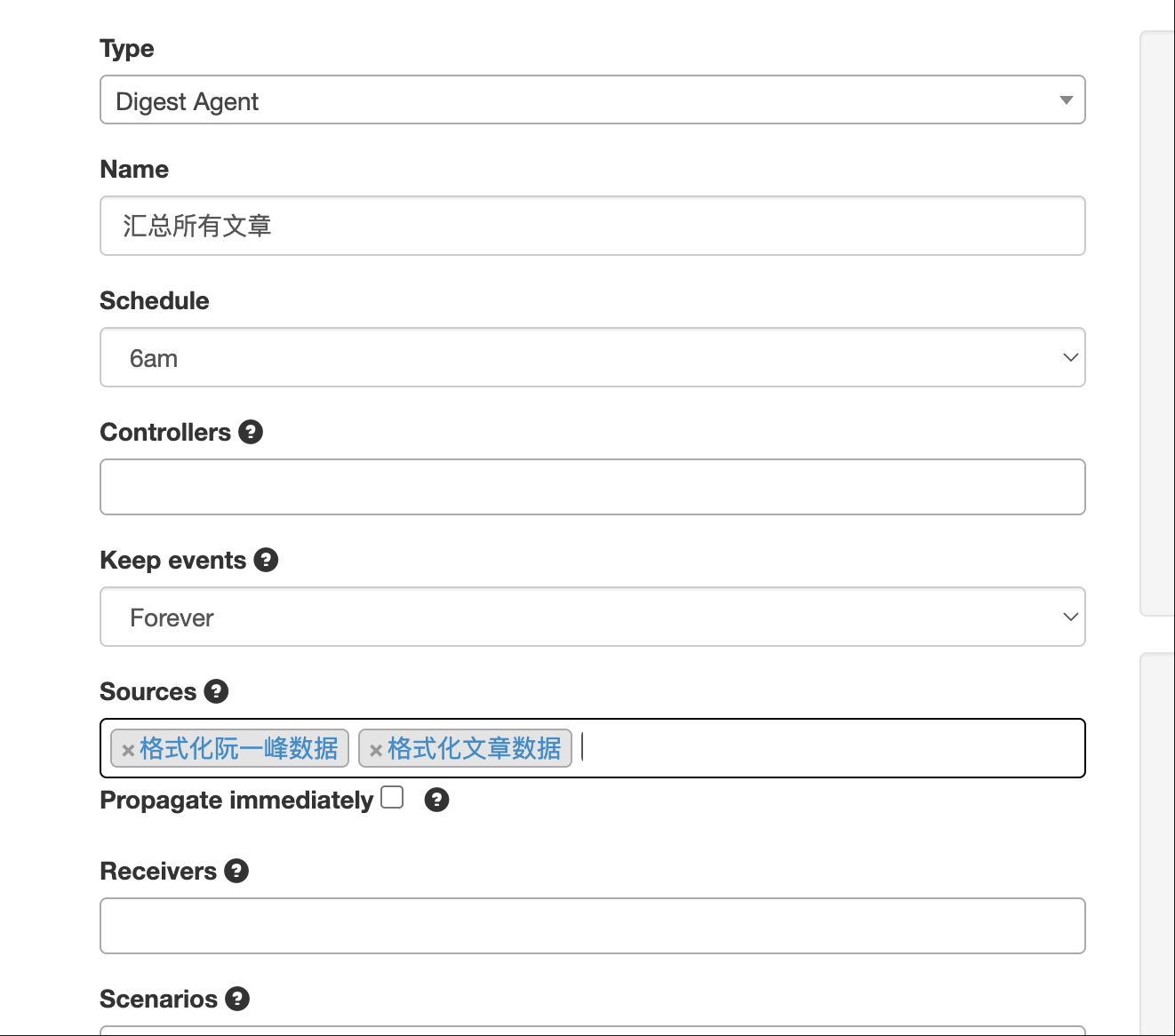
2. 配置 Options
{
  "expected_update_period_in_days": "1",
  "message": "{% for event in events %}\n<item>\n  <title>{{ event.title | xml_escape }}</title>\n  <link>{{ event.url | xml_escape }}</link>\n  <description>{{ event.description | xml_escape }}</description>\n  <pubDate>{{ event.pubDate }}</pubDate>\n  <source>{{ event.source }}</source>\n</item>\n{% endfor %}",
  "retained_events": "100"
}
Step 5:生成 RSS 输出
- 新建 Agent
- Type:
Data Output Agent - Name:
输出RSS源 - Sources:选择汇总 Agent
- Type:
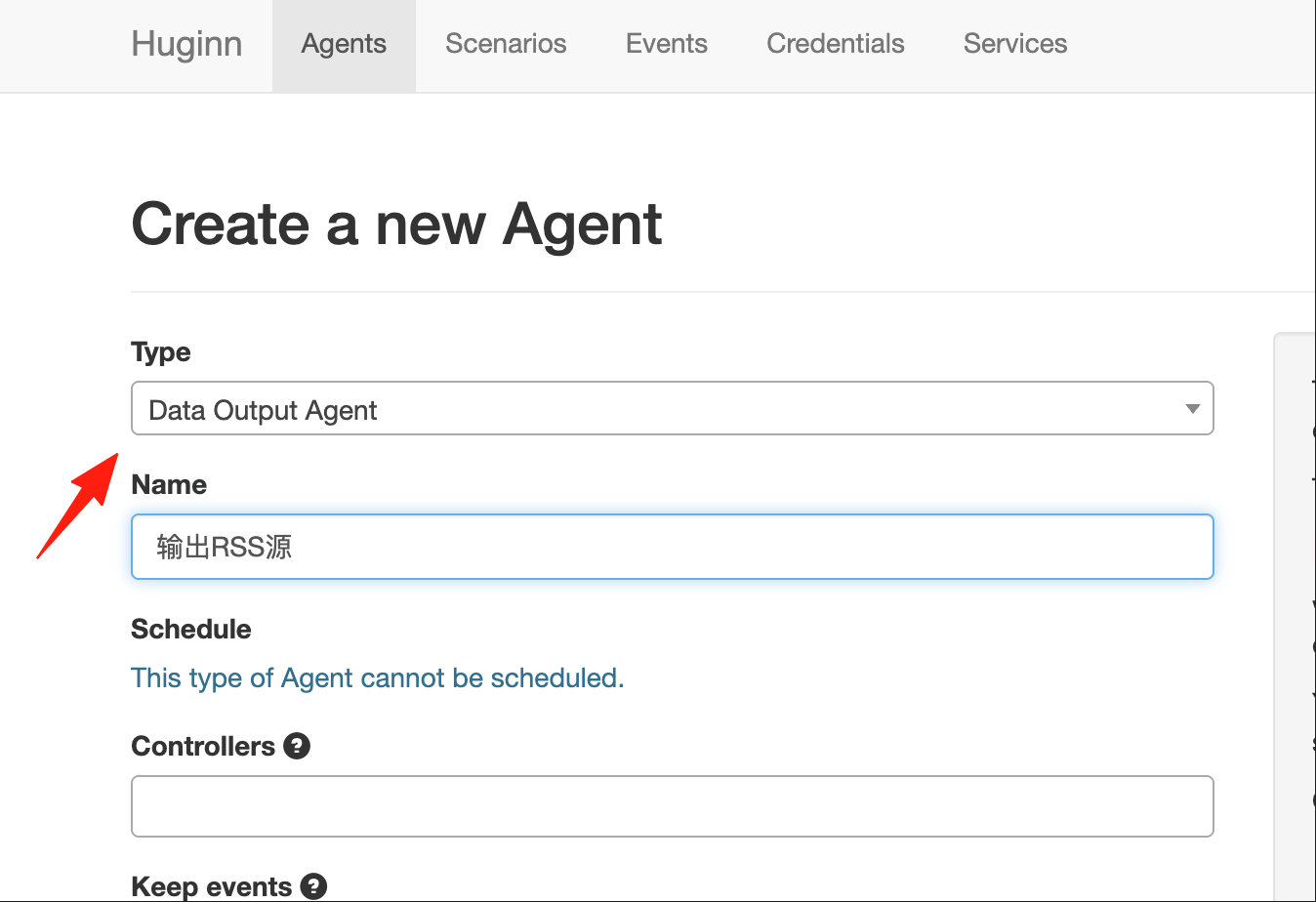
2. 配置 Options
{
  "secrets": ["my_secret_token"],
  "expected_receive_period_in_days": "2",
  "template": {
    "title": "我的技术资讯聚合",
    "description": "聚合多个技术博客的 RSS",
    "link": "https://huginn.懒猫.heiyu.space/",
    "item": {
      "title": "{{title}}",
      "description": "{{description}}",
      "link": "{{url}}",
      "pubDate": "{{pubDate}}",
      "guid": "{{url}}"
    }
  },
  "events_to_show": "50",
  "response_headers": {
    "Content-Type": "application/rss+xml; charset=utf-8"
  }
}
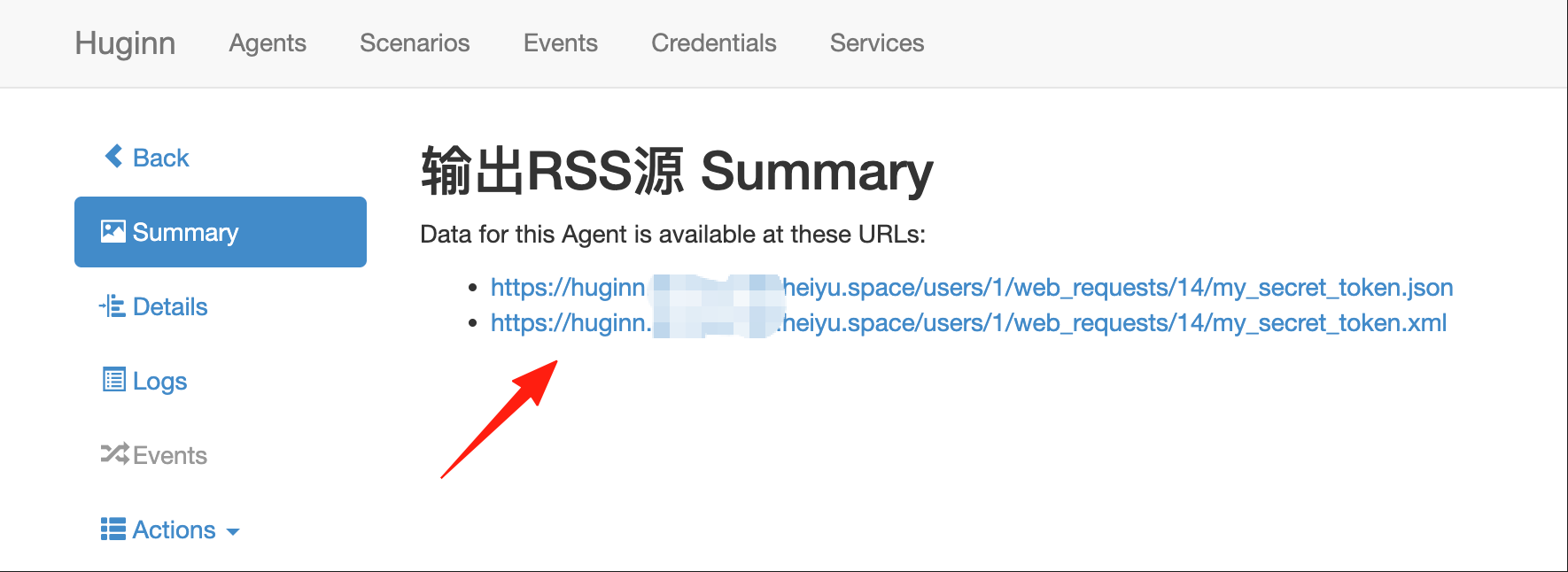
- 获取你的 RSS 地址
- 保存后,在 Agent 详情页会显示一个链接
- 格式类似:
http://你的域名/users/1/web_requests/xxx/my_secret_token.xml - 用任何 RSS 阅读器订阅这个地址即可!
完整的工作流程图
监控博客RSS (Rss Agent) → 格式化数据 (Event Formatting Agent) →
      ↓
监控其他RSS (Rss Agent) → 格式化数据 (Event Formatting Agent) →

汇总 (Digest Agent)
      ↓
输出RSS (Data Output Agent)
      ↓
你的RSS阅读器订阅
配置完成后:
- Huginn 自动监控多个博客
- 汇总生成一个新的 RSS 源
- 你用 RSS 阅读器订阅这个源
- 所有博客更新都在一个地方查看
这样你就有了一个完全由自己控制的技术资讯聚合器。
写在最后
Huginn 确实需要一点技术基础,刚开始可能会觉得有点复杂,但当你成功设置第一个自动化任务,看到它默默为你工作时,那种成就感真的很棒。而且一旦上手,你会发现越来越多的使用场景,生活和工作效率都会大大提升。
祝你玩得开心,让 Huginn 成为你的数字生活小助手!
相关资源:
评论
0暂无评论