
'%3e%3cpath%20d='M9%2021H15'%20stroke='black'%20stroke-width='2'%20stroke-linecap='round'%20stroke-linejoin='round'/%3e%3cpath%20d='M5.25001%209.75C5.25001%207.95979%205.96116%206.2429%207.22703%204.97703C8.4929%203.71116%2010.2098%203%2012%203C13.7902%203%2015.5071%203.71116%2016.773%204.97703C18.0388%206.2429%2018.75%207.95979%2018.75%209.75C18.75%2013.1081%2019.5281%2015.8063%2020.1469%2016.875C20.2126%2016.9888%2020.2472%2017.1179%2020.2474%2017.2493C20.2475%2017.3808%2020.2131%2017.5099%2020.1475%2017.6239C20.082%2017.7378%2019.9877%2017.8325%2019.8741%2017.8985C19.7604%2017.9645%2019.6314%2017.9995%2019.5%2018H4.50001C4.36874%2017.9992%204.23997%2017.964%204.12659%2017.8978C4.0132%2017.8317%203.91916%2017.7369%203.85387%2017.6231C3.78858%2017.5092%203.75432%2017.3801%203.75452%2017.2489C3.75472%2017.1176%203.78937%2016.9887%203.85501%2016.875C4.47282%2015.8063%205.25001%2013.1072%205.25001%209.75Z'%20stroke='black'%20stroke-width='2'%20stroke-linecap='round'%20stroke-linejoin='round'/%3e%3c/g%3e%3cdefs%3e%3cclipPath%20id='clip0_4762_133'%3e%3crect%20width='24'%20height='24'%20fill='white'/%3e%3c/clipPath%3e%3c/defs%3e%3c/svg%3e)
'%3e%3cpath%20d='M24%200H0V24H24V0Z'%20fill='white'%20fill-opacity='0.01'/%3e%3cpath%20d='M12%2011C14.2091%2011%2016%209.20914%2016%207C16%204.79086%2014.2091%203%2012%203C9.79086%203%208%204.79086%208%207C8%209.20914%209.79086%2011%2012%2011Z'%20stroke='black'%20stroke-width='2'%20stroke-linecap='round'%20stroke-linejoin='round'/%3e%3cpath%20d='M4%2021V20.4857C4%2018.5655%204%2017.6055%204.38753%2016.872C4.72841%2016.2269%205.27235%2015.7024%205.94138%2015.3737C6.70196%2015%207.6976%2015%209.68889%2015H14.3111C16.3024%2015%2017.298%2015%2018.0586%2015.3737C18.7276%2015.7024%2019.2716%2016.2269%2019.6125%2016.872C20%2017.6055%2020%2018.5655%2020%2020.4857V21'%20stroke='black'%20stroke-width='2'%20stroke-linecap='round'%20stroke-linejoin='round'/%3e%3c/g%3e%3cdefs%3e%3cclipPath%20id='clip0_4762_139'%3e%3crect%20width='24'%20height='24'%20fill='white'/%3e%3c/clipPath%3e%3c/defs%3e%3c/svg%3e)

在ComfyUI里使用Flux Kontext魔改图片
喵爸联萌
首先你需要安装ComfyUI及AI浏览器,安装Flux Kontext模型(参见我之前的攻略),并打开ComfyUI官方模板“Flux Kontext Dev(基础)”。

选择并上传你想要转换的图片,在绿色框中输入提示词。
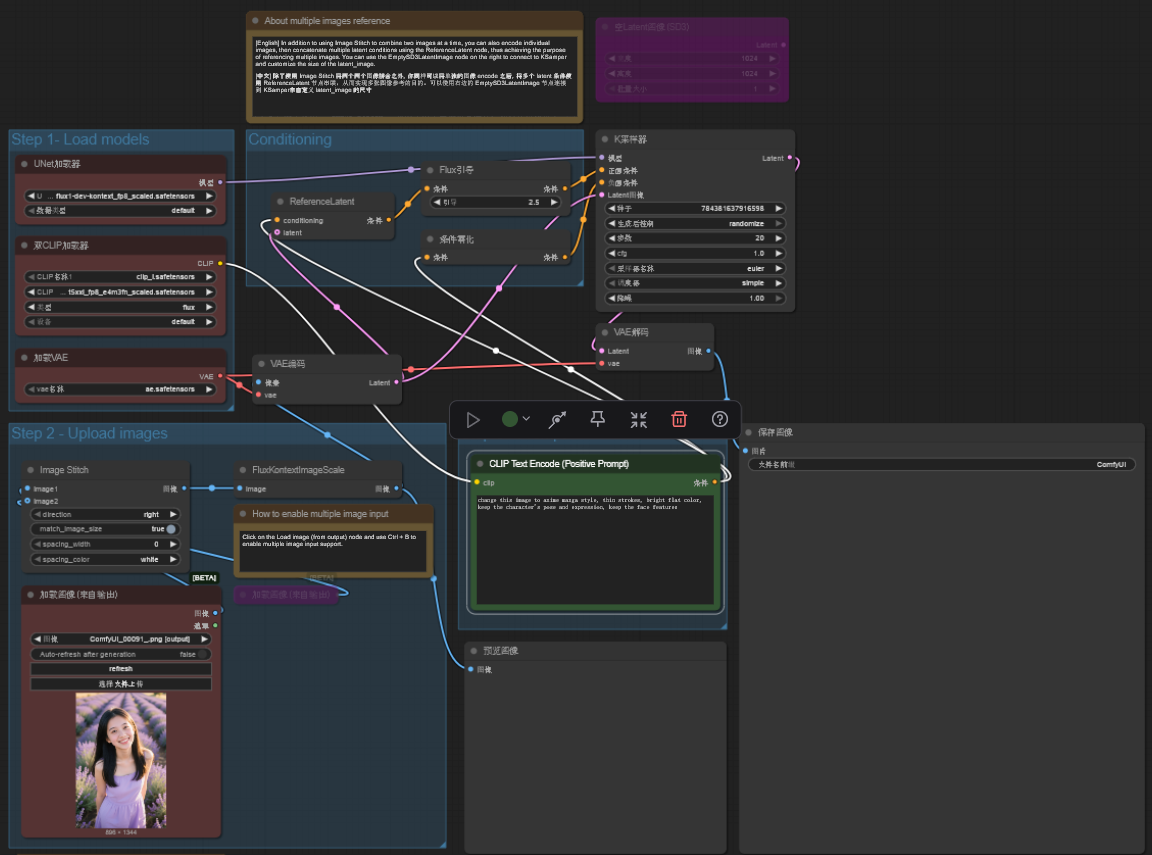
由于Flux Kontext对自然语言的理解非常好,所以只要自然的去说你需要什么风格就好了。比如:
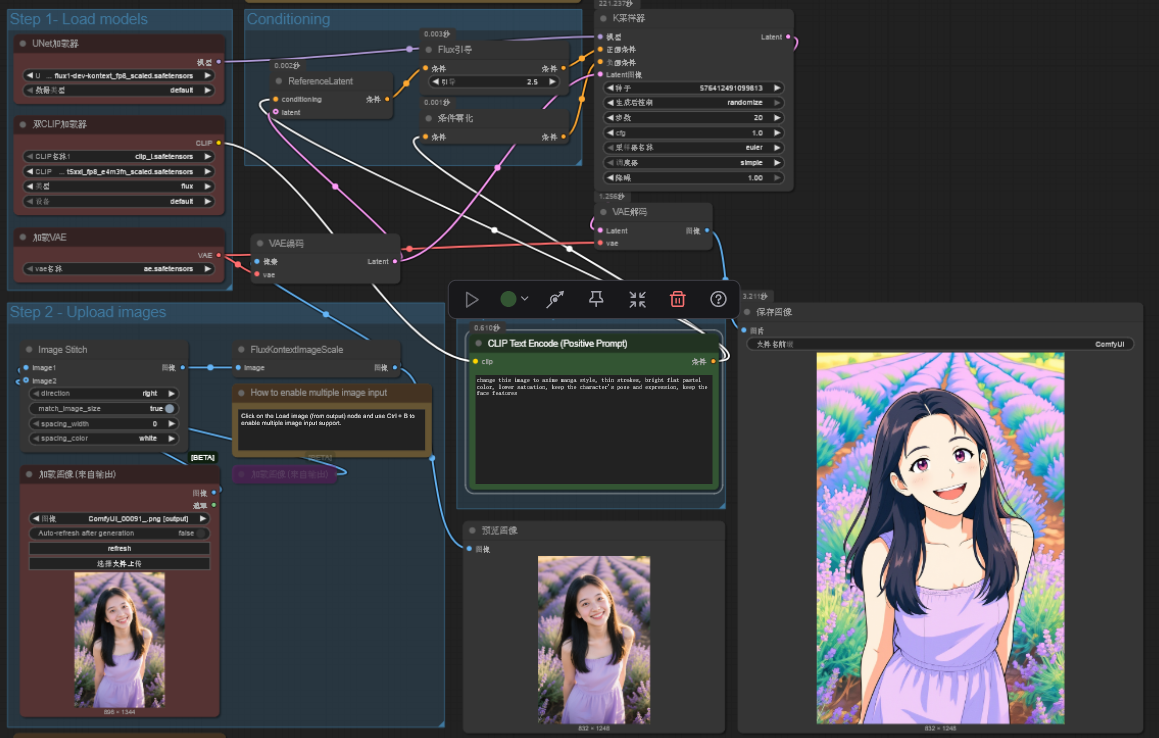
写实转动漫
change this image to anime manga style, thin strokes, bright flat pastel color, lower satuation, keep the character's pose and expression, keep the face features
 |  |
|---|
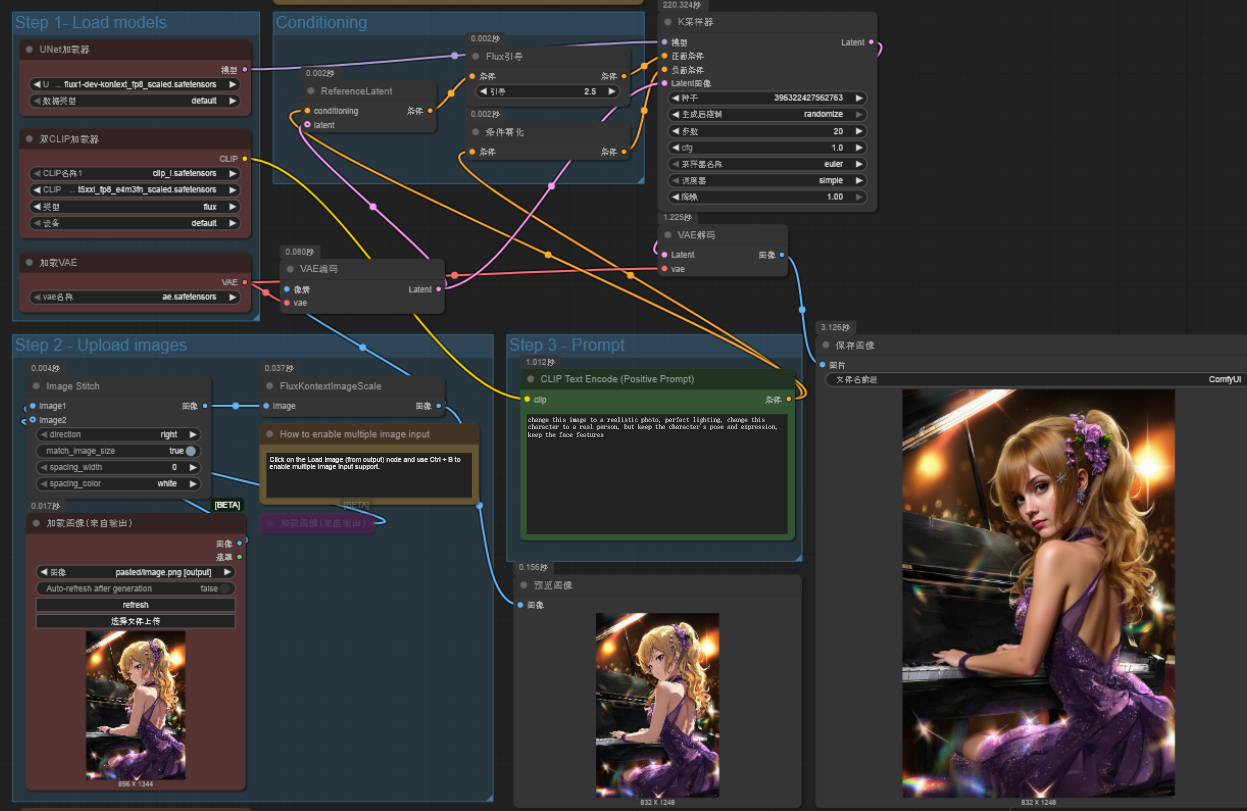
动漫转写实
change this image to a realistic photo, perfect lighting, change this character to a real person, but keep the character's pose and expression, keep the face features
 |  |
|---|
修改某一特点
比如修改衣服的颜色,但保持画面风格:
change the character's outfit to scarlet red, keep the style and other fatures of the image
 |  |
|---|
参考图片
你也可以只要一张图片的绘画风格和角色,用它来做参考画其他的主题
use this image's style, to create a image of cat girl standing on hoverboard flying over a cyberpunk city sky
|  |
|---|
Flux Kontext(全称 FLUX.1 Kontext)是德国 Black Forest Labs 推出的一系列先进的 多模态图像生成与编辑模型。它不仅能进行传统的文本生成图像(Text-to-Image),更擅长在已有图像基础上,通过自然语言提示进行精准编辑和风格转换。
在懒猫的ComfyUI中可以顺畅运行Flux Kontext,修改一张1024x1024的图片大约只需要200多秒。
Flux Kontext的强大功能还可以对你的图片进行更多的魔改,等待你来发掘。
评论
0暂无评论