
'%3e%3cpath%20d='M9%2021H15'%20stroke='black'%20stroke-width='2'%20stroke-linecap='round'%20stroke-linejoin='round'/%3e%3cpath%20d='M5.25001%209.75C5.25001%207.95979%205.96116%206.2429%207.22703%204.97703C8.4929%203.71116%2010.2098%203%2012%203C13.7902%203%2015.5071%203.71116%2016.773%204.97703C18.0388%206.2429%2018.75%207.95979%2018.75%209.75C18.75%2013.1081%2019.5281%2015.8063%2020.1469%2016.875C20.2126%2016.9888%2020.2472%2017.1179%2020.2474%2017.2493C20.2475%2017.3808%2020.2131%2017.5099%2020.1475%2017.6239C20.082%2017.7378%2019.9877%2017.8325%2019.8741%2017.8985C19.7604%2017.9645%2019.6314%2017.9995%2019.5%2018H4.50001C4.36874%2017.9992%204.23997%2017.964%204.12659%2017.8978C4.0132%2017.8317%203.91916%2017.7369%203.85387%2017.6231C3.78858%2017.5092%203.75432%2017.3801%203.75452%2017.2489C3.75472%2017.1176%203.78937%2016.9887%203.85501%2016.875C4.47282%2015.8063%205.25001%2013.1072%205.25001%209.75Z'%20stroke='black'%20stroke-width='2'%20stroke-linecap='round'%20stroke-linejoin='round'/%3e%3c/g%3e%3cdefs%3e%3cclipPath%20id='clip0_4762_133'%3e%3crect%20width='24'%20height='24'%20fill='white'/%3e%3c/clipPath%3e%3c/defs%3e%3c/svg%3e)
'%3e%3cpath%20d='M24%200H0V24H24V0Z'%20fill='white'%20fill-opacity='0.01'/%3e%3cpath%20d='M12%2011C14.2091%2011%2016%209.20914%2016%207C16%204.79086%2014.2091%203%2012%203C9.79086%203%208%204.79086%208%207C8%209.20914%209.79086%2011%2012%2011Z'%20stroke='black'%20stroke-width='2'%20stroke-linecap='round'%20stroke-linejoin='round'/%3e%3cpath%20d='M4%2021V20.4857C4%2018.5655%204%2017.6055%204.38753%2016.872C4.72841%2016.2269%205.27235%2015.7024%205.94138%2015.3737C6.70196%2015%207.6976%2015%209.68889%2015H14.3111C16.3024%2015%2017.298%2015%2018.0586%2015.3737C18.7276%2015.7024%2019.2716%2016.2269%2019.6125%2016.872C20%2017.6055%2020%2018.5655%2020%2020.4857V21'%20stroke='black'%20stroke-width='2'%20stroke-linecap='round'%20stroke-linejoin='round'/%3e%3c/g%3e%3cdefs%3e%3cclipPath%20id='clip0_4762_139'%3e%3crect%20width='24'%20height='24'%20fill='white'/%3e%3c/clipPath%3e%3c/defs%3e%3c/svg%3e)

Dnote:程序员的命令行笔记工具
天天
发布于424天前龙猫也是猫
今天跟大家分享一个超级实用的工具——Dnote。先不扯那些高大上的概念,直接说人话:这就是一个让你在终端里记笔记的工具,特别适合我们这些天天敲代码的人。
为啥要用 Dnote?
你是不是也有这样的困扰:
- 写代码的时候突然想记个知识点,打开笔记软件又怕打断思路
- 收藏了一堆代码片段,用的时候死活找不到
- 在服务器上工作,想记个东西还得切出去
Dnote 就是为了解决这些痛点而生的。它是专门为程序员设计的命令行笔记工具,让你不用离开终端就能快速记录和查找信息。
https://appstore.lazycat.cloud/#/shop/detail/xyz.mxue.dnote
使用攻略
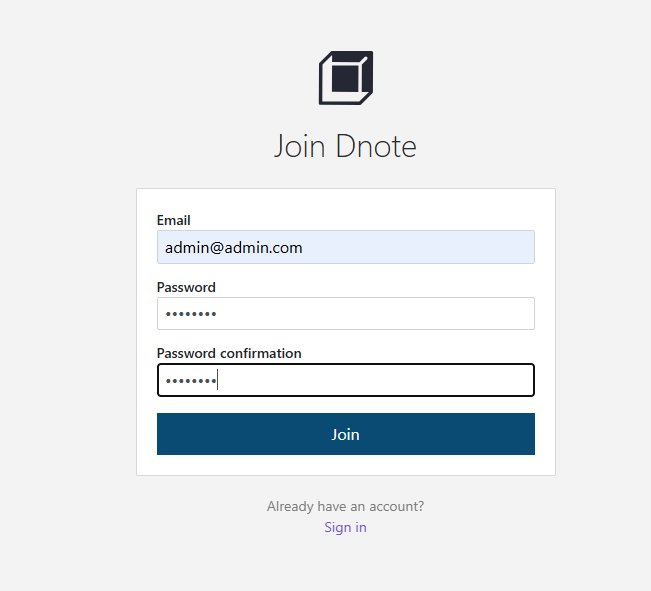
应用安装后,需要先注册一个用户
登录后进入主页
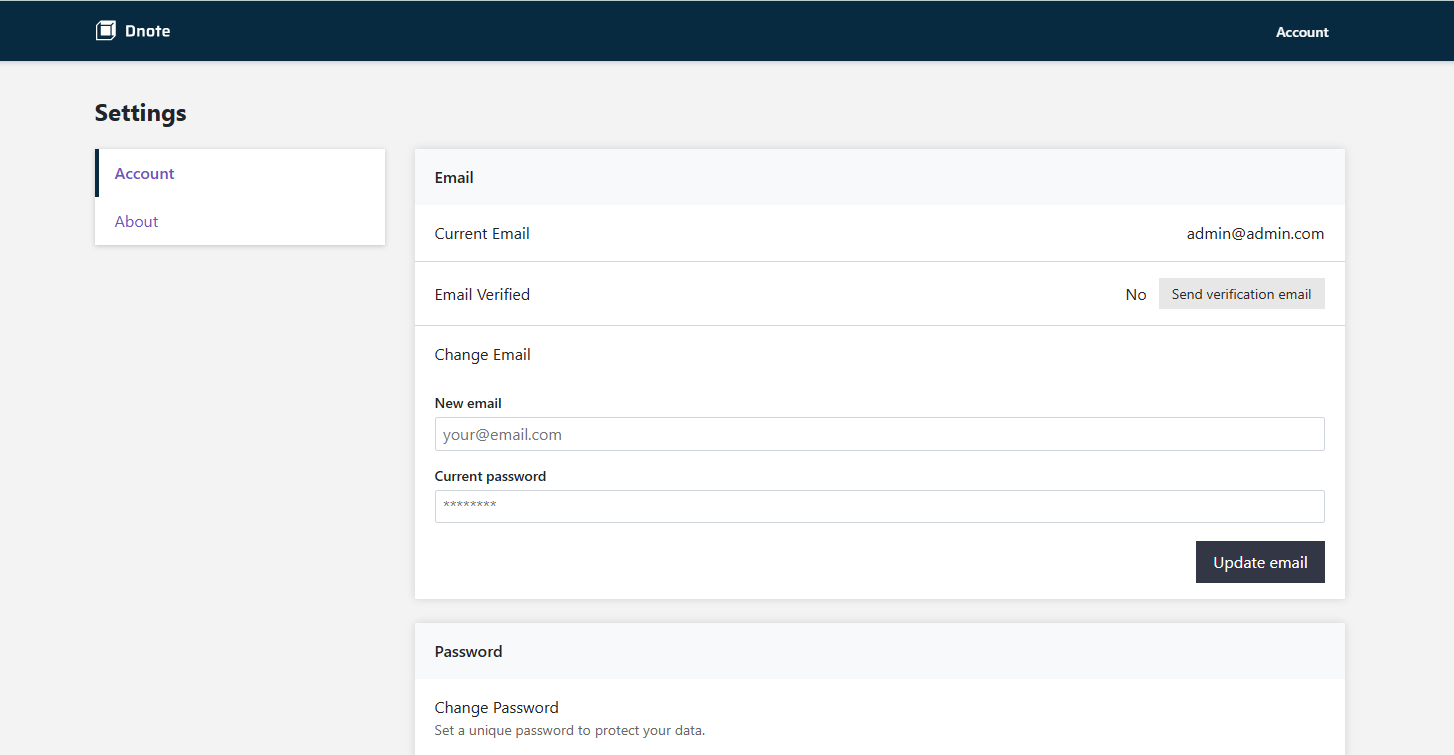
这时候你相当于有了服务端。打开命令行工具,ssh进去懒猫
先执行命令:curl -s https://www.getdnote.com/install | sh
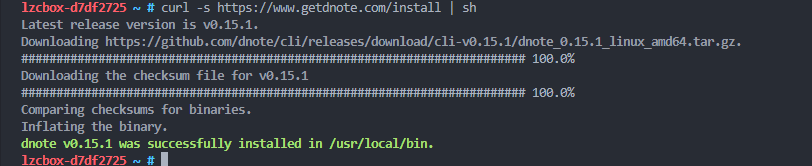
第一次运行 CLI 之后在 ~/.config/dnote/dnoterc 中生成配置文件
默认的配置文件信息如下
editor: nvim
apiEndpoint: https://api.getdnote.com
需要更改将 apiEndpoint: https://api.getdnote.com 改为 apiEndpoint: https://dnote.设备名.heiyu.space/api

创建一个叫 "工作" 的笔记本
dnote add 工作
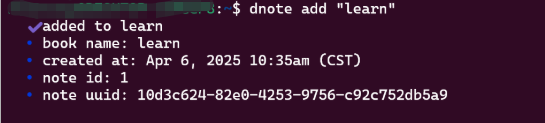
快速记录代码片段
# 记录一个有用的命令
dnote add linux "查看端口占用: netstat -tlnp | grep :8080"

# 记录多行内容
dnote add react "
useState 的基本用法:
const [count, setCount] = useState(0);
setCount(count + 1);
"
查看所有笔记本
dnote ls
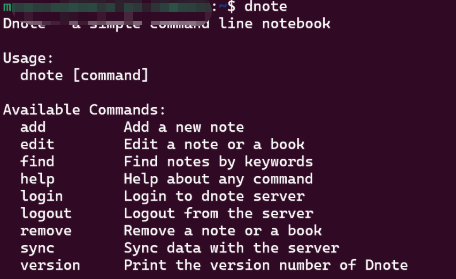
会显示你所有的笔记本和每个本子里有多少条笔记。
Dnote 支持全文搜索,当你的笔记多了之后,这个功能就是救命稻草。
# 搜索包含 "docker" 的所有笔记
dnote find docker

# 搜索多个关键词
dnote find "react hooks"
删除笔记
# 删除 linux 笔记本中的第 2 条笔记
dnote remove linux 2
总结
Dnote 是一个简单实用的工具。它不会打断你的工作流程,让你能专注于编程本身。虽然功能不复杂,但解决的都是程序员的实际痛点。
评论
0暂无评论