
'%3e%3cpath%20d='M9%2021H15'%20stroke='black'%20stroke-width='2'%20stroke-linecap='round'%20stroke-linejoin='round'/%3e%3cpath%20d='M5.25001%209.75C5.25001%207.95979%205.96116%206.2429%207.22703%204.97703C8.4929%203.71116%2010.2098%203%2012%203C13.7902%203%2015.5071%203.71116%2016.773%204.97703C18.0388%206.2429%2018.75%207.95979%2018.75%209.75C18.75%2013.1081%2019.5281%2015.8063%2020.1469%2016.875C20.2126%2016.9888%2020.2472%2017.1179%2020.2474%2017.2493C20.2475%2017.3808%2020.2131%2017.5099%2020.1475%2017.6239C20.082%2017.7378%2019.9877%2017.8325%2019.8741%2017.8985C19.7604%2017.9645%2019.6314%2017.9995%2019.5%2018H4.50001C4.36874%2017.9992%204.23997%2017.964%204.12659%2017.8978C4.0132%2017.8317%203.91916%2017.7369%203.85387%2017.6231C3.78858%2017.5092%203.75432%2017.3801%203.75452%2017.2489C3.75472%2017.1176%203.78937%2016.9887%203.85501%2016.875C4.47282%2015.8063%205.25001%2013.1072%205.25001%209.75Z'%20stroke='black'%20stroke-width='2'%20stroke-linecap='round'%20stroke-linejoin='round'/%3e%3c/g%3e%3cdefs%3e%3cclipPath%20id='clip0_4762_133'%3e%3crect%20width='24'%20height='24'%20fill='white'/%3e%3c/clipPath%3e%3c/defs%3e%3c/svg%3e)
'%3e%3cpath%20d='M24%200H0V24H24V0Z'%20fill='white'%20fill-opacity='0.01'/%3e%3cpath%20d='M12%2011C14.2091%2011%2016%209.20914%2016%207C16%204.79086%2014.2091%203%2012%203C9.79086%203%208%204.79086%208%207C8%209.20914%209.79086%2011%2012%2011Z'%20stroke='black'%20stroke-width='2'%20stroke-linecap='round'%20stroke-linejoin='round'/%3e%3cpath%20d='M4%2021V20.4857C4%2018.5655%204%2017.6055%204.38753%2016.872C4.72841%2016.2269%205.27235%2015.7024%205.94138%2015.3737C6.70196%2015%207.6976%2015%209.68889%2015H14.3111C16.3024%2015%2017.298%2015%2018.0586%2015.3737C18.7276%2015.7024%2019.2716%2016.2269%2019.6125%2016.872C20%2017.6055%2020%2018.5655%2020%2020.4857V21'%20stroke='black'%20stroke-width='2'%20stroke-linecap='round'%20stroke-linejoin='round'/%3e%3c/g%3e%3cdefs%3e%3cclipPath%20id='clip0_4762_139'%3e%3crect%20width='24'%20height='24'%20fill='white'/%3e%3c/clipPath%3e%3c/defs%3e%3c/svg%3e)


Concourse CI
Concourse 是一个基于容器的现代化 CI/CD 自动化系统,采用声明式 YAML 配置定义流水线,支持容器优先的任务执行。强调幂等性、不可变性和可重现构建,提供直观的 Web UI 和强大的调试工具,适用于从简单构建到复杂多阶段部署的各种自动化场景。
安装次数
点赞
应用评论
催更次数
桌面端
'%20fill='%23898989'%20fill-rule='nonzero'%3e%3cg%20id='编组-2'%20transform='translate(1443.000000,%20308.000000)'%3e%3cg%20id='路径-2'%20transform='translate(23.000000,%2019.000000)'%3e%3cpath%20d='M7.83273132,9%20L0.267897499,1.54066181%20C-0.0892991662,1.18844644%20-0.0892991662,0.616376893%200.267897499,0.264161526%20C0.625094164,-0.0880538418%201.20525435,-0.0880538418%201.56245102,0.264161526%20L9.73247155,8.32024678%20C9.921308,8.5064498%2010.0123135,8.75546831%209.99866269,9%20C10.0100384,9.24453169%209.921308,9.4935502%209.73247155,9.67975322%20L1.56472615,17.7358385%20C1.20752949,18.0880538%200.627369301,18.0880538%200.270172637,17.7358385%20C-0.0870240282,17.3836231%20-0.0870240282,16.8115536%200.270172637,16.4593382%20L7.83273132,9%20Z'%20id='路径'%3e%3c/path%3e%3c/g%3e%3c/g%3e%3c/g%3e%3c/g%3e%3c/svg%3e)
应用描述
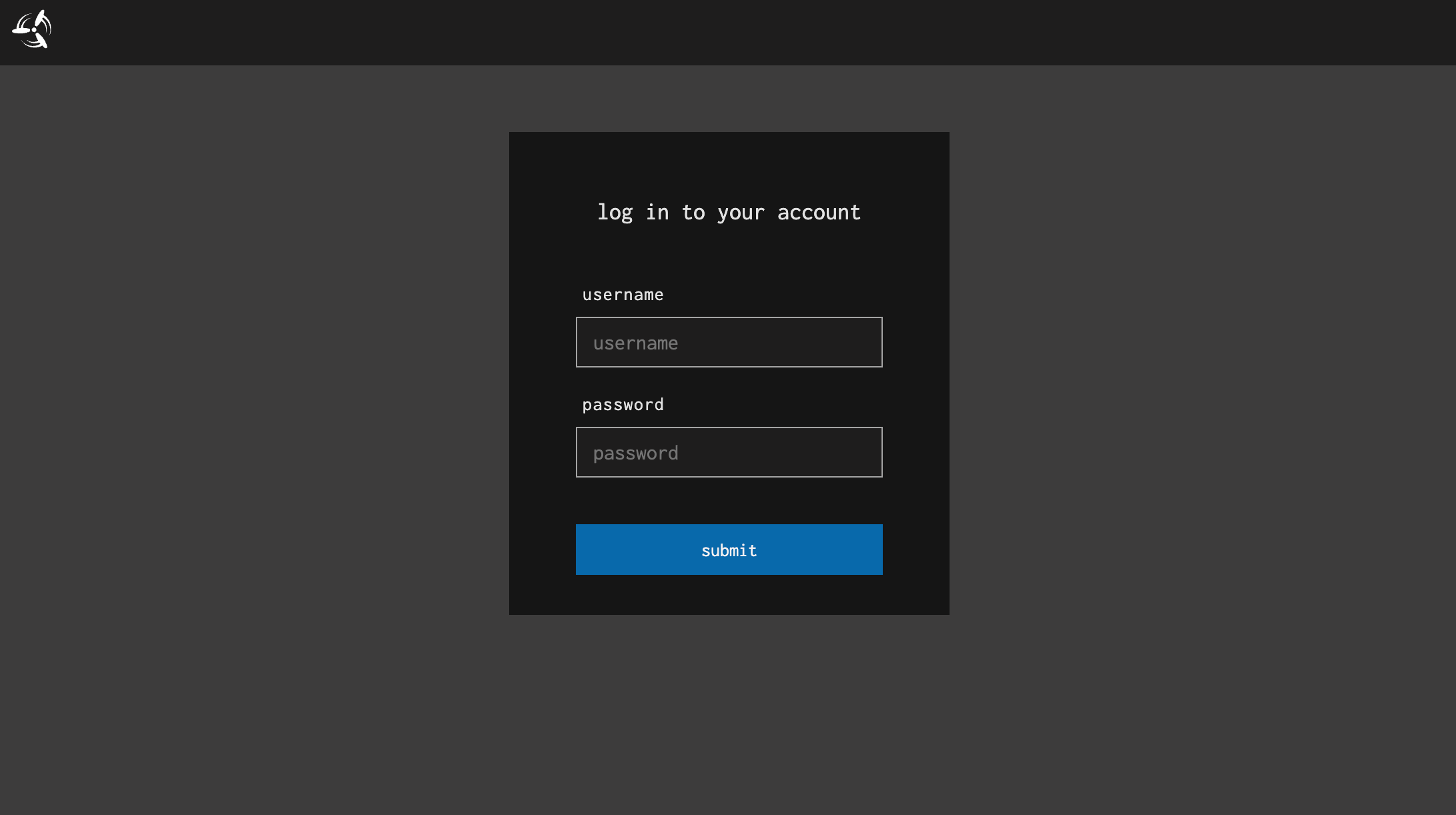
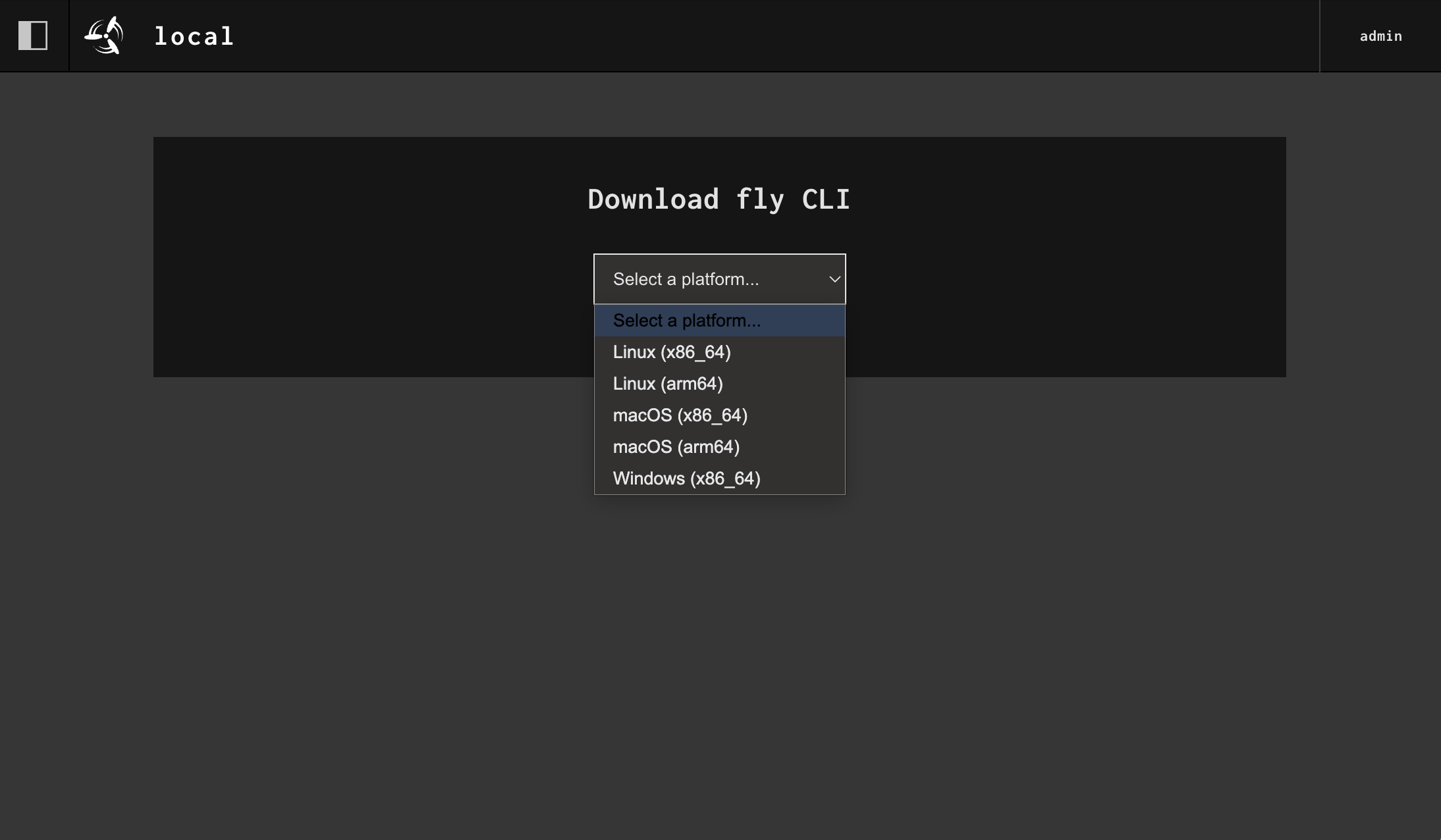
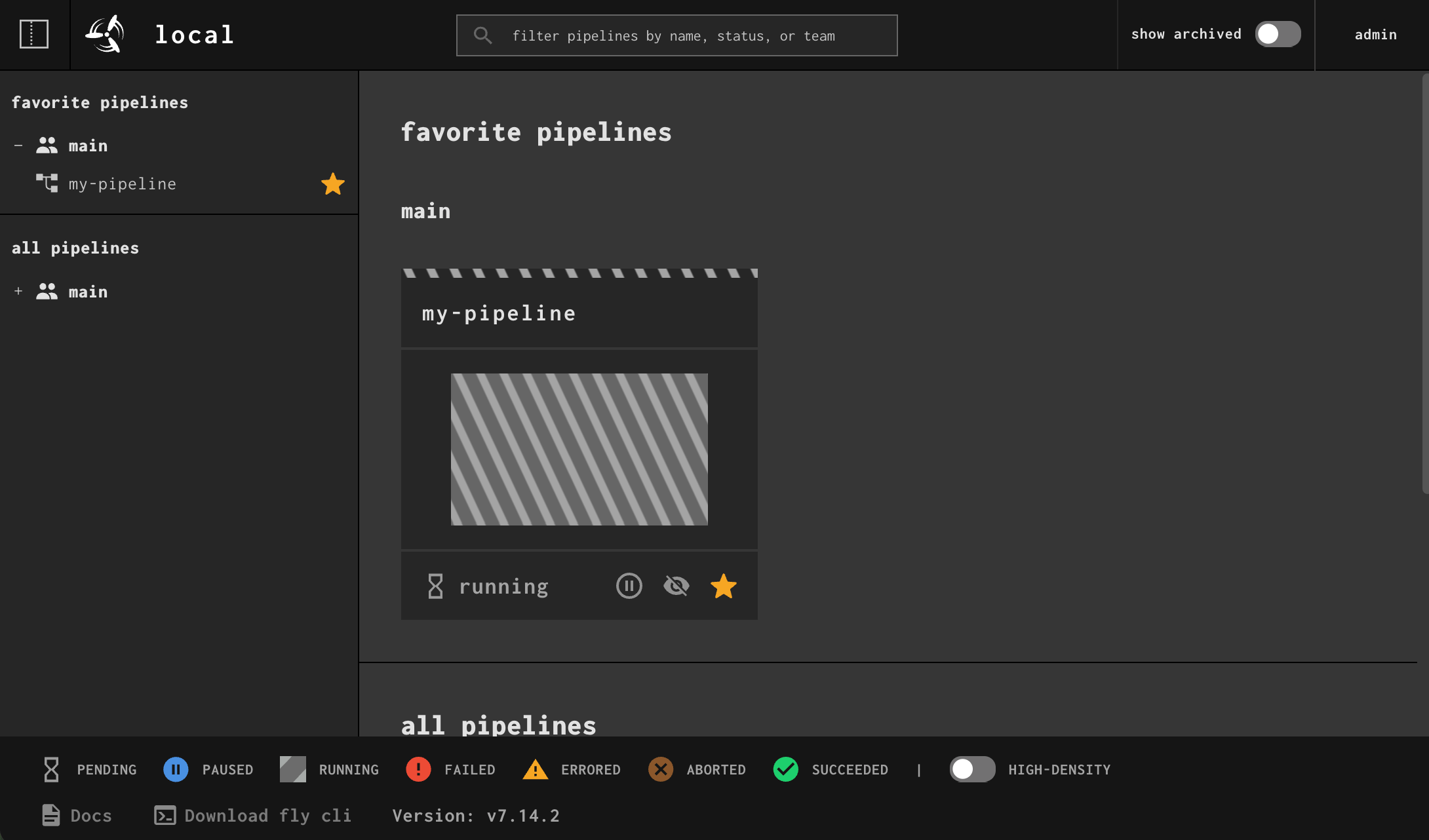
## 中文信息 ## Concourse CI - 现代化的 CI/CD 流水线工具 **官方网站:** https://concourse-ci.org/ **仓库地址:** https://github.com/lazycatapps/concourse.git Concourse 是一个基于容器的自动化系统,使用 Go 语言编写,主要用于持续集成(CI)和持续交付(CD)。它通过可扩展的流水线(Pipeline)模型来定义和运行各种自动化任务,从最简单的构建脚本到复杂的多阶段部署流程。 Concourse 的设计理念强调幂等性、不可变性、声明式配置、无状态工作节点和可重现的构建,确保 CI/CD 流程的可靠性和一致性。 ## 主要功能 - 🔄 **流水线即代码**:所有工作流都在 YAML 文件中定义,使流水线可版本控制、易于共享 - 🐳 **容器优先**:原生支持容器技术,所有任务都在 Docker 镜像中运行 - 📦 **资源抽象**:统一的资源接口,支持 Git、S3、Docker 镜像等多种输入输出 - 🔧 **强大的调试工具**:内置 `fly execute` 本地运行任务、`fly intercept` 调试容器 - ♻️ **幂等性保证**:任务设计为短暂且幂等,确保构建的可重现性 - 🌐 **Web UI**:直观的可视化界面,实时查看流水线状态和任务执行 - 🔐 **访问控制**:支持多团队管理和精细的权限控制 - 📊 **并行执行**:自动并行化独立任务,提高构建效率 ## 使用方法 1. 访问 Concourse Web UI(默认端口 8080) 2. 使用默认账号登录: - 用户名:`admin` - 密码:`admin` ## 配置说明 - **Web UI 端口**:8080 - **数据库**:PostgreSQL(已内置配置) - **Worker 运行时**:containerd - **默认用户**:admin/admin(建议生产环境修改) ## 快速入门示例 ```yaml jobs: - name: hello plan: - task: test config: platform: linux image_resource: type: registry-image source: # google 镜像仓库下载,网络不好时下载镜像会慢 repository: ghcr.io/hlesey/busybox run: path: sh args: - -c - | echo -e "\n\nHello, Concourse!\n\nHello, LazyCAT!\n\n" ``` 1. 安装 `fly` CLI 工具(从 Web UI 右上角下载) 2. 登录到 Concourse:`fly -t tutorial login -c <应用地址> -u admin -p admin` 3. 创建 `pipeline.yml` 定义你的 CI/CD 流水线 4. 设置流水线:`fly -t tutorial set-pipeline -p my-pipeline -c pipeline.yml` 5. 启用流水线:`fly -t tutorial unpause-pipeline -p my-pipeline` 6. 触发流水线执行:`fly -t tutorial trigger-job -j my-pipeline/hello --watch` 7. 开始使用 Concourse 自动化你的构建和部署流程 ## 注意事项 - ⚠️ **资源需求**:Concourse 需要一定的系统资源,建议至少 2GB 内存 - 🔒 **安全提示**:默认密码为 admin/admin,生产环境请修改环境变量更改密码 - 📝 **持久化**:数据库数据已配置持久化存储,卸载应用前请注意备份 - 🌐 **外部 URL**:如需配置外部访问地址,请修改 `CONCOURSE_EXTERNAL_URL` 环境变量 ## 项目移植来源 URL 地址 https://github.com/concourse/concourse ## 作者 concourse # 英文信息 ## Version Update Notes Initial release version providing complete Concourse CI/CD pipeline functionality. Supports containerized builds, declarative pipeline configuration, resource abstraction management, Web UI visualization monitoring, and other core features. Default configuration includes PostgreSQL database and containerd runtime, ready to use out of the box. ## Application Name Concourse CI ## Application Introduction Concourse is a modern container-based CI/CD automation system that uses declarative YAML configuration to define pipelines and supports container-first task execution. Emphasizing idempotency, immutability, and reproducible builds, it provides an intuitive Web UI and powerful debugging tools, suitable for various automation scenarios from simple builds to complex multi-stage deployments. ## Application Keywords concourse, ci, cd, pipeline, devops, automation, continuous-integration, continuous-delivery ## Application Description ## Concourse CI - Modern CI/CD Pipeline Tool **Official Website:** https://concourse-ci.org/ **Repository:** https://github.com/lazycatapps/concourse.git Concourse is a container-based automation system written in Go, primarily used for Continuous Integration (CI) and Continuous Delivery (CD). It uses an extensible Pipeline model to define and run various automation tasks, from simple build scripts to complex multi-stage deployment processes. Concourse's design philosophy emphasizes idempotency, immutability, declarative configuration, stateless workers, and reproducible builds, ensuring reliability and consistency in CI/CD processes. ## Main Features - 🔄 **Pipeline-as-Code**: All workflows defined in YAML files, making pipelines version-controlled and easy to share - 🐳 **Container-First**: Native container support, all tasks run inside Docker images - 📦 **Resource Abstraction**: Unified resource interface supporting Git, S3, Docker images, and more - 🔧 **Powerful Debugging Tools**: Built-in `fly execute` for local task execution, `fly intercept` for container debugging - ♻️ **Idempotency Guarantee**: Tasks designed to be ephemeral and idempotent, ensuring build reproducibility - 🌐 **Web UI**: Intuitive visual interface for real-time pipeline status and task execution monitoring - 🔐 **Access Control**: Multi-team management support with fine-grained permission control - 📊 **Parallel Execution**: Automatic parallelization of independent tasks for improved build efficiency ## Usage Instructions 1. Access Concourse Web UI (default port 8080) 2. Login with default credentials: - Username: `admin` - Password: `admin` ## Configuration - **Web UI Port**: 8080 - **Database**: PostgreSQL (pre-configured) - **Worker Runtime**: containerd - **Default User**: admin/admin (recommended to change in production) ## Quick Start Example ```yaml jobs: - name: hello plan: - task: test config: platform: linux image_resource: type: registry-image source: # google 镜像仓库下载,网络不好时下载镜像会慢 repository: ghcr.io/hlesey/busybox run: path: sh args: - -c - | echo -e "\n\nHello, Concourse!\n\nHello, LazyCAT!\n\n" ``` 1. Install `fly` CLI tool (download from top-right corner of Web UI) 2. Login to Concourse: `fly -t tutorial login -c <app-url> -u admin -p admin` 3. Create `pipeline.yml` to define your CI/CD pipeline 4. Set pipeline: `fly -t tutorial set-pipeline -p my-pipeline -c pipeline.yml` 5. Unpause pipeline: `fly -t tutorial unpause-pipeline -p my-pipeline` 6. Trigger pipeline: `fly -t tutorial trigger-job -j my-pipeline/hello --watch` 7. Start automating your build and deployment processes with Concourse ## Notes - ⚠️ **Resource Requirements**: Concourse requires adequate system resources, at least 2GB memory recommended - 🔒 **Security Notice**: Default password is admin/admin, please change environment variables in production - 📝 **Persistence**: Database data is configured for persistent storage, backup before uninstalling - 🌐 **External URL**: To configure external access URL, modify `CONCOURSE_EXTERNAL_URL` environment variable ## Project Source URL https://github.com/concourse/concourse ## Author concourse

懒猫评分/评论
0.0
0 条评论
新功能
版本历史记录'%3e%3cpath%20d='M20%200H0V20H20V0Z'%20fill='white'%20fill-opacity='0.01'/%3e%3cpath%20d='M15.5%2010H4.5'%20stroke='%23545454'%20stroke-linecap='round'%20stroke-linejoin='round'/%3e%3cpath%20d='M10.5%205L15.5%2010L10.5%2015'%20stroke='%23545454'%20stroke-linecap='round'%20stroke-linejoin='round'/%3e%3c/g%3e%3cdefs%3e%3cclipPath%20id='clip0_1991_3173'%3e%3crect%20width='20'%20height='20'%20fill='white'/%3e%3c/clipPath%3e%3c/defs%3e%3c/svg%3e)
首次发布版本,提供完整的 Concourse CI/CD 流水线功能。支持容器化构建、声明式流水线配置、资源抽象管理、Web UI 可视化监控等核心特性。默认配置包含 PostgreSQL 数据库和 containerd 运行时,开箱即用。
此 App 尚未收到足够的评分或评论,无法显示评论列表。